
Jak handlować na rynku spot w CoinUnited.io?
Transakcja spot to podstawowa operacja kupna i sprzedaży po bieżącej cenie rynkowej, zwanej ceną spot. Zlecenie jest realizowane natychmiast po wypełnieniu.
CoinUnited.io umożliwia też przygotowanie zleceń, które zostaną uruchomione, gdy cena spot osiągnie określony (korzystniejszy) poziom – są to zlecenia limitowane.
Aplikacja CoinUnited.io
1. W aplikacji CoinUnited.io przejdź do „Wallet”.
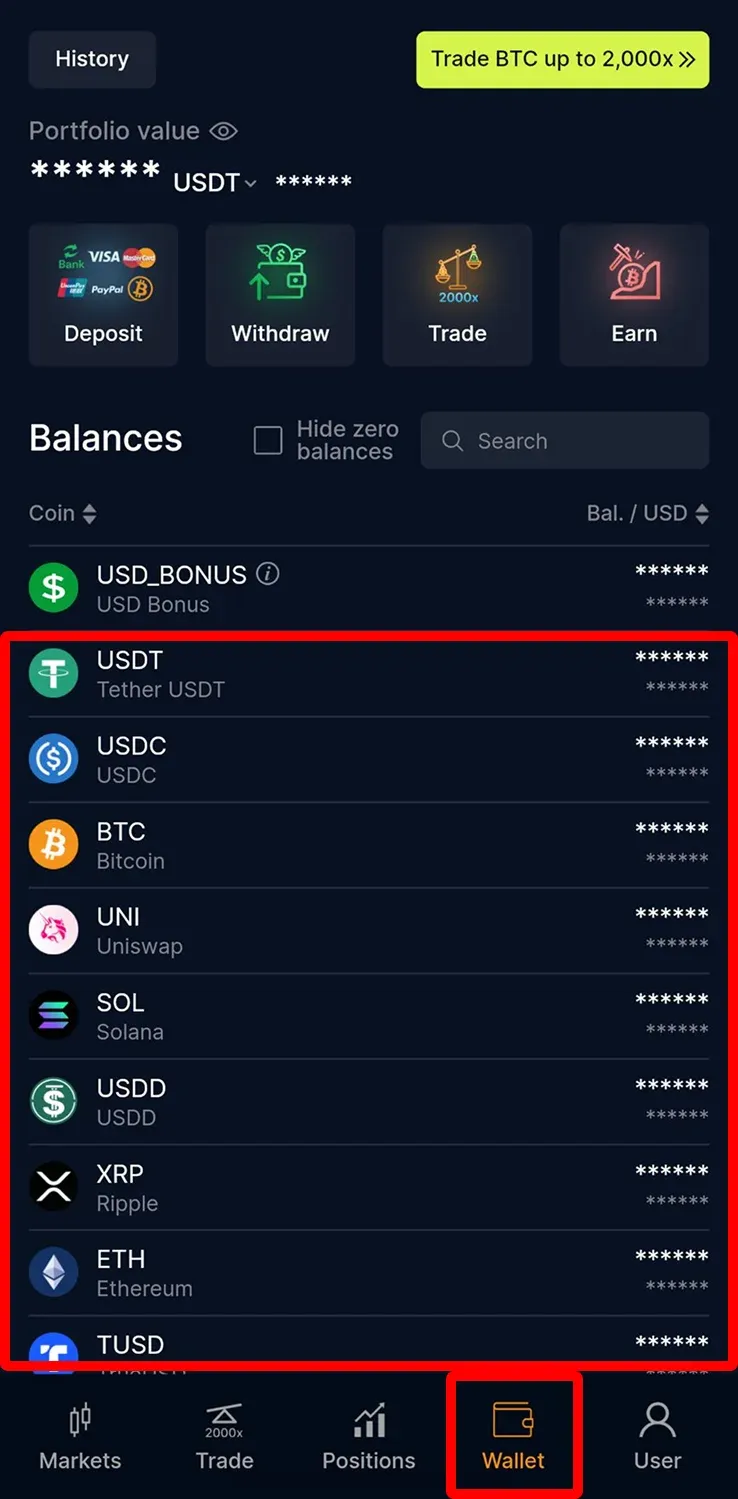
2. Wybierz kryptowalutę, którą chcesz handlować, i stuknij „Trade” > „Spot”.
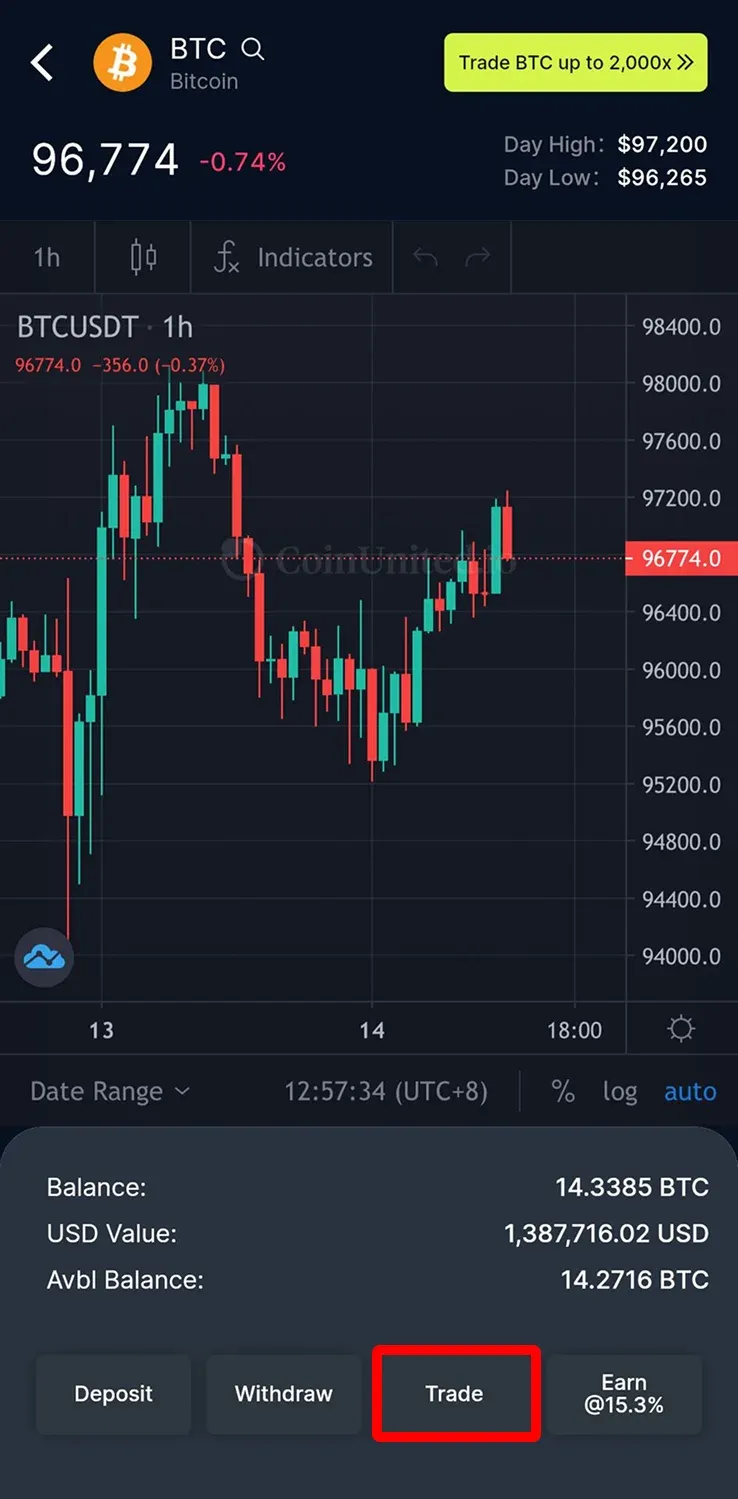
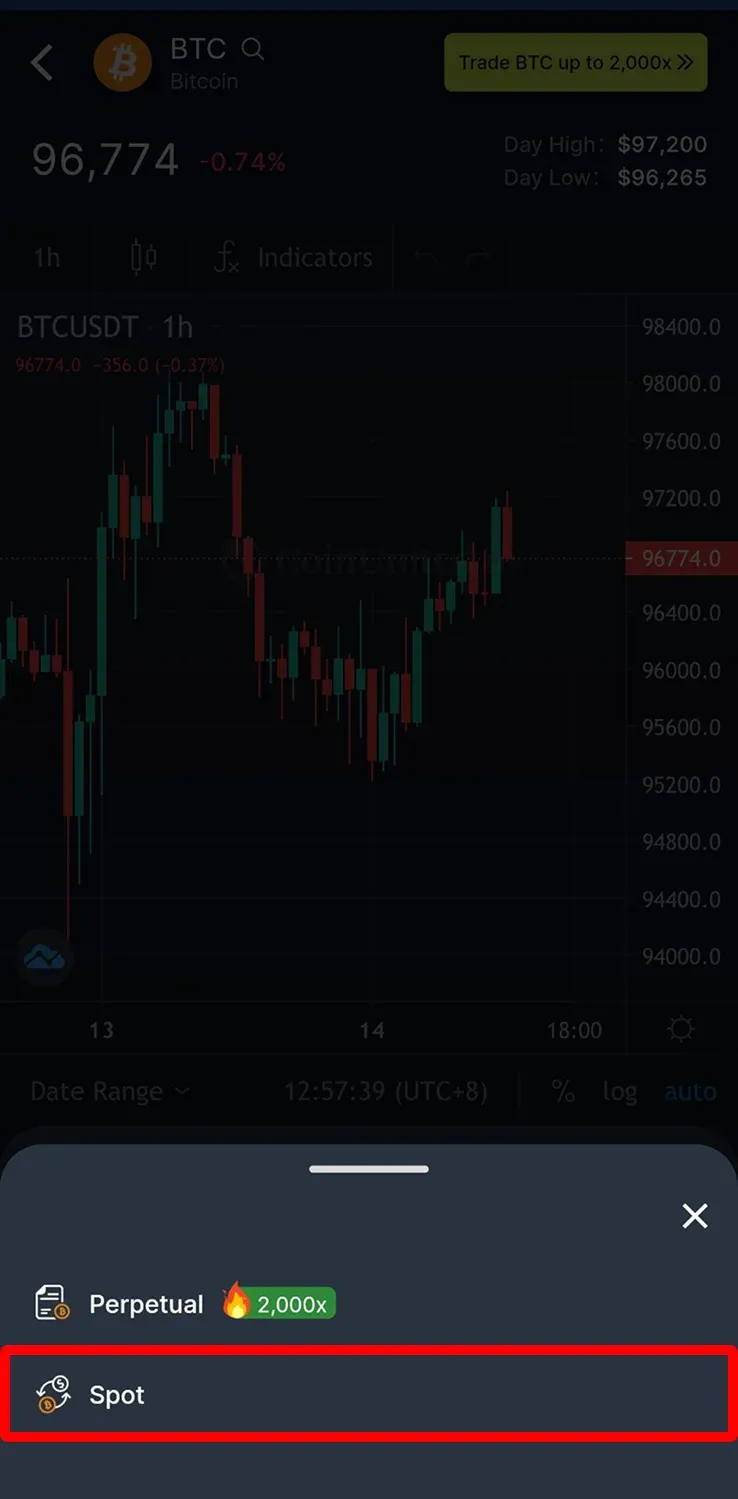
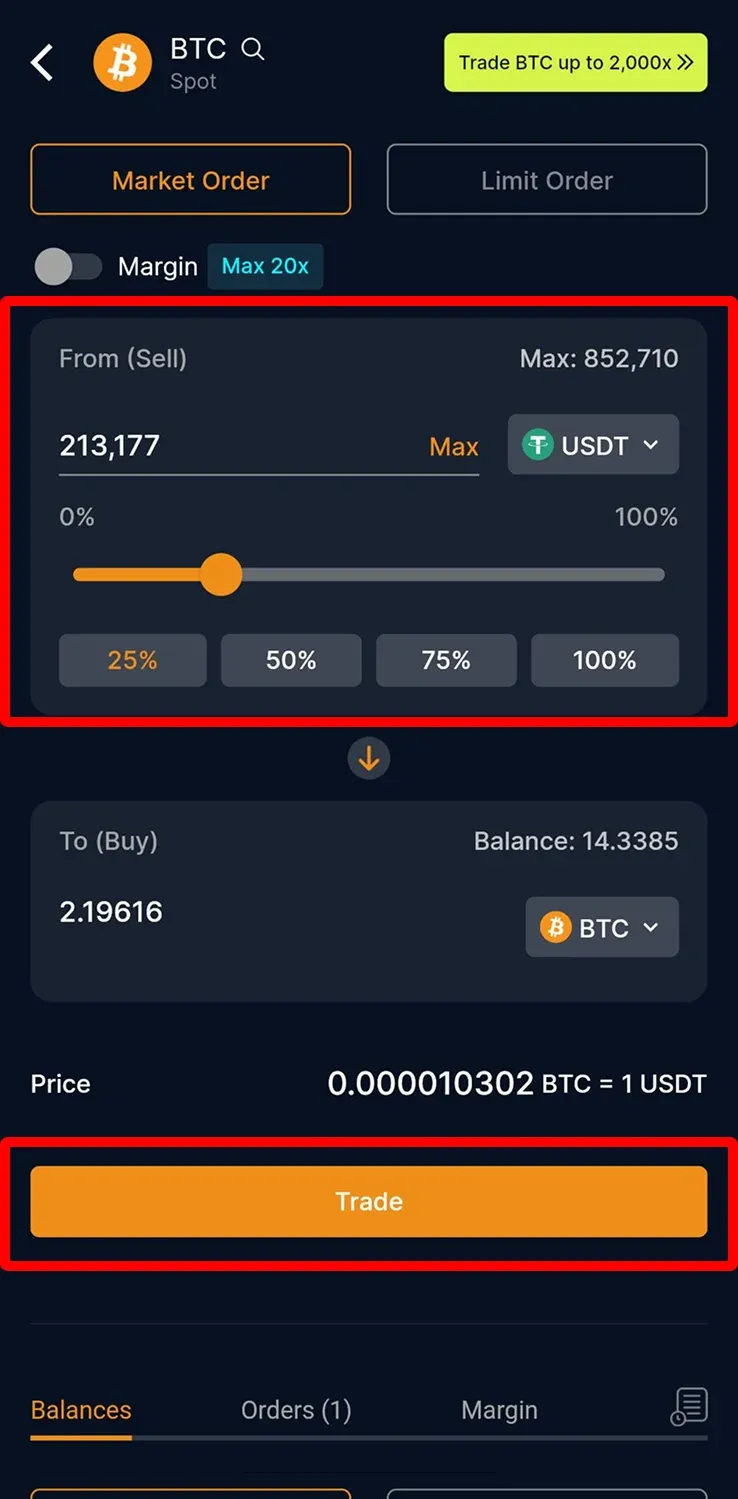
3. Domyślnym typem zlecenia jest zlecenie rynkowe. Pozwala ono na natychmiastową realizację po bieżącej cenie rynkowej. Wprowadź kwotę i stuknij „Trade”.
4. Stuknij „Accept”, aby potwierdzić aktualizację ceny, a następnie ponownie stuknij „Trade”, aby ukończyć transakcję.
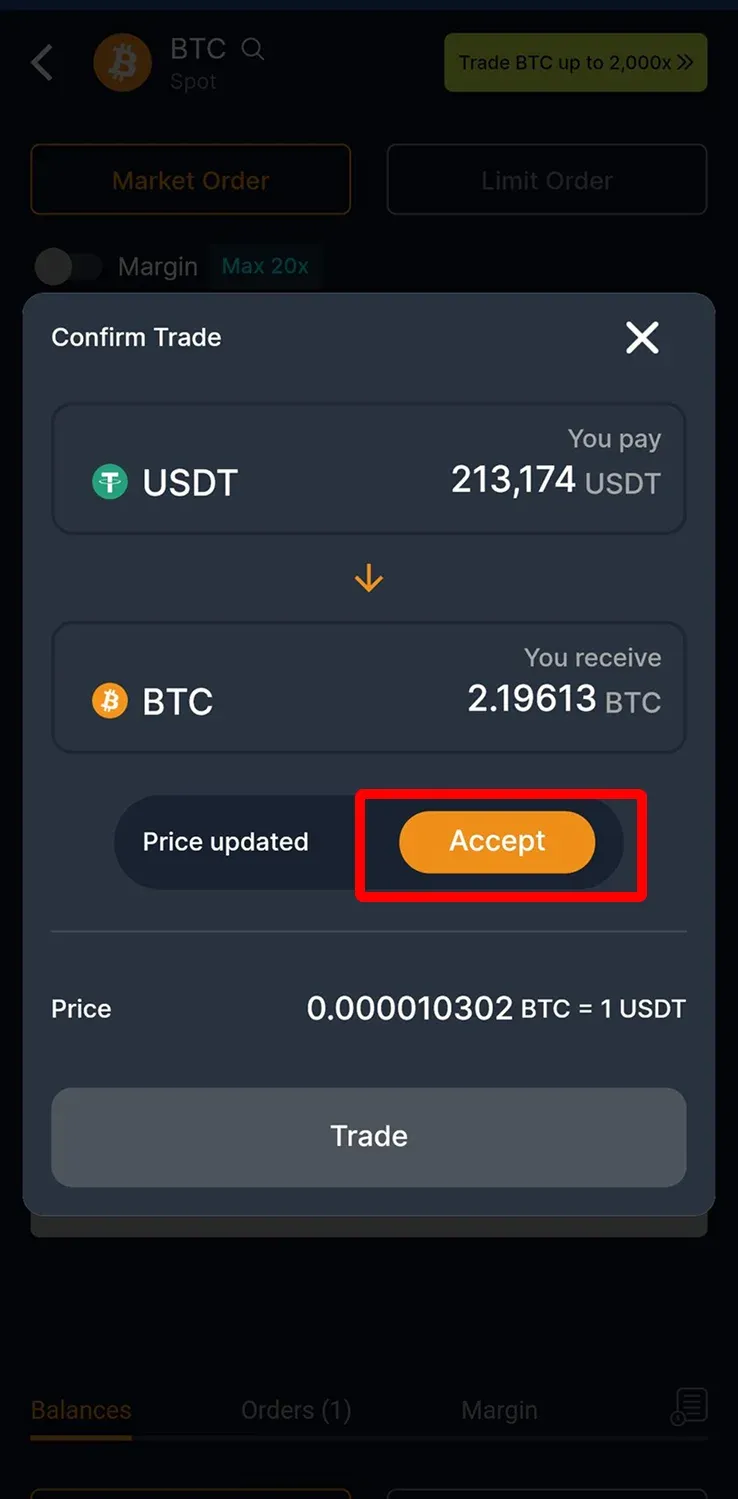
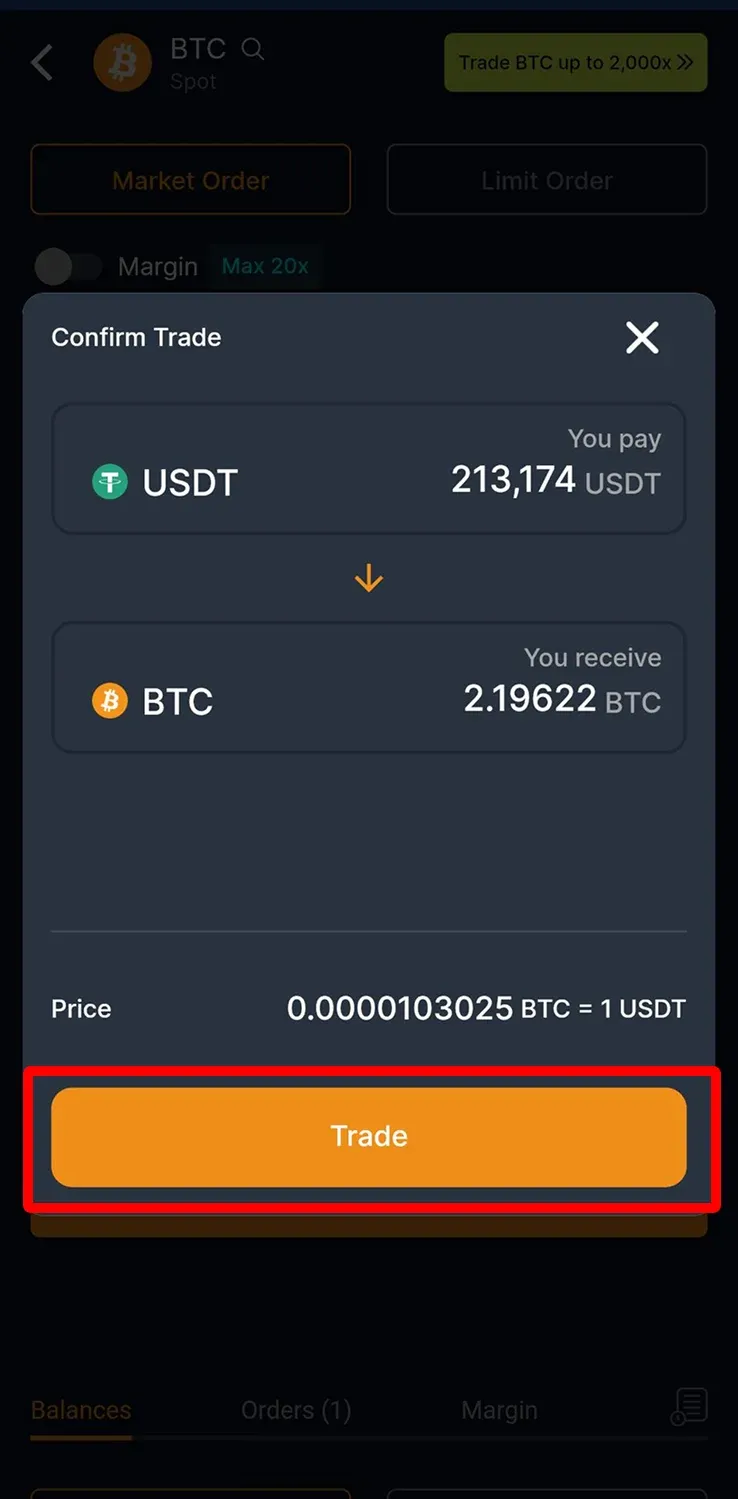
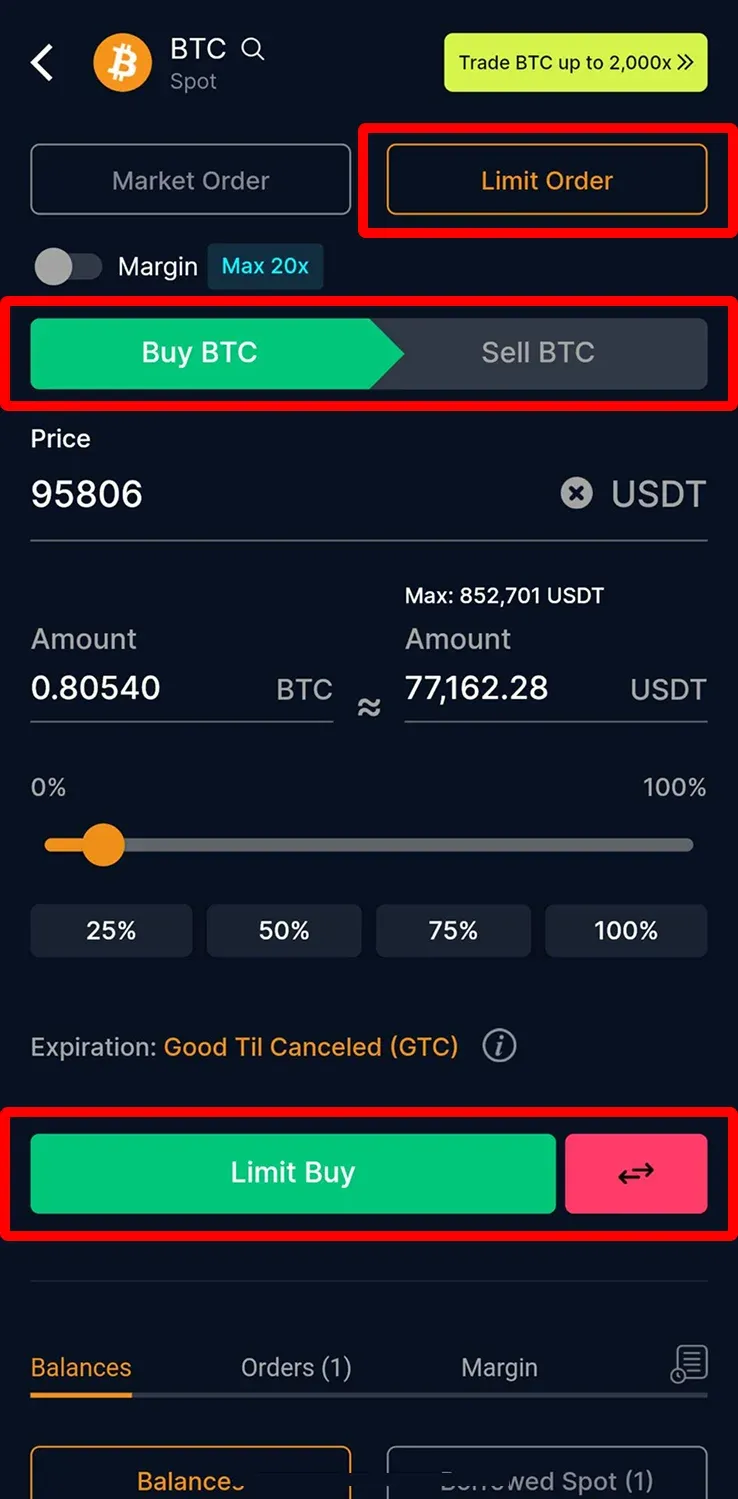
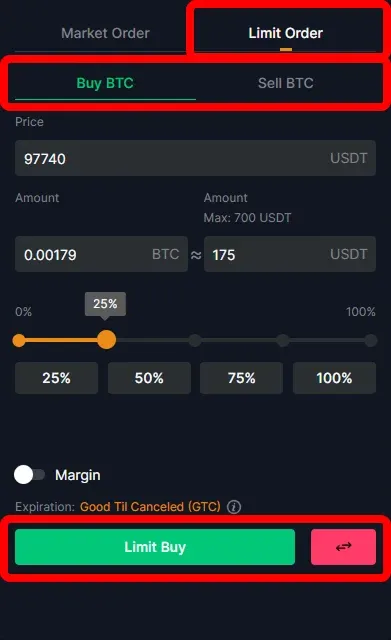
5. Jeśli chcesz złożyć zlecenie limitowane, przełącz się na „Limit Order”. Podaj cenę i ilość, a następnie stuknij „Limit Buy”, aby złożyć zlecenie; sprzedaż przebiega analogicznie.
Platforma webowa CoinUnited.io
1. Na platformie webowej przejdź do „Trade” > „Spot”.
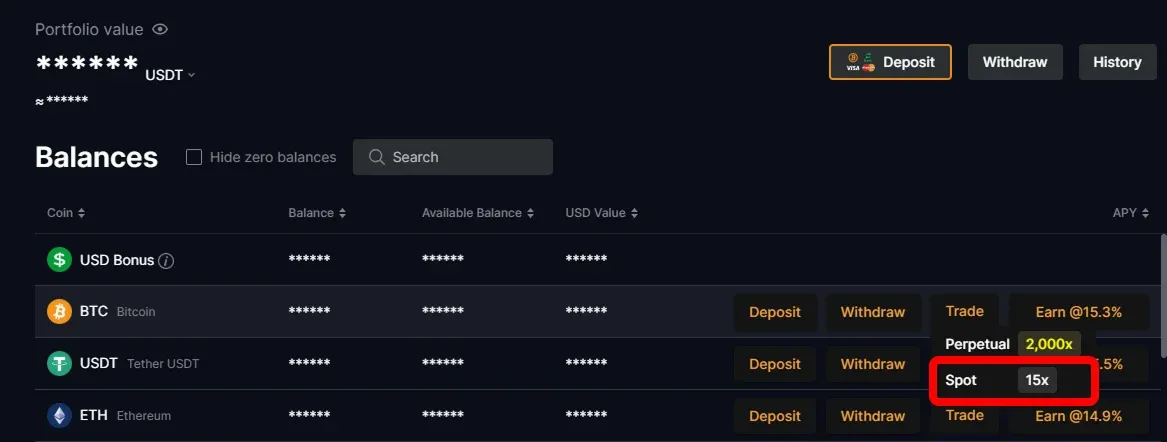
2. Wybierz kryptowalutę, którą chcesz handlować.
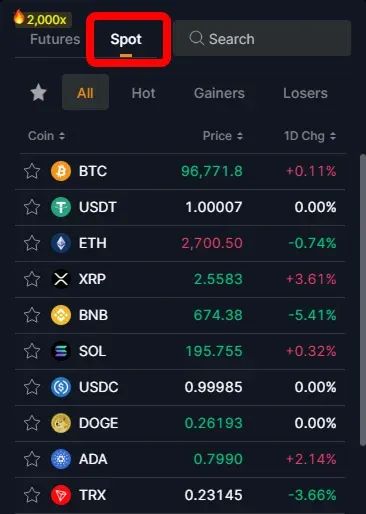
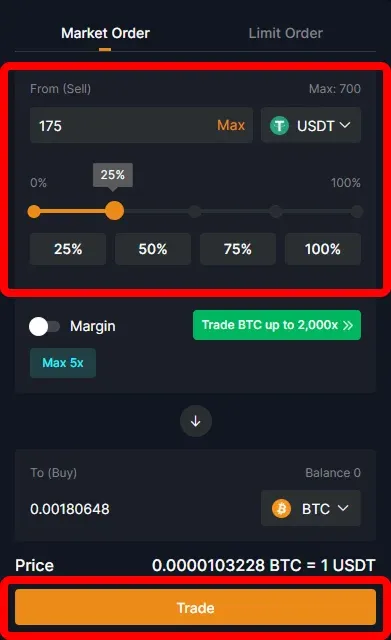
3. Domyślnym typem zlecenia jest zlecenie rynkowe, co pozwala na natychmiastową realizację po bieżącej cenie. Wprowadź kwotę i kliknij „Trade”.
4. Kliknij „Confirm Trade”, aby zakończyć transakcję.
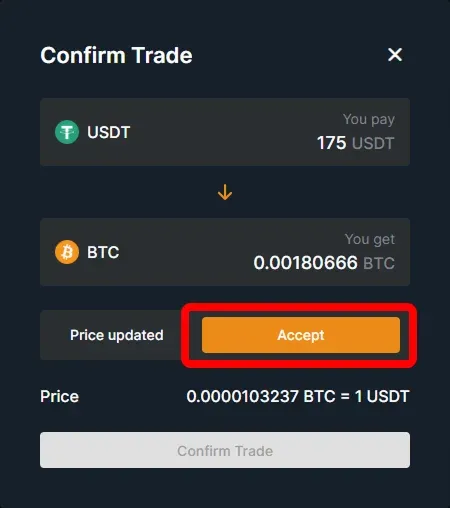
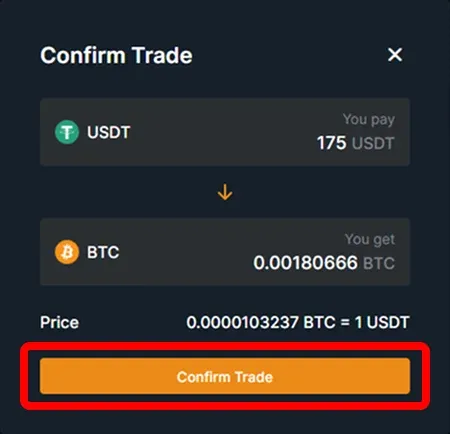
5. Aby złożyć zlecenie limitowane, wybierz „Limit Order”, podaj cenę i ilość, a następnie kliknij „Limit Buy”. Sprzedaż przebiega analogicznie.
Potrzebujesz dodatkowej pomocy?
Jeśli masz pytania lub napotkasz problemy, odwiedź nasze Centrum Pomocy lub skorzystaj z chatbota, aby uzyskać wsparcie.
Jesteśmy do Twojej dyspozycji. Udanych transakcji!
Ostatnia aktualizacja: 23 kwietnia 2025
Czy to odpowiedziało na twoje pytanie?