
Hoe stel ik e-mailauthenticatie in?
CoinUnited.io-app
1. Ga in de CoinUnited.io-app naar "User" > "Security" om dit te openen
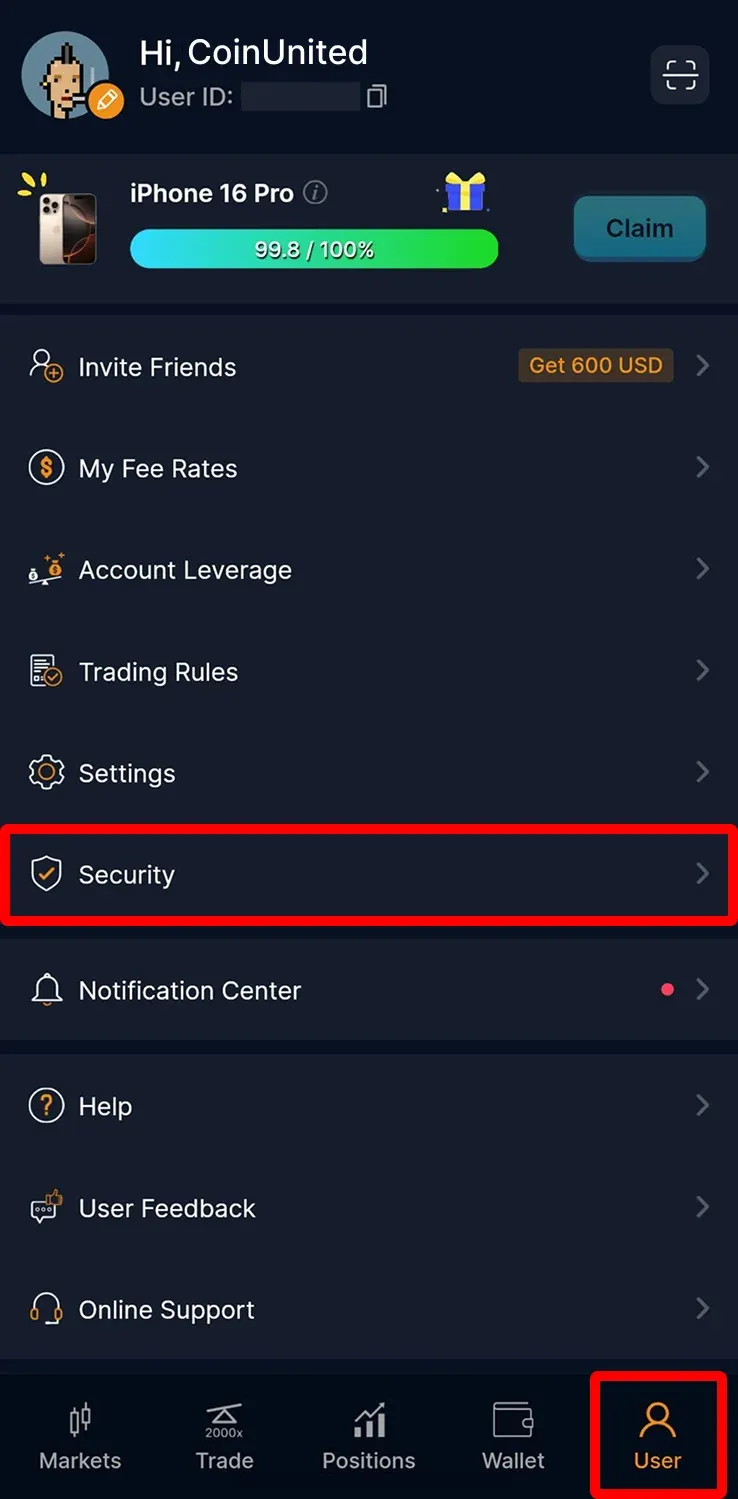
2. Tik op "Email Authentication"
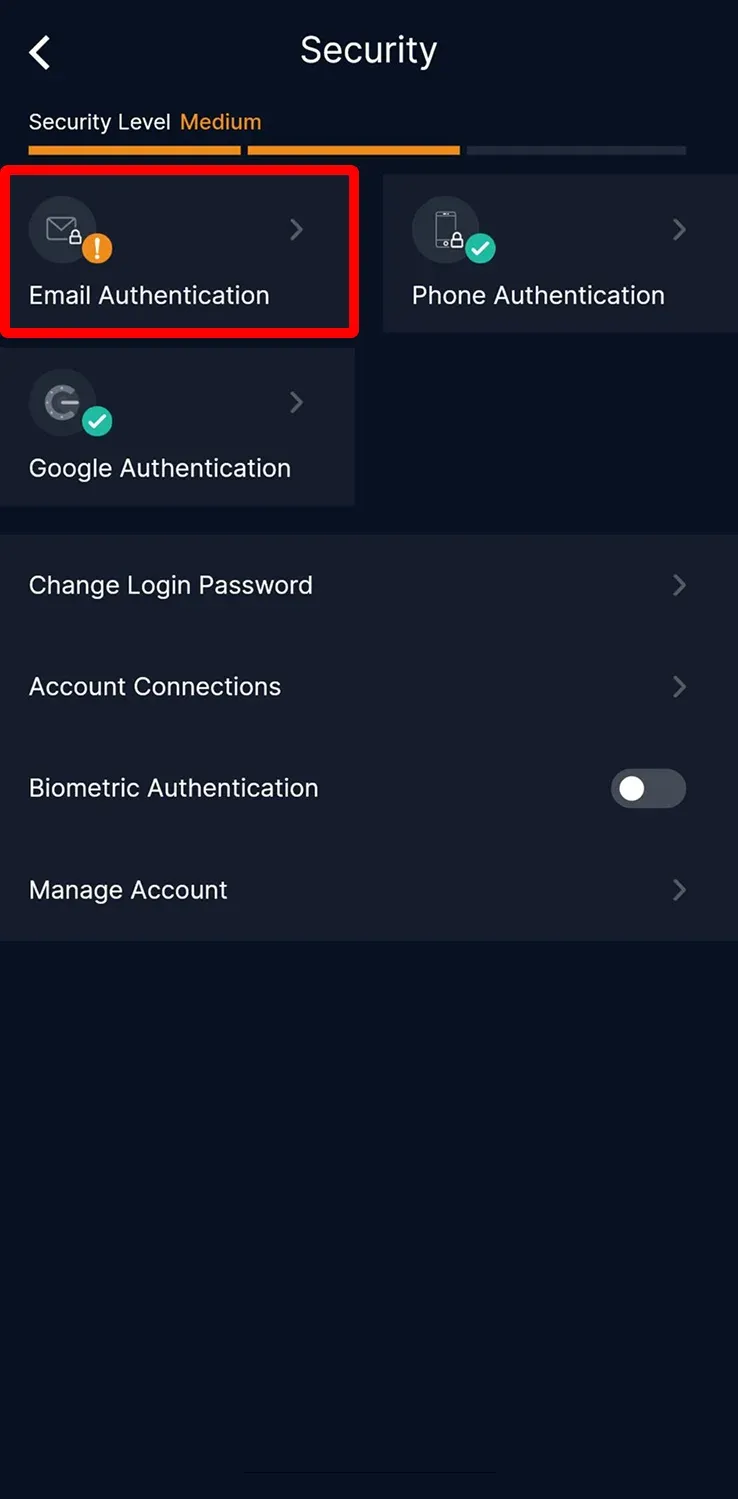
3. Tik op "Set Up Email Authentication"
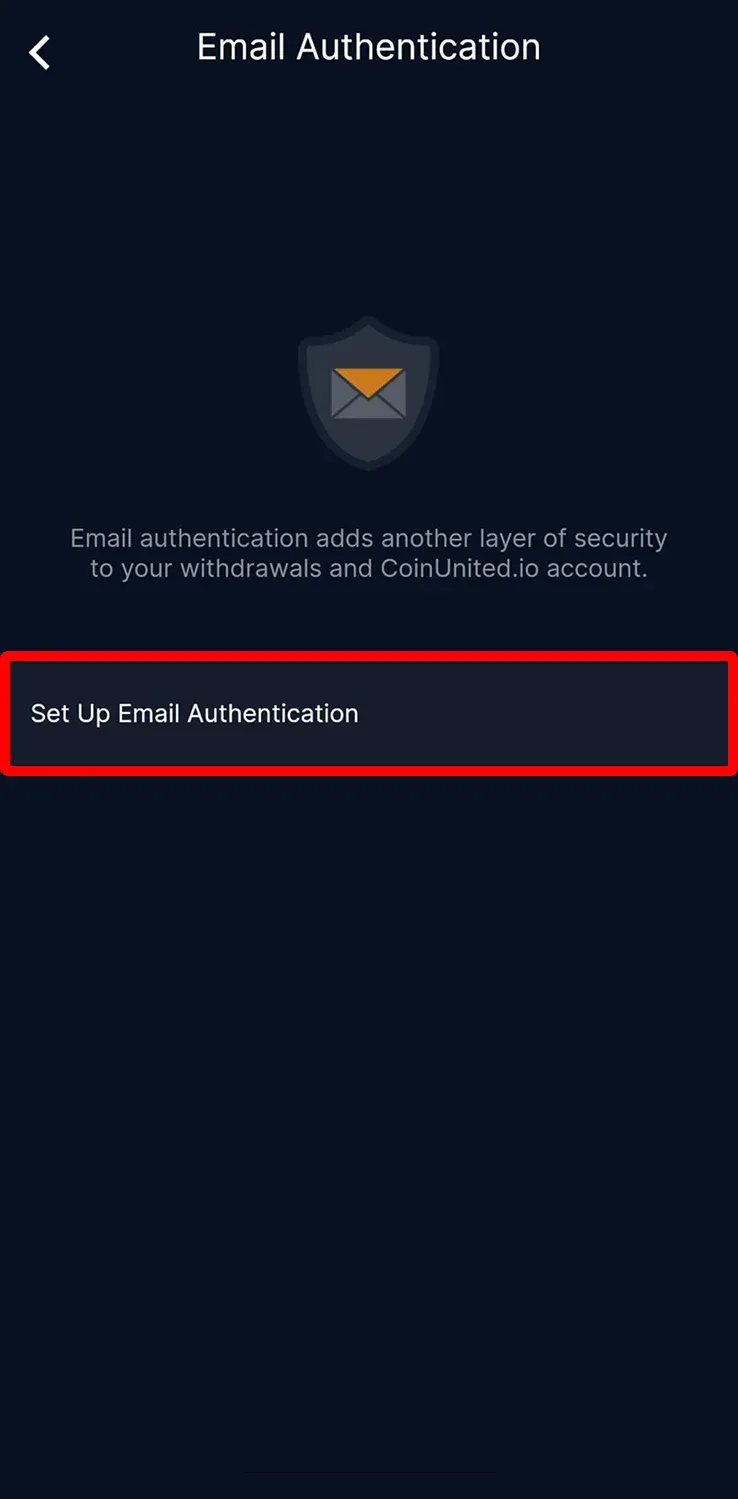
4. Voer uw e-mailadres in en klik op "Send Code"
Voer de verificatiecode in die naar uw sms, e-mail en Google 2FA is gestuurd en tik dan op "Submit"
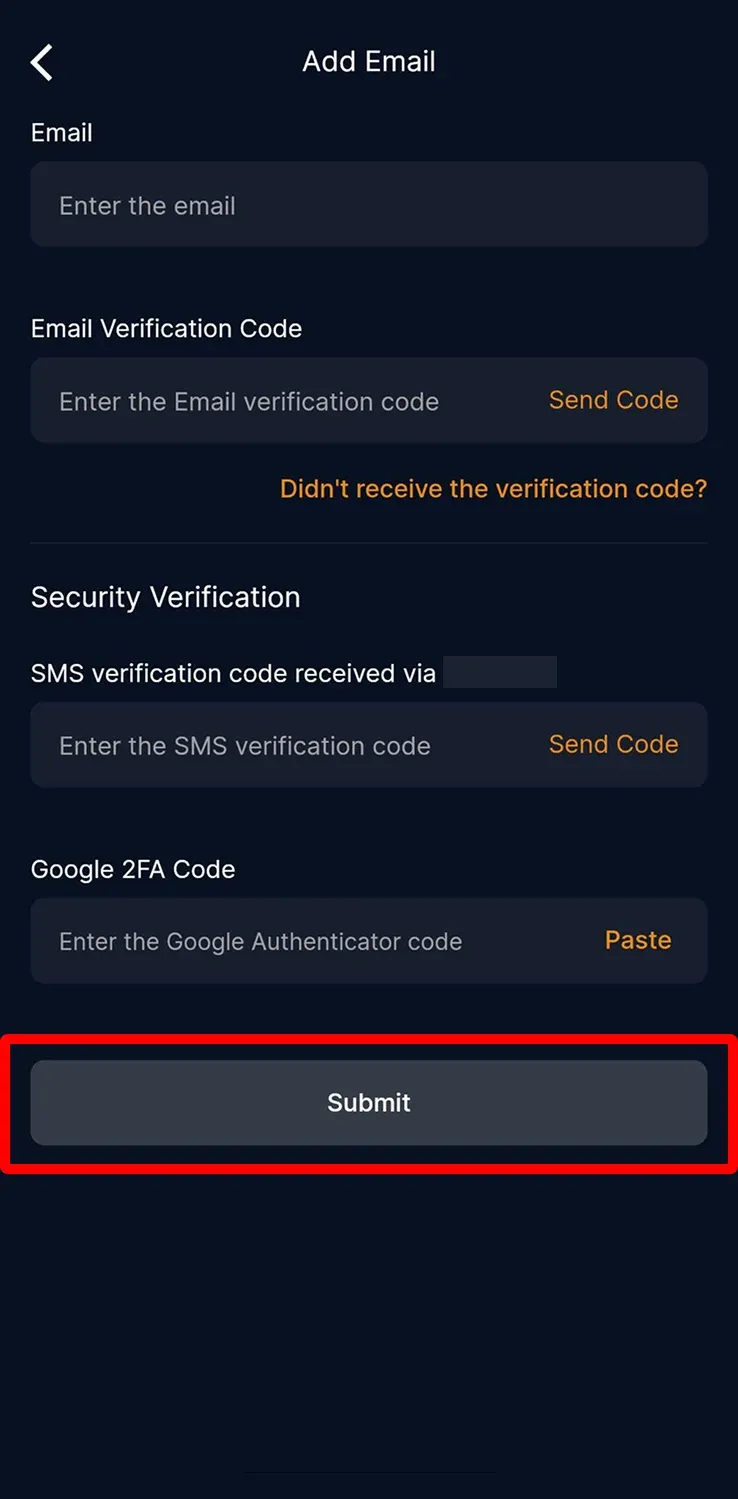
Uw e-mailadres is succesvol toegevoegd.
CoinUnited.io-webplatform
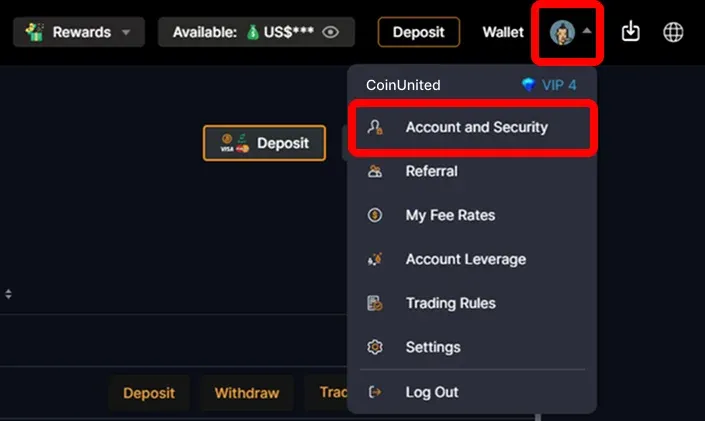
1. Ga naar het CoinUnited.io-webplatform, beweeg uw muis over het "User Icon" rechtsboven en klik vervolgens op "Account and Security"
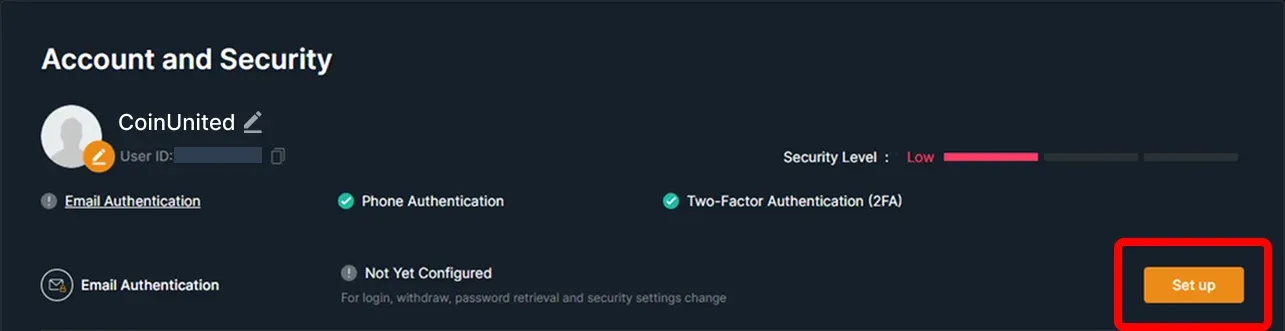
2. Ga naar Email Authentication en klik op "Set up"
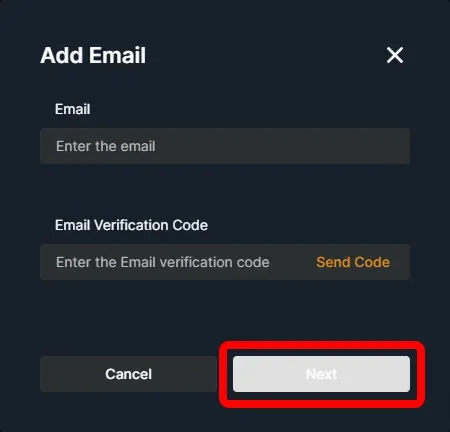
3. Voer uw e-mailadres in en klik op "Send Code"
Voer de verificatiecode in die naar uw sms, e-mail en Google 2FA is gestuurd. Klik vervolgens op "Confirm"
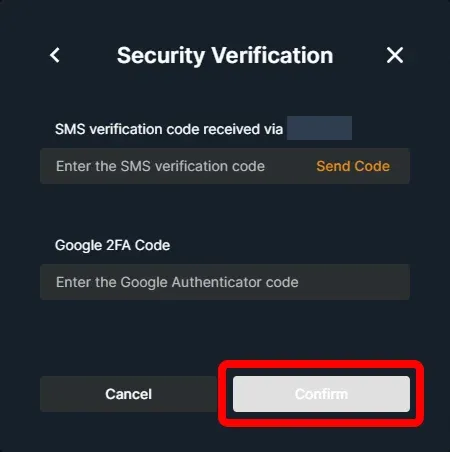
Uw e-mailadres is succesvol toegevoegd.
Meer Hulp Nodig?
Voor verdere vragen of problemen kunt u terecht in ons Help Center of gebruik onze chatbot voor ondersteuning.
Wij staan voor u klaar. Veel succes met traden!
Laatst bijgewerkt: 11 april 2025
Beantwoordde dit uw vraag?