
Kumaha Ngaktipkeun Google Authentication (2FA) di CoinUnited.io?
Aplikasi CoinUnited.io
1. Buka "User" > "Security" dina Aplikasi CoinUnited.io anjeun
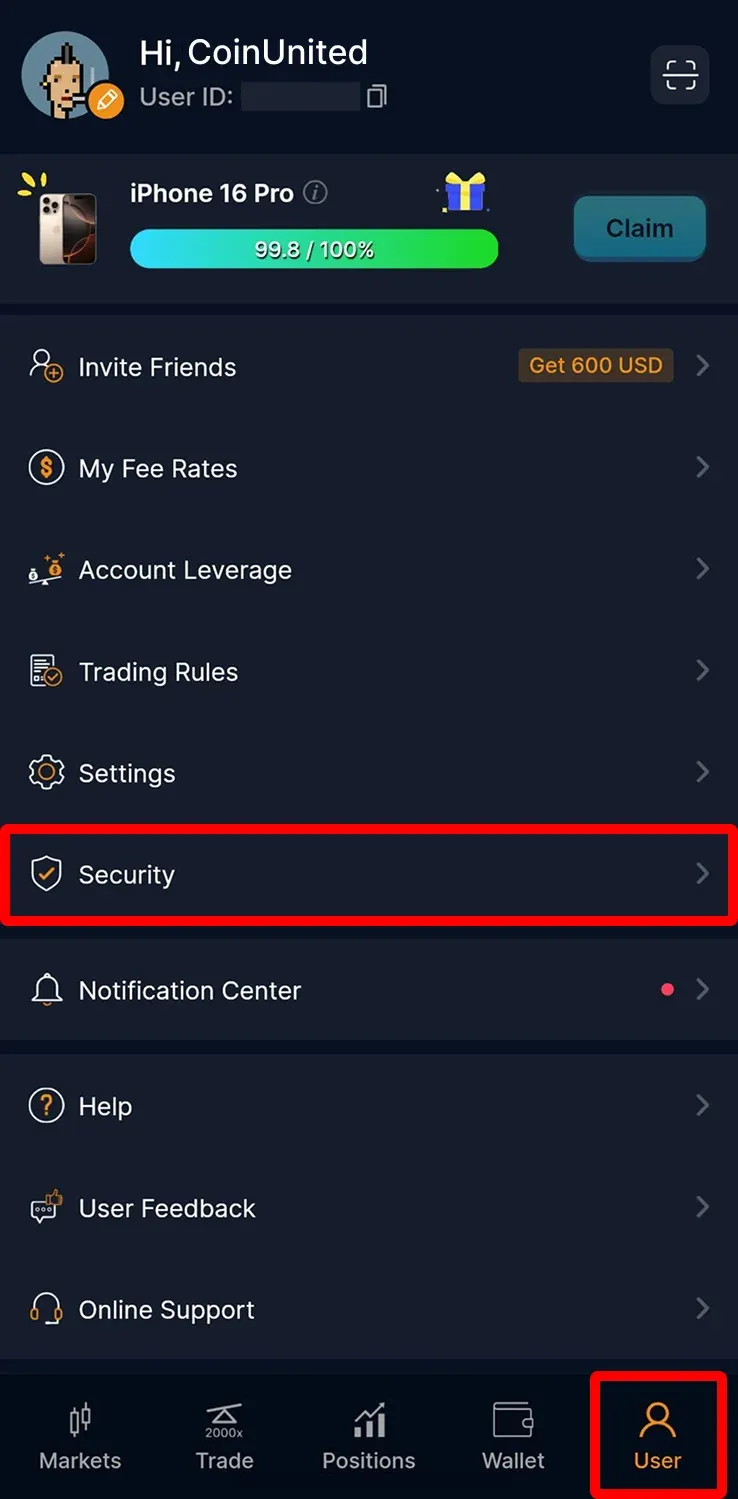
2. Ketok "Google Authentication"
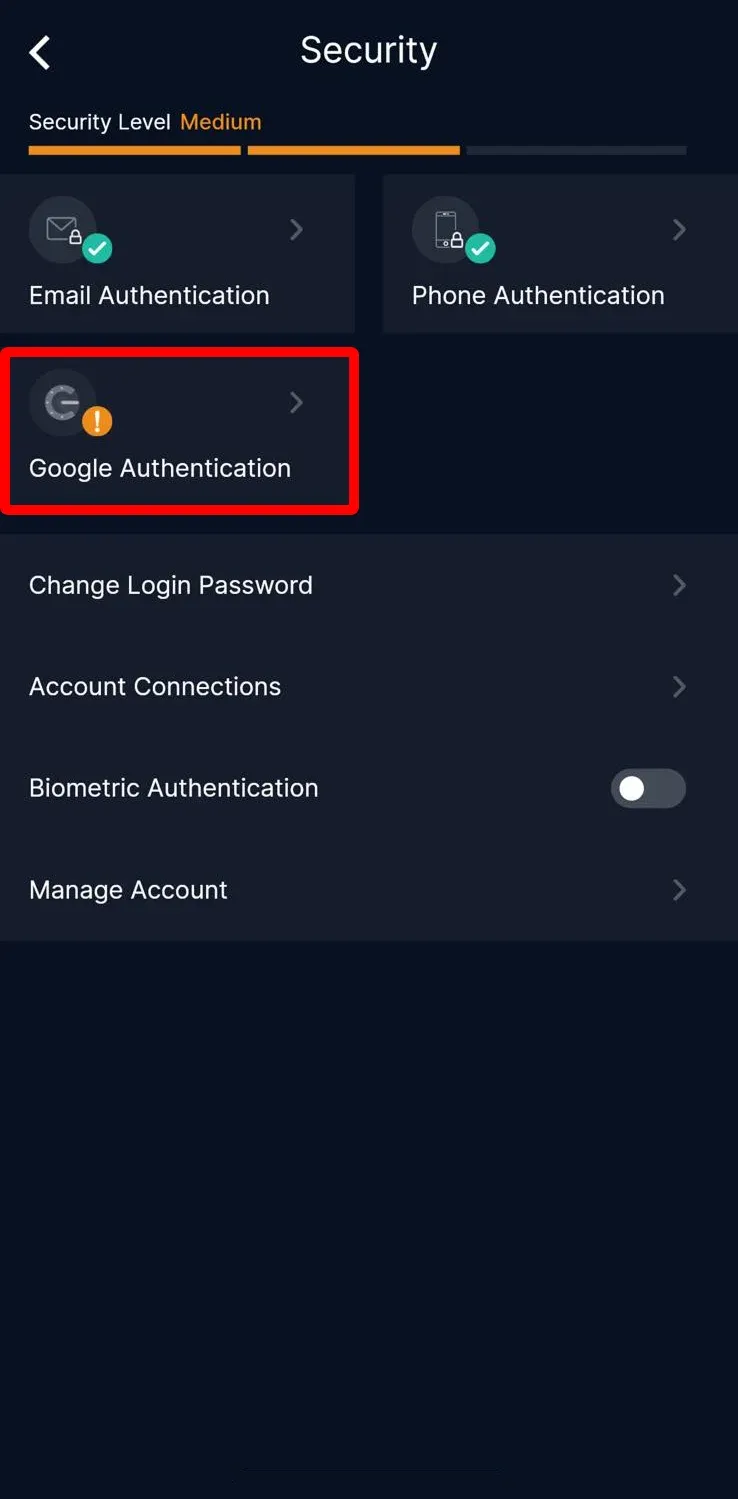
3. Hurungkeun "Authentication APP"
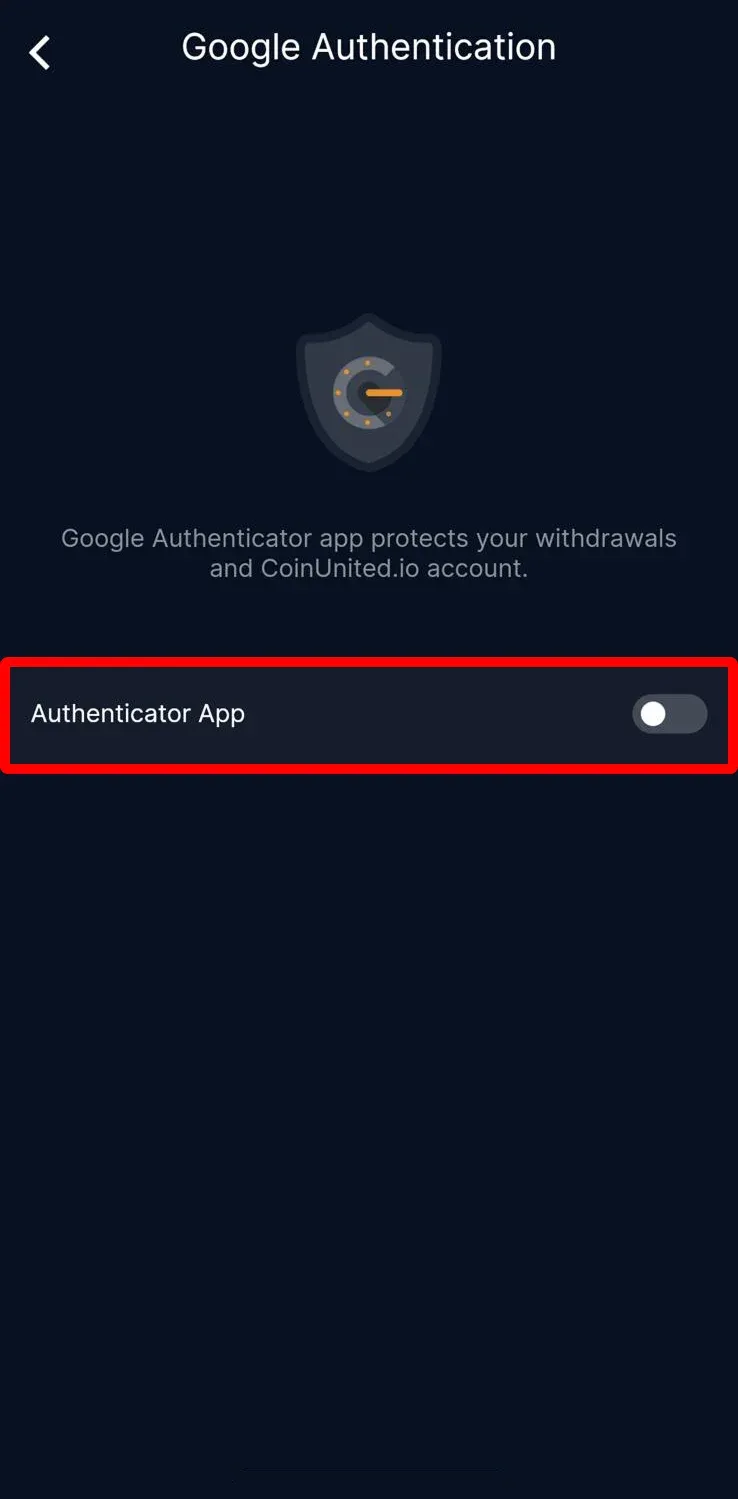
4. Lebetkeun kode vérifikasi SMS sareng email anjeun, teras ketok "Submit"
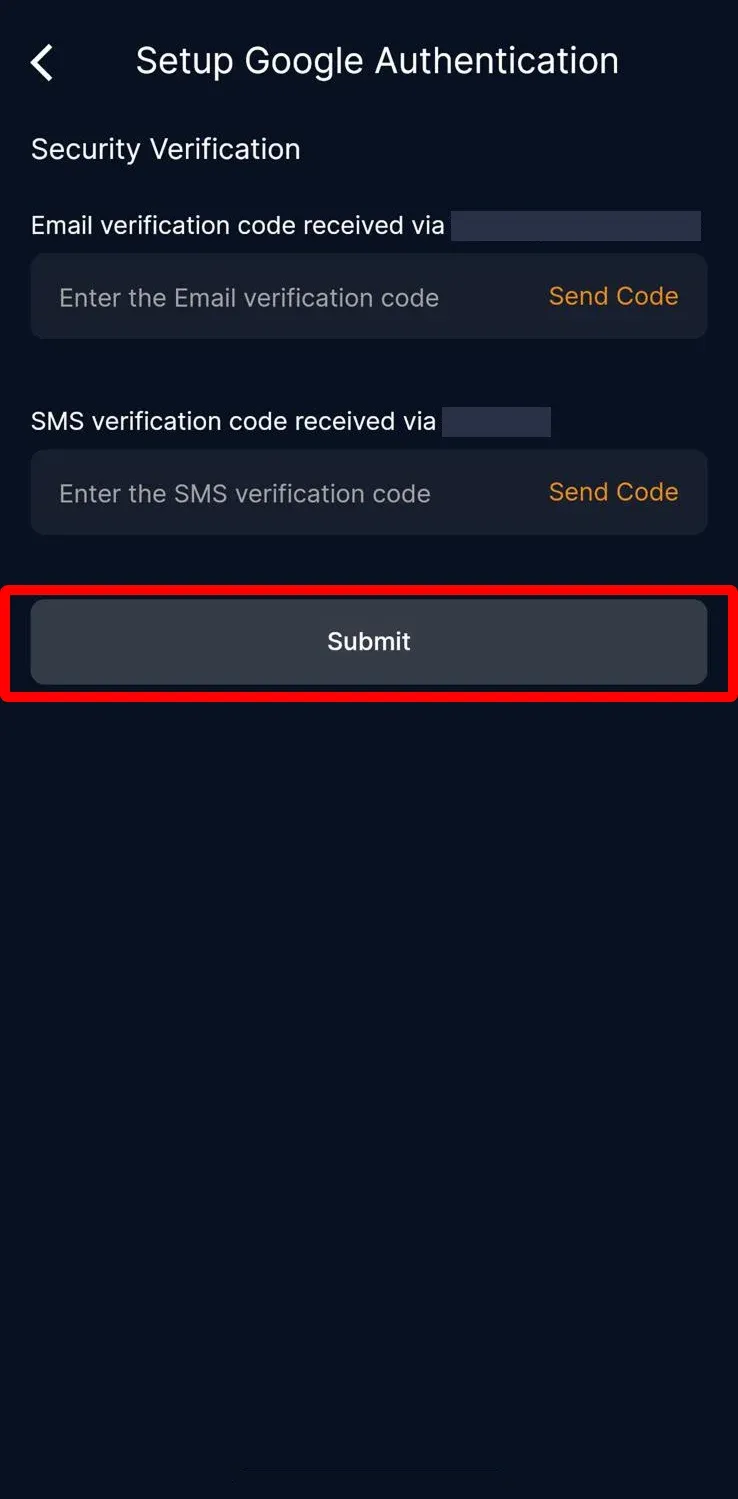
5. Salin kode éta
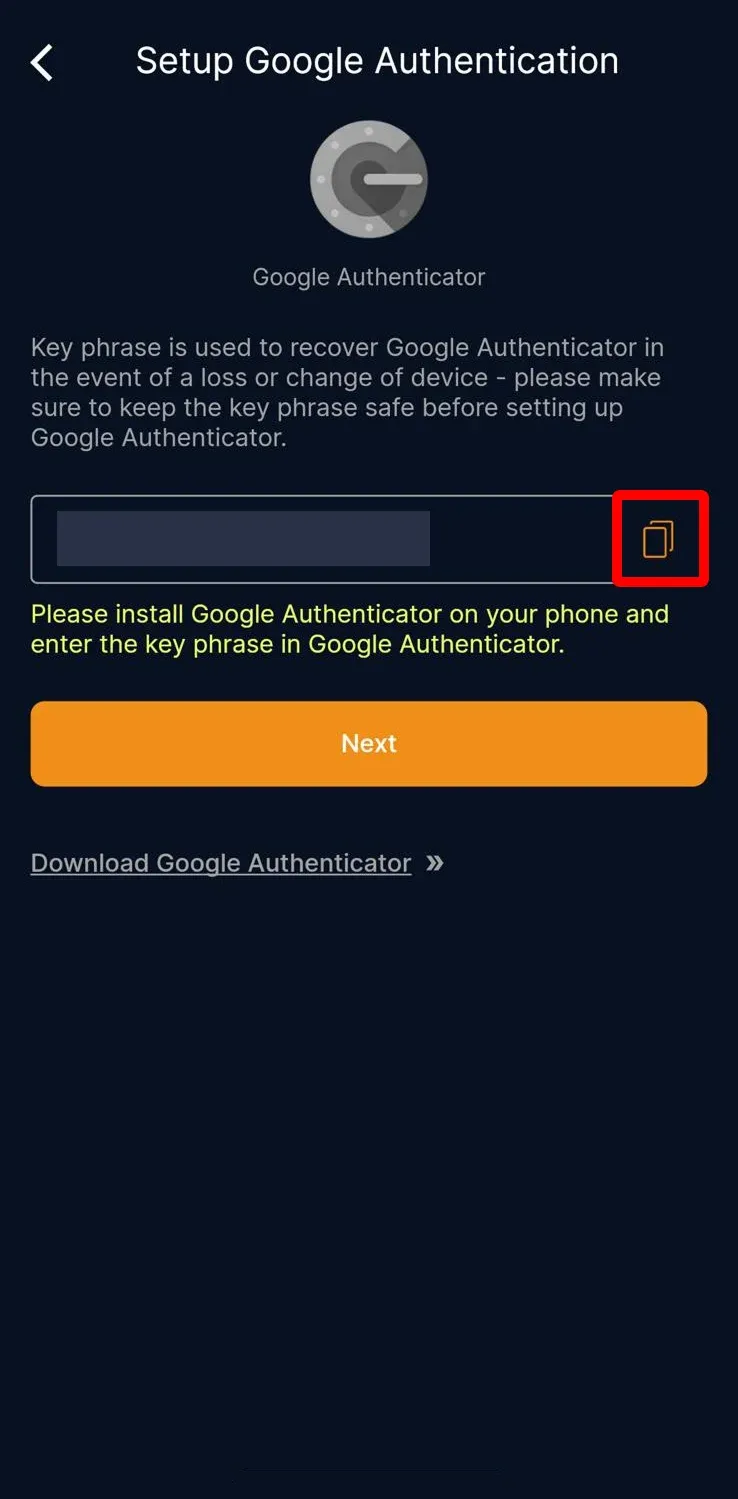
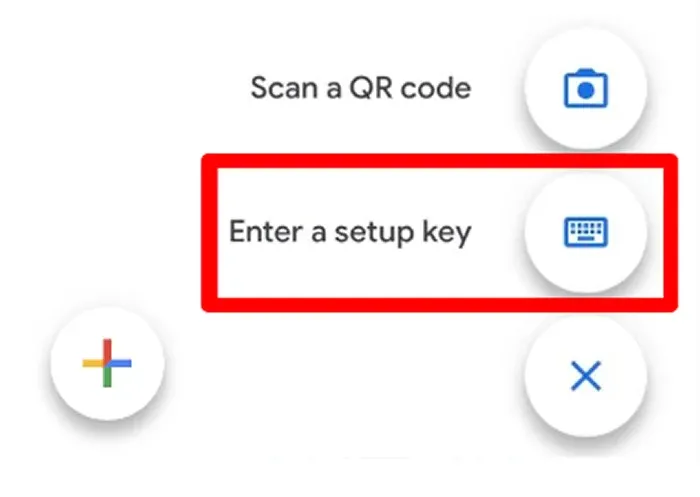
6. Unduh sareng buka aplikasi "Google Authenticator" APP, ketok tombol "+" di pojok handap katuhu, teras ketok "Enter a setup key"
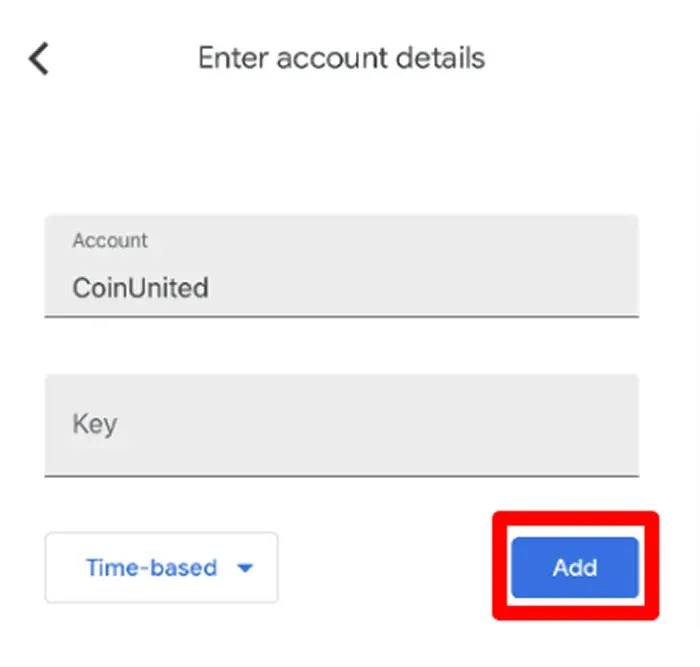
7. Lebetkeun "CoinUnited" dina kotak "Account" sareng témpélkeun kode anu disalin dina kotak "Key", teras ketok "Add"
8. Aplikasi éta bakal ngahasilkeun kode Google Authenticator 6-digit. Salin kode éta.
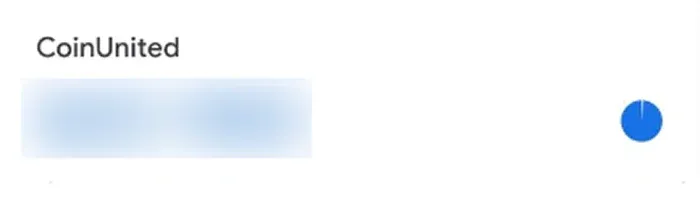
9. Balik ka Aplikasi CoinUnited.io, témpél kode Google Authenticator 6-digit, teras ketok "Submit"
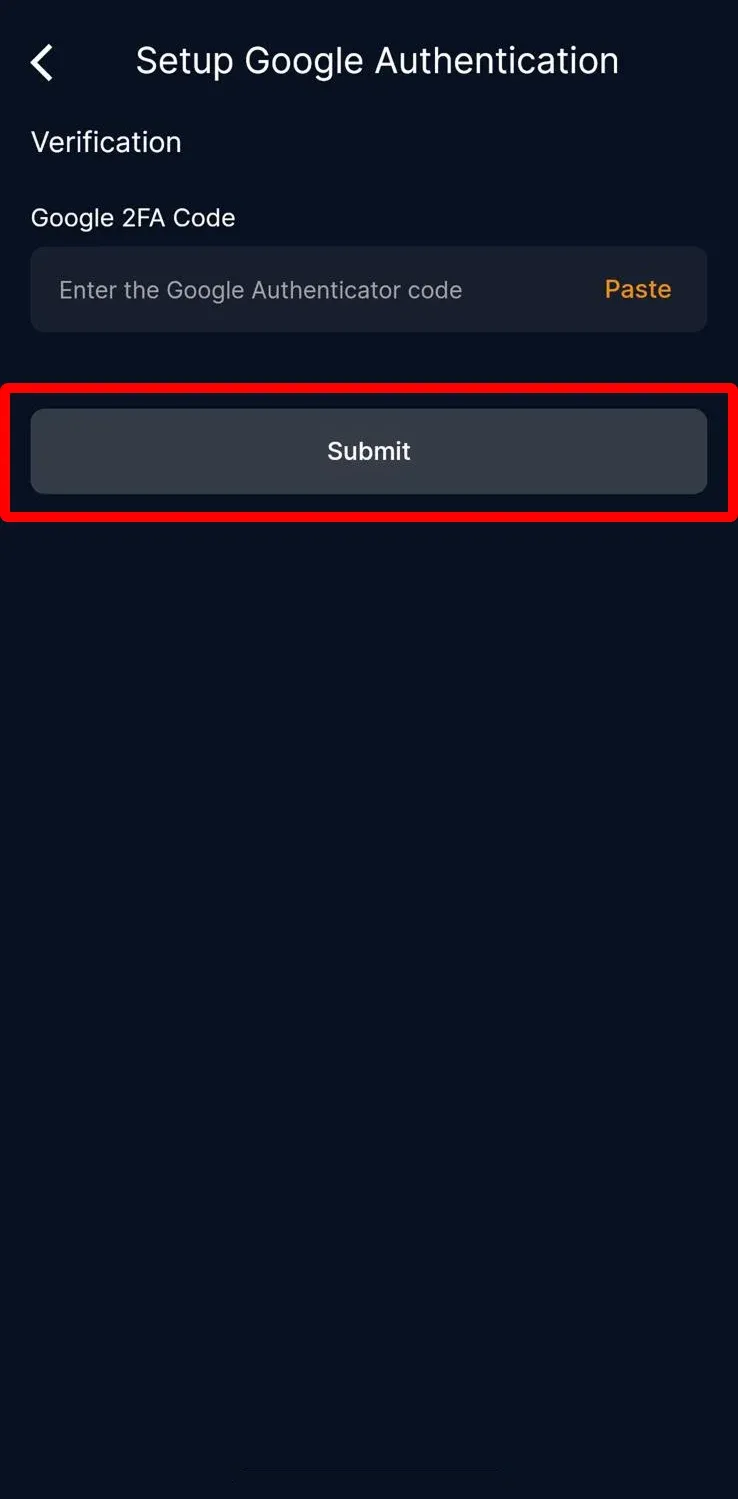
Google 2FA anjeun parantos hasil disetél.
Platform Wéb CoinUnited.io
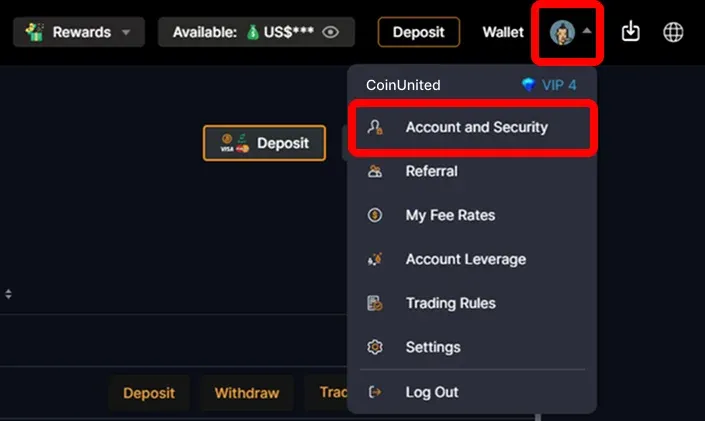
1. Buka Platform Wéb CoinUnited.io, arahkeun kursor ka ikon "User Icon" di luhureun katuhu, teras klik "Account and Security"
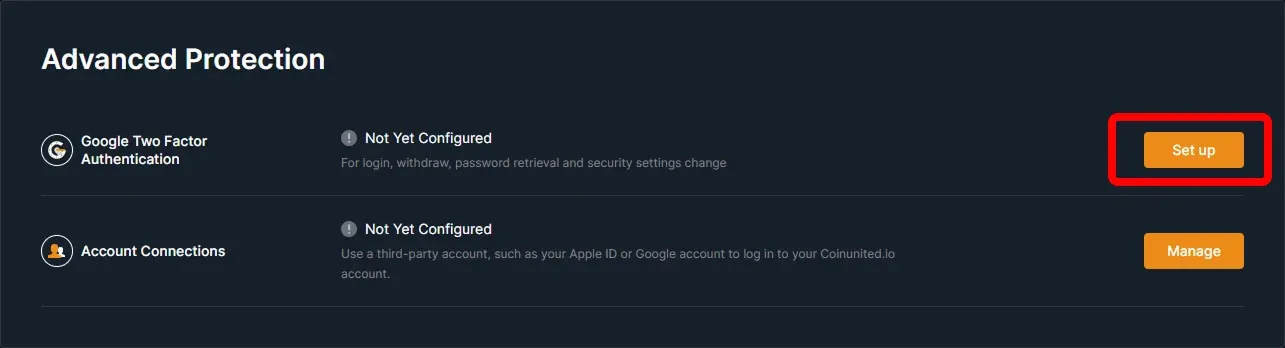
2. Buka Google Two Factor Authentication, klik "Set up"
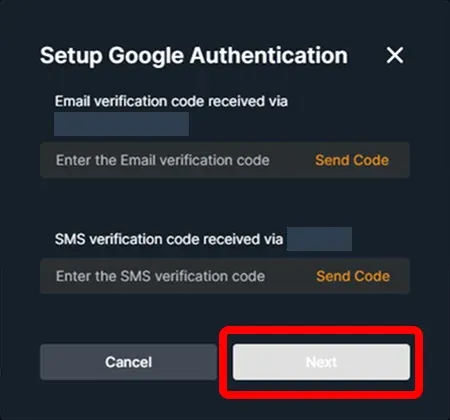
3. Lebetkeun kode vérifikasi SMS sareng email anjeun, teras klik "Confirm"
4. Salin atanapi pindai kode éta
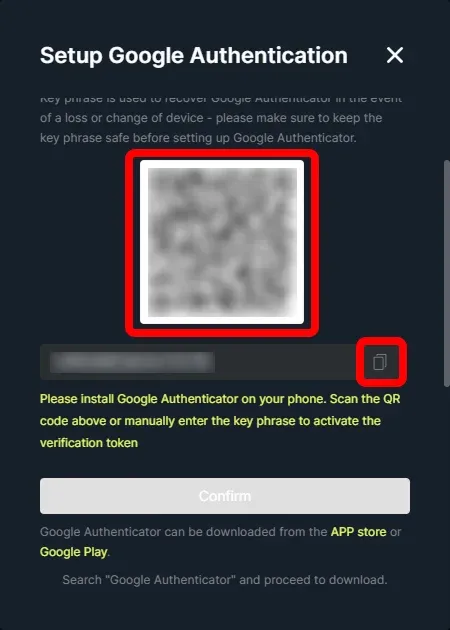
5. Unduh sareng buka aplikasi "Google Authenticator" APP, klik tombol "+" di pojok handap katuhu, teras klik "Enter a setup key"
6. Lebetkeun "CoinUnited" dina kotak "Account" sareng témpélkeun kode anu disalin dina kotak "Key", teras klik "Add"
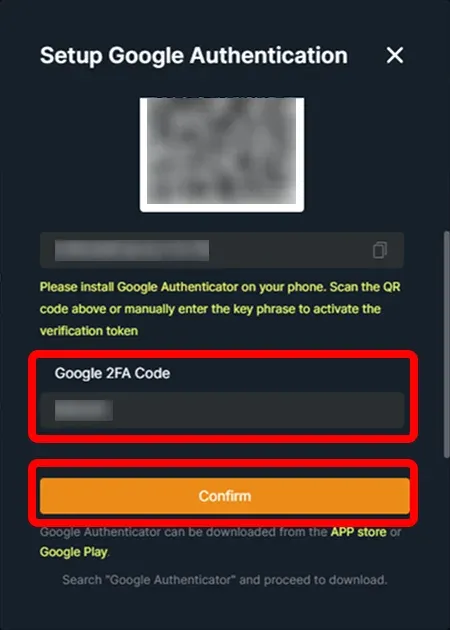
7. Aplikasi éta bakal ngahasilkeun kode Google Authenticator 6-digit. Salin kode éta.
8. Balik ka Platform Wéb CoinUnited.io, lebetkeun kode Google Authenticator 6-digit, teras klik "Submit"
Perlu Bantosan Tambahan?
Pikeun patarosan atanapi masalah salajengna, mangga buka Pusat Bantosan atanapi anggo chatbot kami pikeun bantosan.
Kami aya di dieu pikeun ngabantosan. Wilujeng dagang!
Panungtungan dimutahirkeun 5 Juni 2025
Naha ieu ngajawab patarosan anjeun?