
How to Set Up Phone Authentication?
CoinUnited.io APP
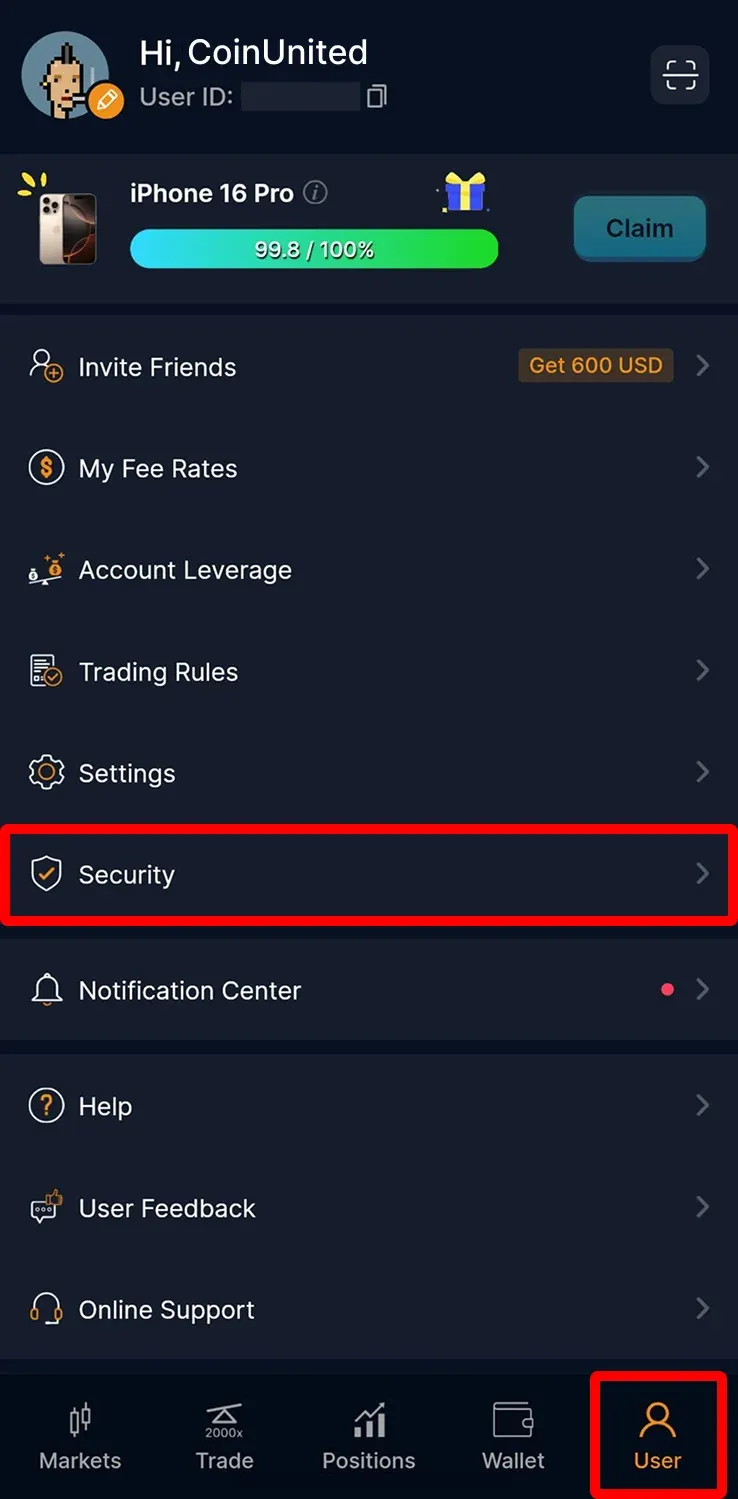
1. Go to "User" > "Security" on your CoinUnited.io APP
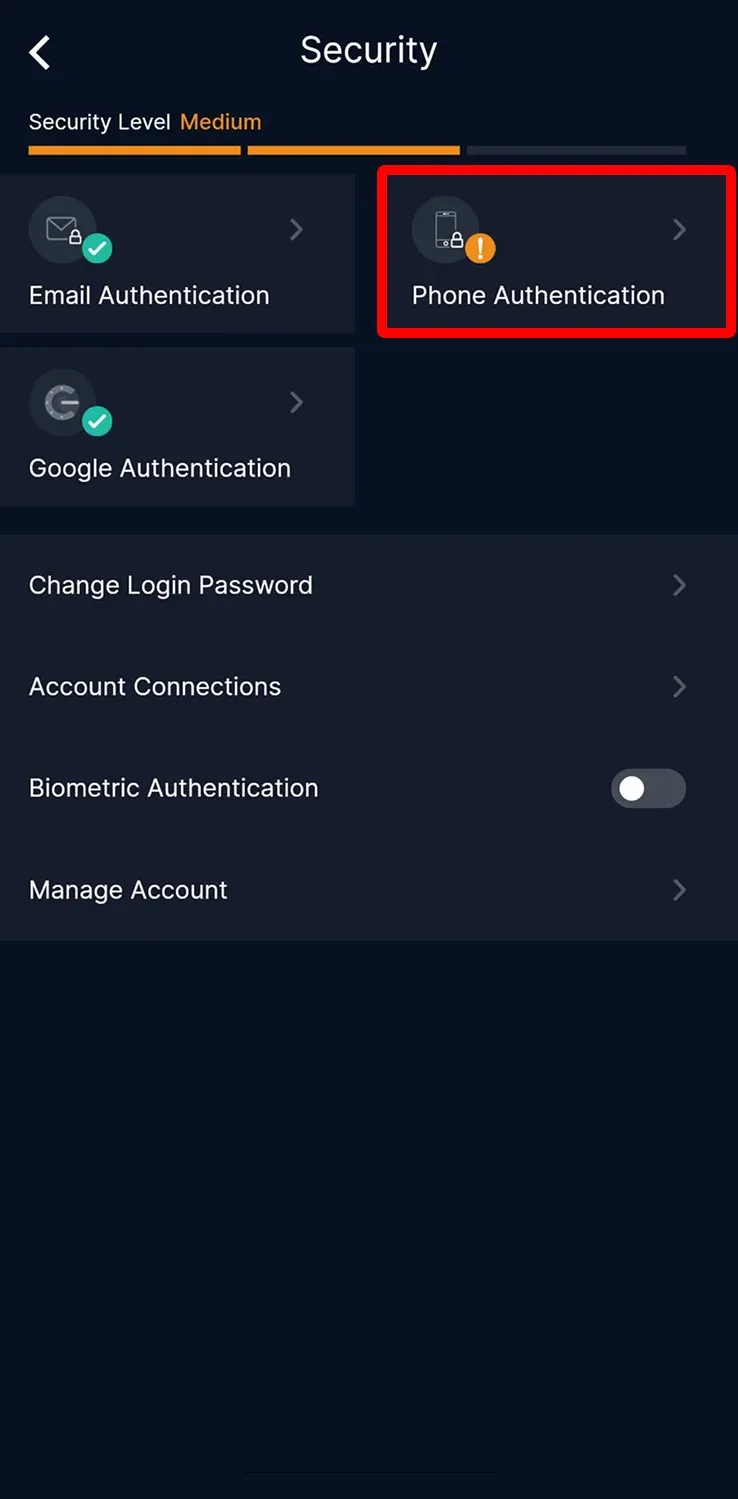
2. Tap "Phone Authentication"
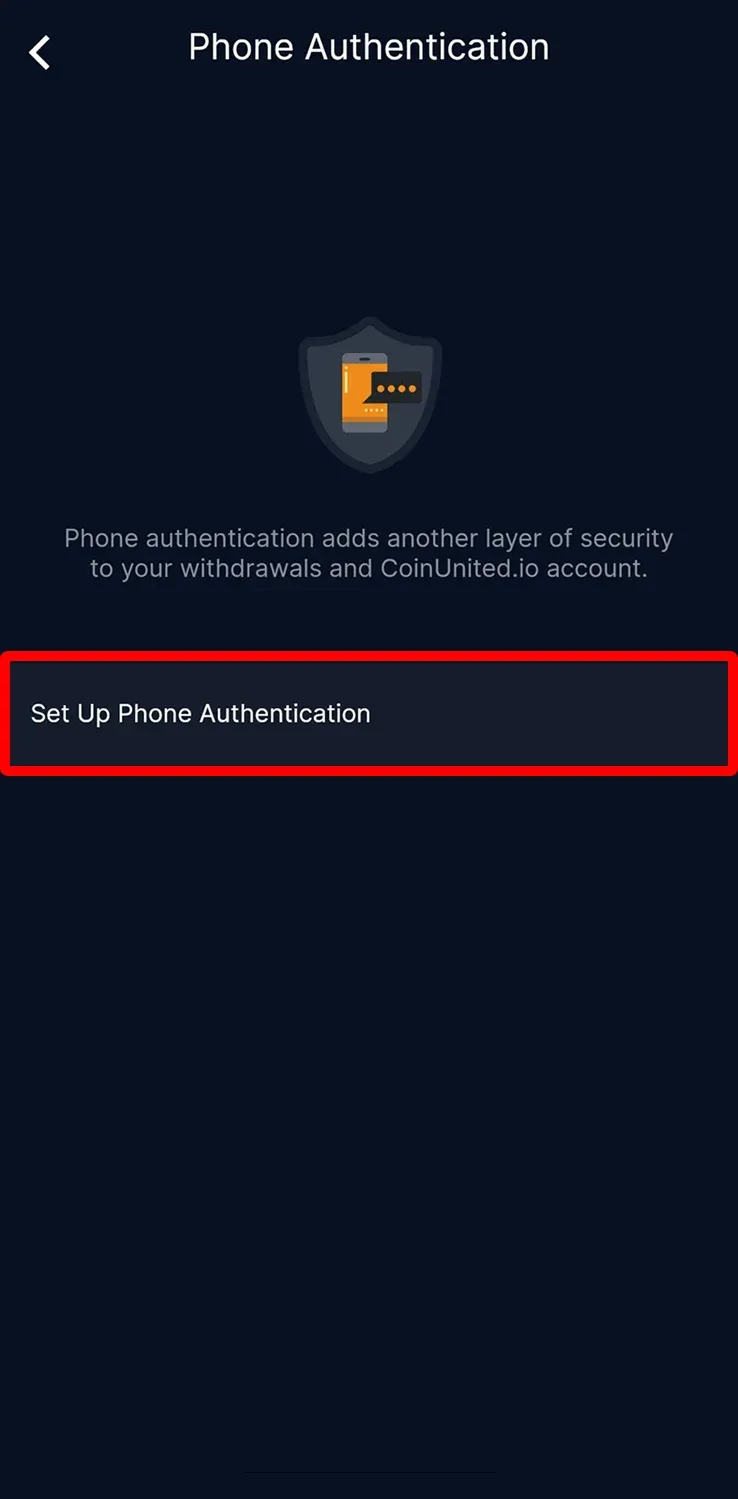
3. Tap "Set Up Phone Authentication"
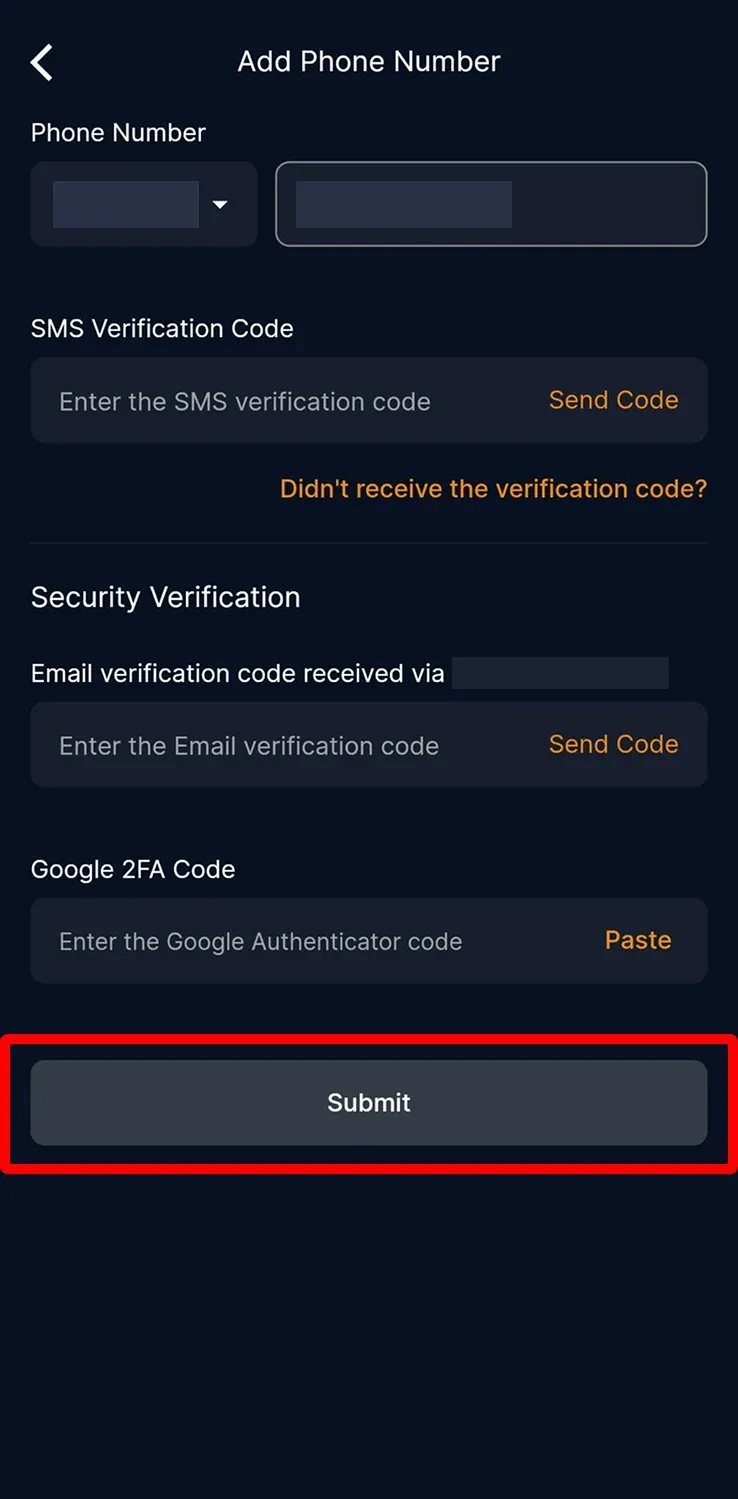
4. Enter your phone number and tap "Send Code"
Enter your sms, email, and google 2FA verification code, then tap "Submit"
Your Phone Number is successfully added.
CoinUnited.io Web Platform
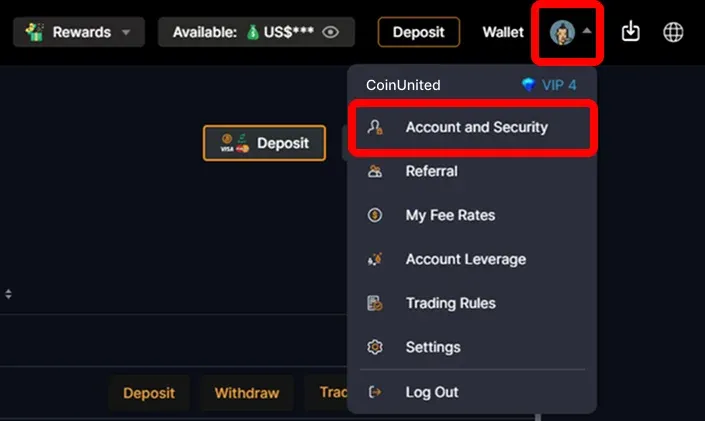
1. Go to CoinUnited.io Web Platform, hover your mouse on the "User Icon" at the top right, then click "Account and Security"
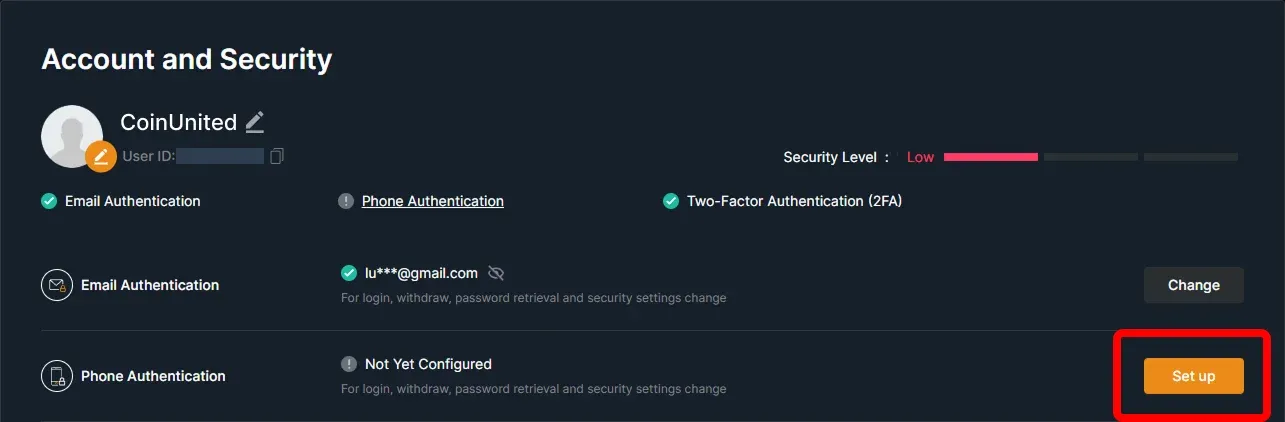
2. Go to Phone Authentication, then click "Set up"
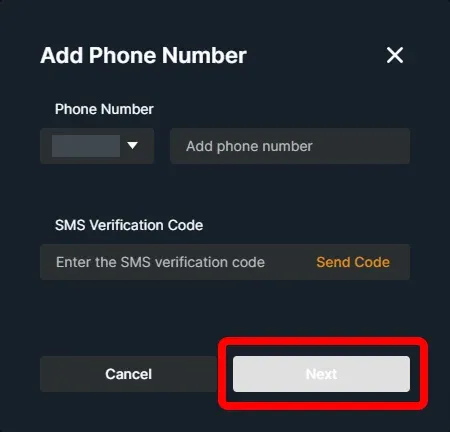
3. Enter your phone number and click "Send Code"
Enter your sms, email, and google 2FA verification code. Then, click "Confirm"
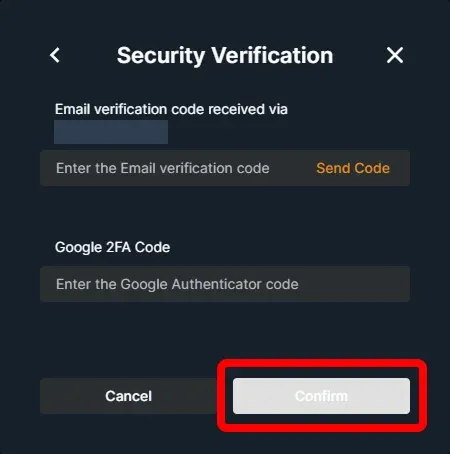
Your phone number is successfully added.
Need More Help?
For further questions or issues, please visit our Help Center or use our chatbot for assistance.
We're here to help. Happy trading!
Last updated August 21, 2026
Did this answer your question?