
How to Whitelist CoinUnited.io Emails?
Whitelisting an email means informing your email provider that you want emails from that sender to be delivered to your inbox rather than being filtered as spam.
Gmail
1. Log in to your Gmail account
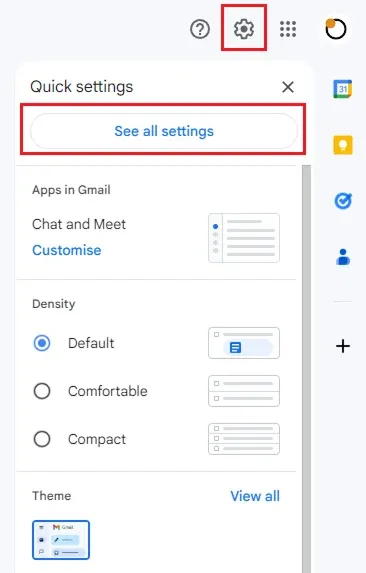
2. Go to "Settings" (in the top-right corner of the screen), click "See all settings"
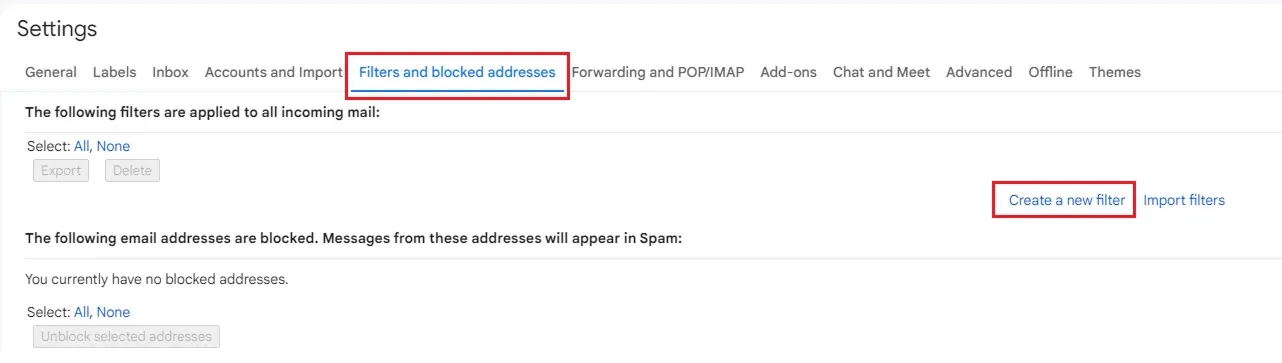
3. Go to "Filters and Blocked Addresses". Click "Create a new filter"
4. Input CoinUnited.io official domain to "From" and click "Create filter"
Add domain to whitelist: CoinUnited.io
5. Select "Never send it to Spam" and click "Create filter"
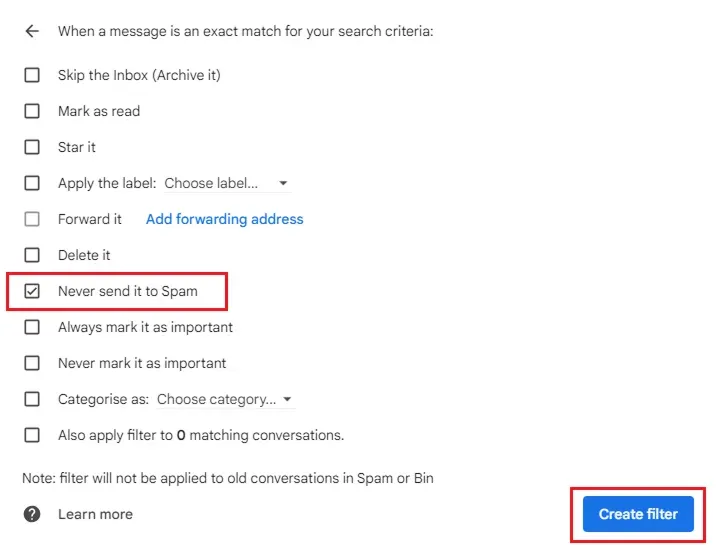
This will prevent Gmail from moving CoinUnited.io official emails to your Spam folder.
Outlook
1. Log in to your Outlook email (Web version)
2. Go to "Settings" (in the top-right corner of the screen), click "View all Outlook settings"
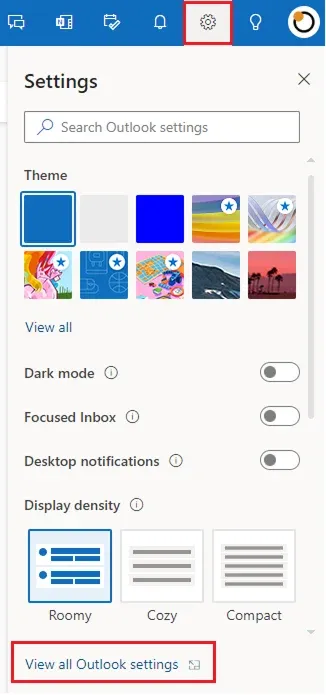
3. Go to "Email" > "Junk email" > "Safe senders and domains"
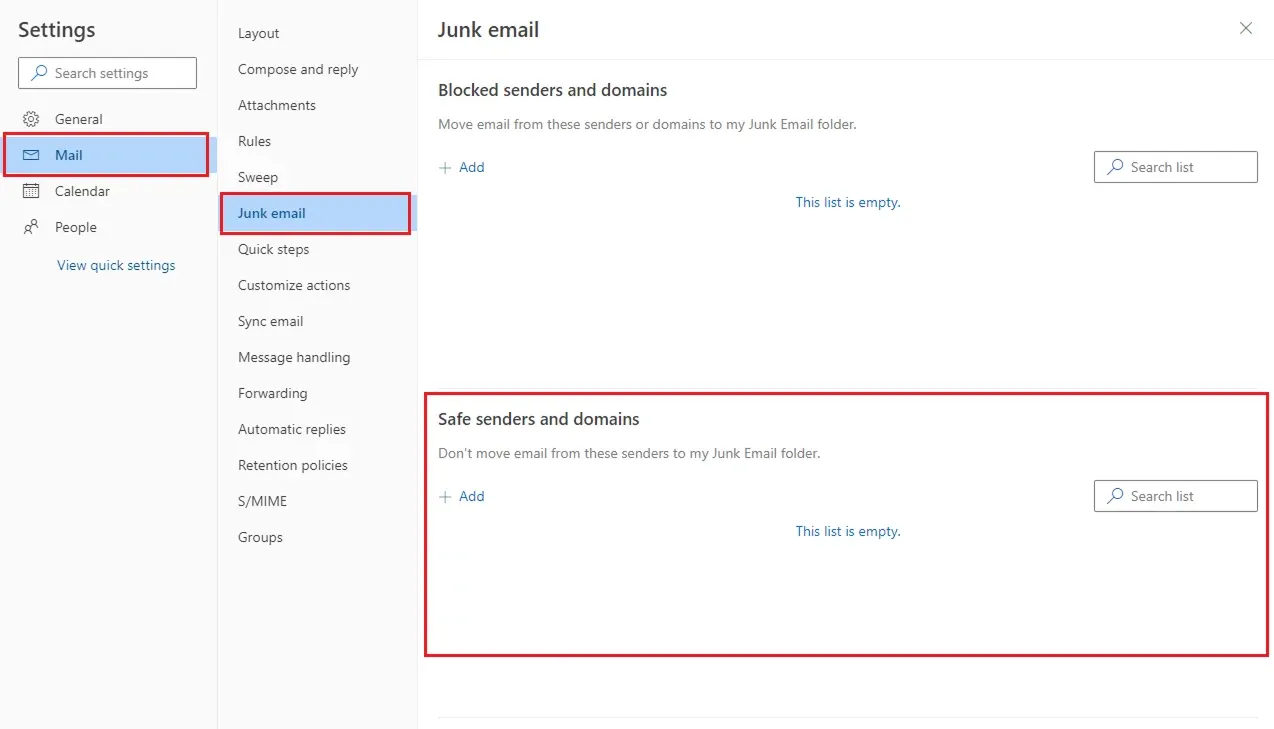
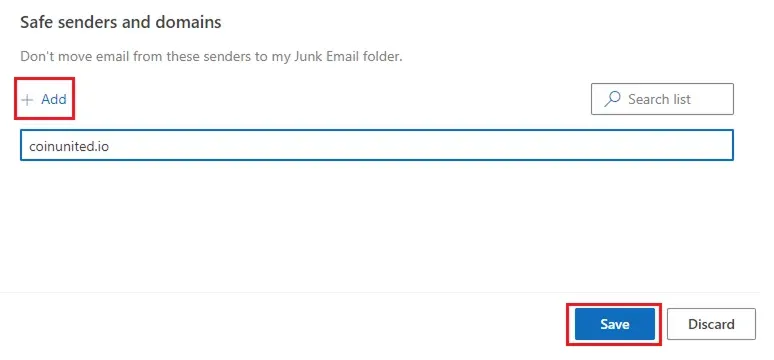
4. Click "Add" and add CoinUnited.io official domain into the list. Click "Save" to save the settings.
Add domain to whitelist: CoinUnited.io
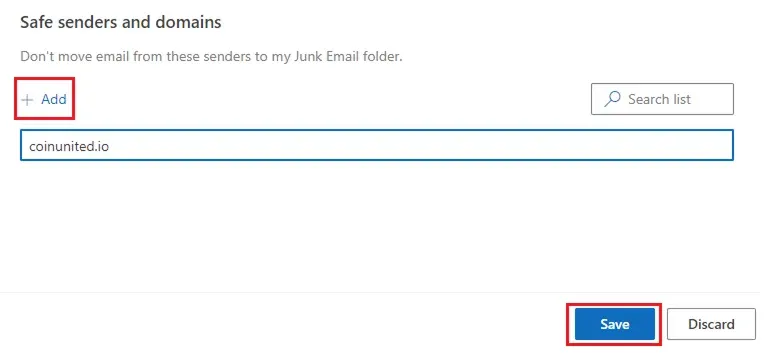
This will prevent Outlook from moving CoinUnited.io official emails to your Junk folder.
Need More Help?
For further questions or issues, please visit our Help Center or use our chatbot for assistance.
We're here to help. Happy trading!
Last updated August 21, 2026
Did this answer your question?