
Лимиты на позиции (Position) и ордера (Order)
CoinUnited.io APP
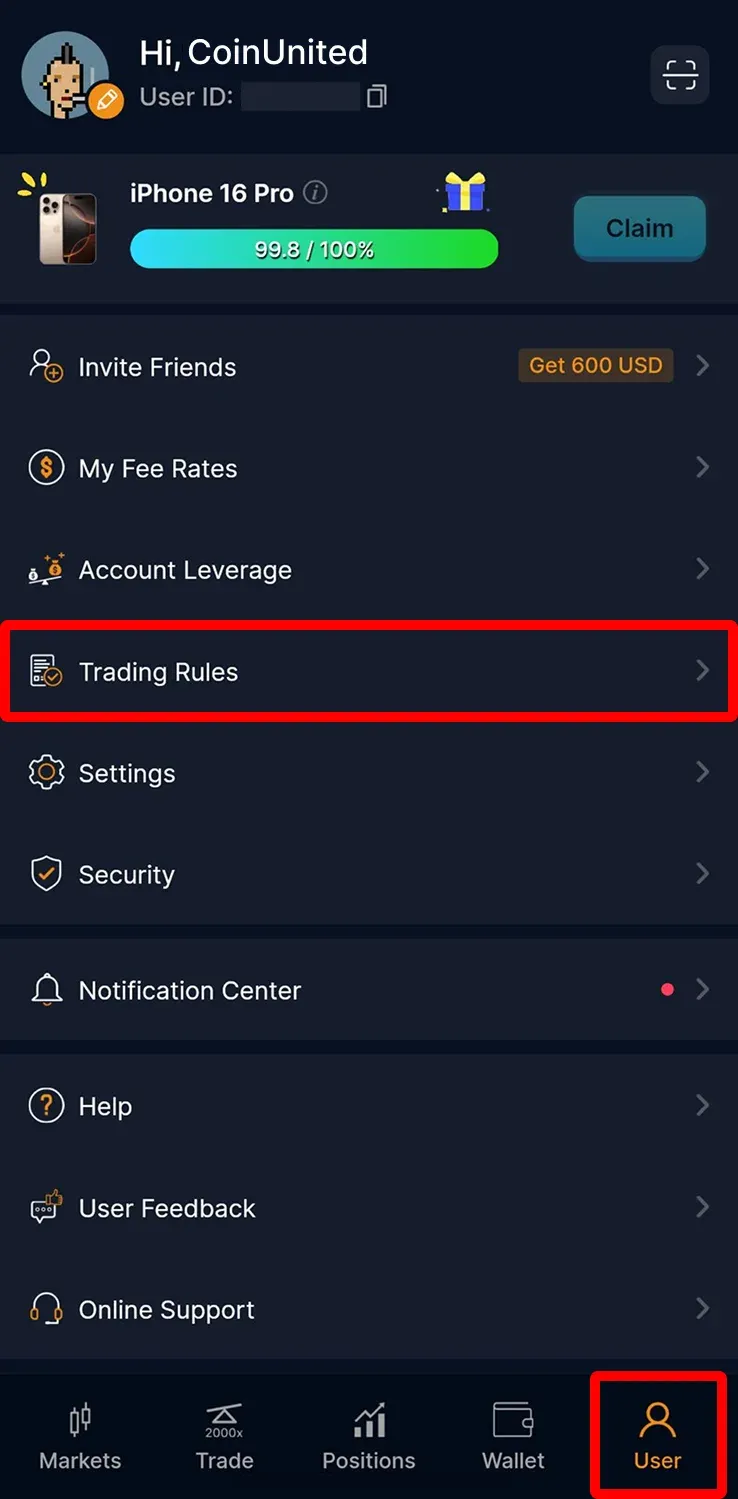
1. Go to "User" > "Trading Rules" on your CoinUnited.io APP
You can check them in the Trading Rules tab under "User" > "Trading Rules".
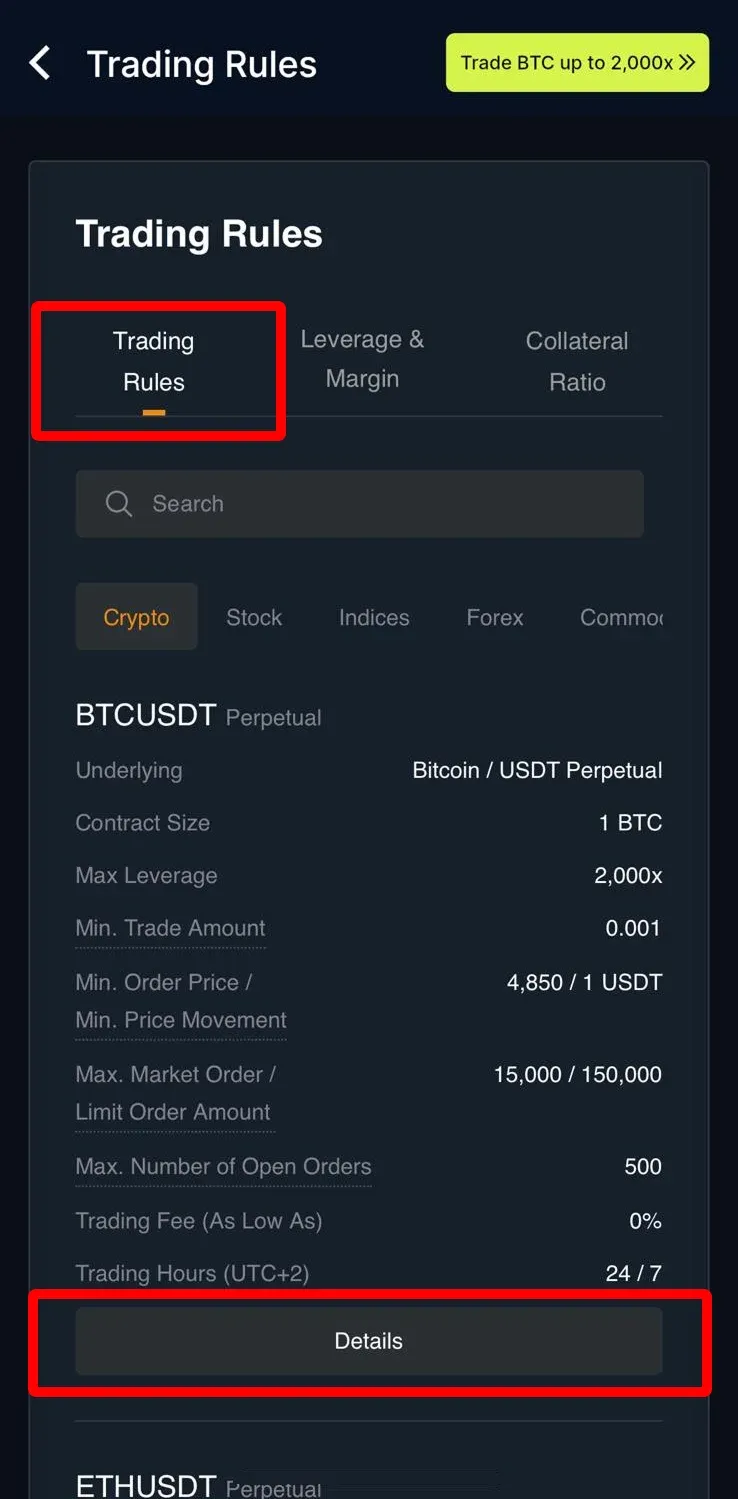
2. You can check them in the Trading Rules tab
You can select your "Contract" and click "Details".
CoinUnited.io Web Platform
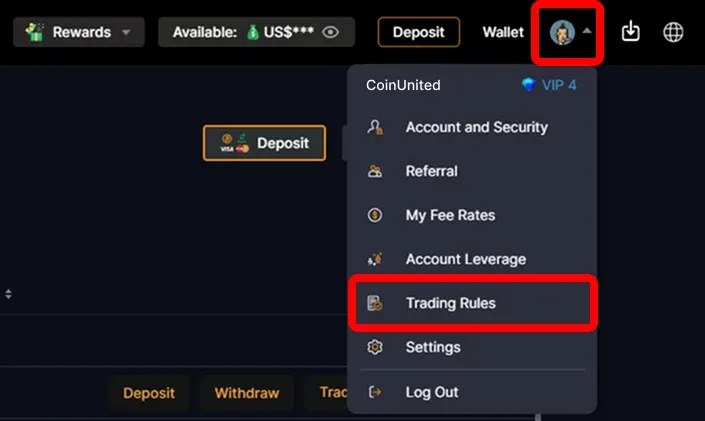
1. Go to CoinUnited.io Web Platform, hover your mouse on the "User Icon" at the top right, then click "Trading Rules"
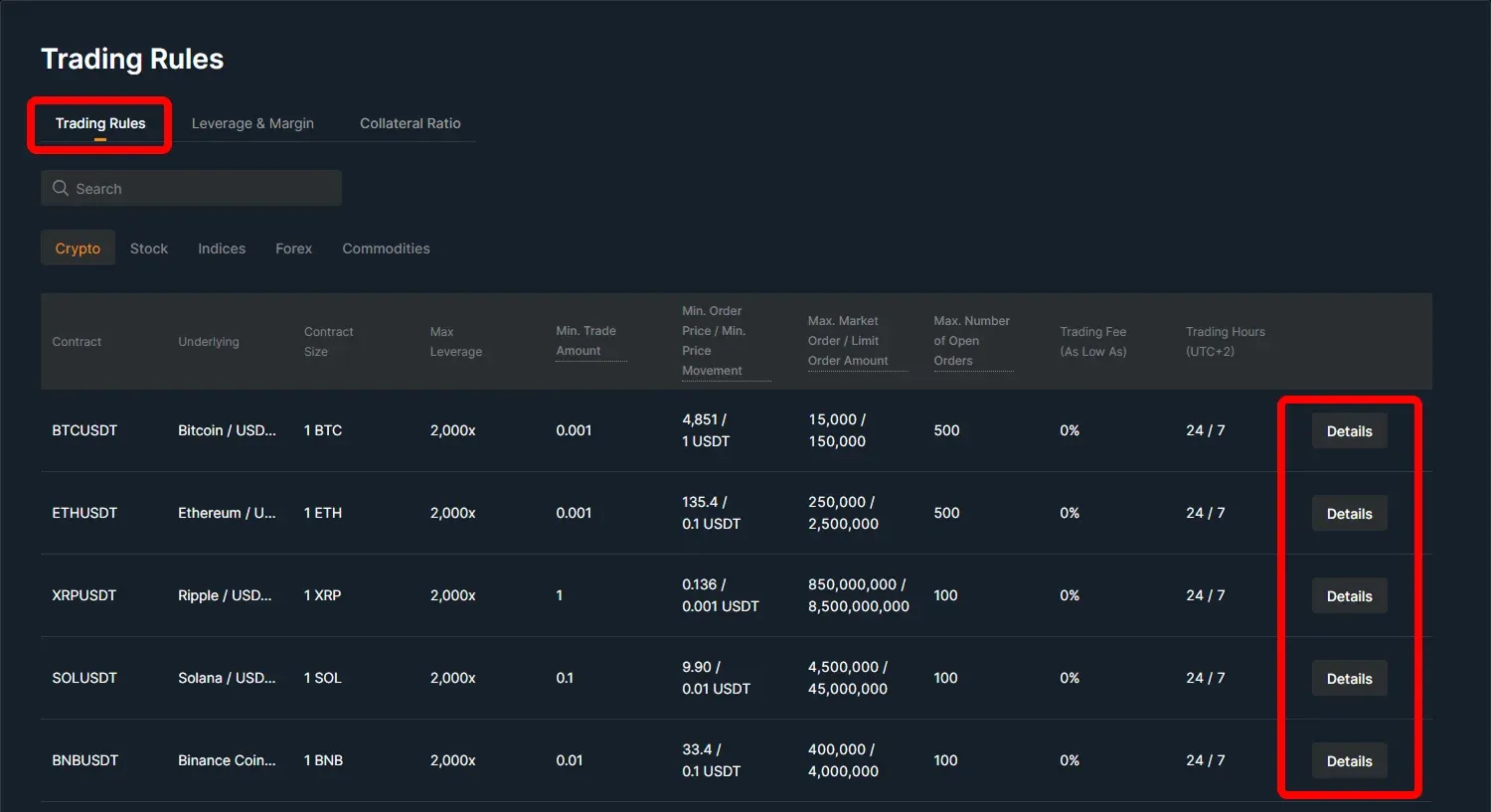
2. You can check them in the Trading Rules tab
You can select your "Contract" and click "Details".
Нужна дополнительная помощь?
Если у вас возникли дополнительные вопросы или проблемы, пожалуйста, посетите наш Справочный центр или используйте наш чат-бот для получения помощи.
Мы всегда готовы помочь. Успешной торговли!
Последнее обновление: 24 марта 2025 г.
Ответил ли этот ответ на ваш вопрос?