
วิธีรีเซ็ต Google Authentication (2FA)?
เพื่อความปลอดภัย คุณจะไม่สามารถถอนเงินได้ภายใน 24 ชั่วโมงหลังจากมีการเปลี่ยนแปลง
CoinUnited.io APP
1. ไปที่ "User" > "Security" ในแอป CoinUnited.io ของคุณ
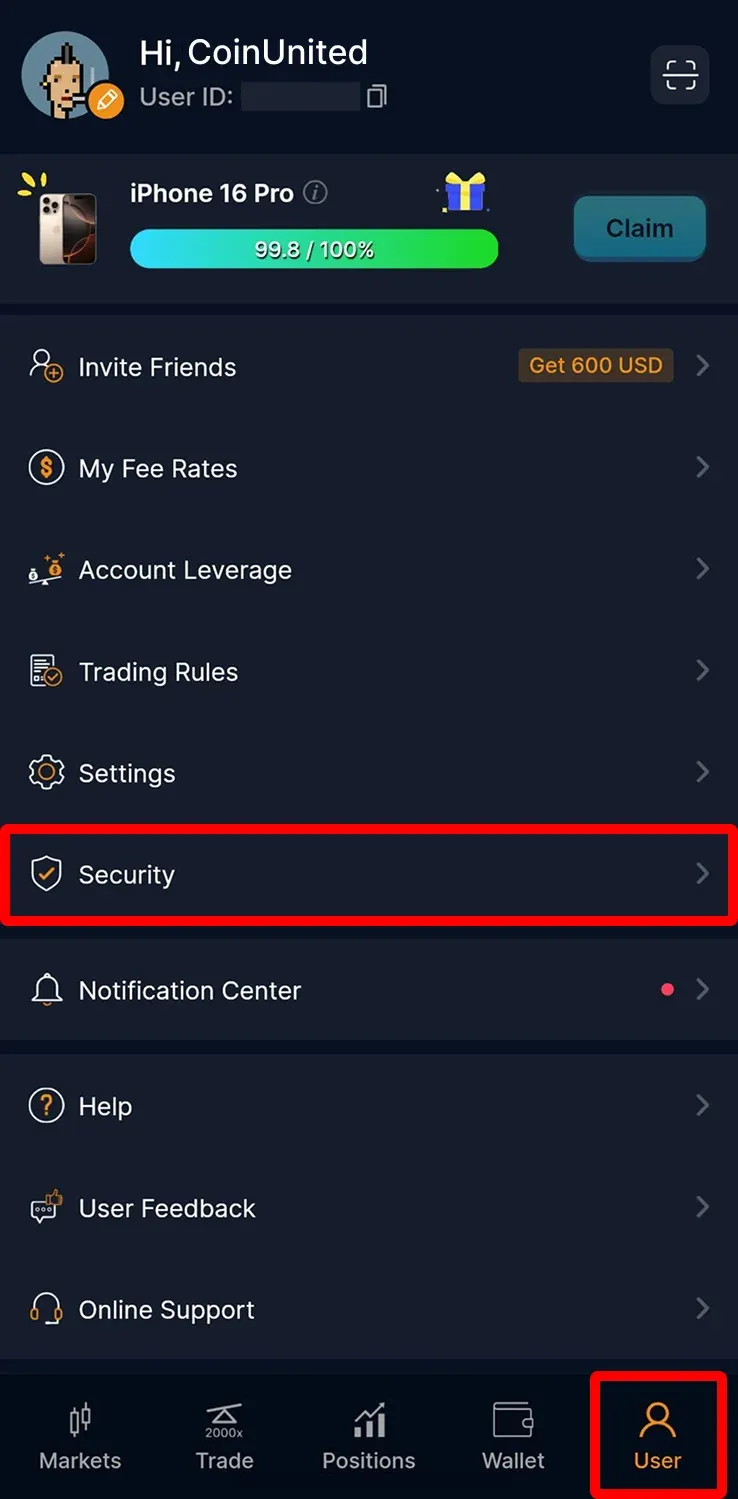
2. แตะ "Google Authentication"
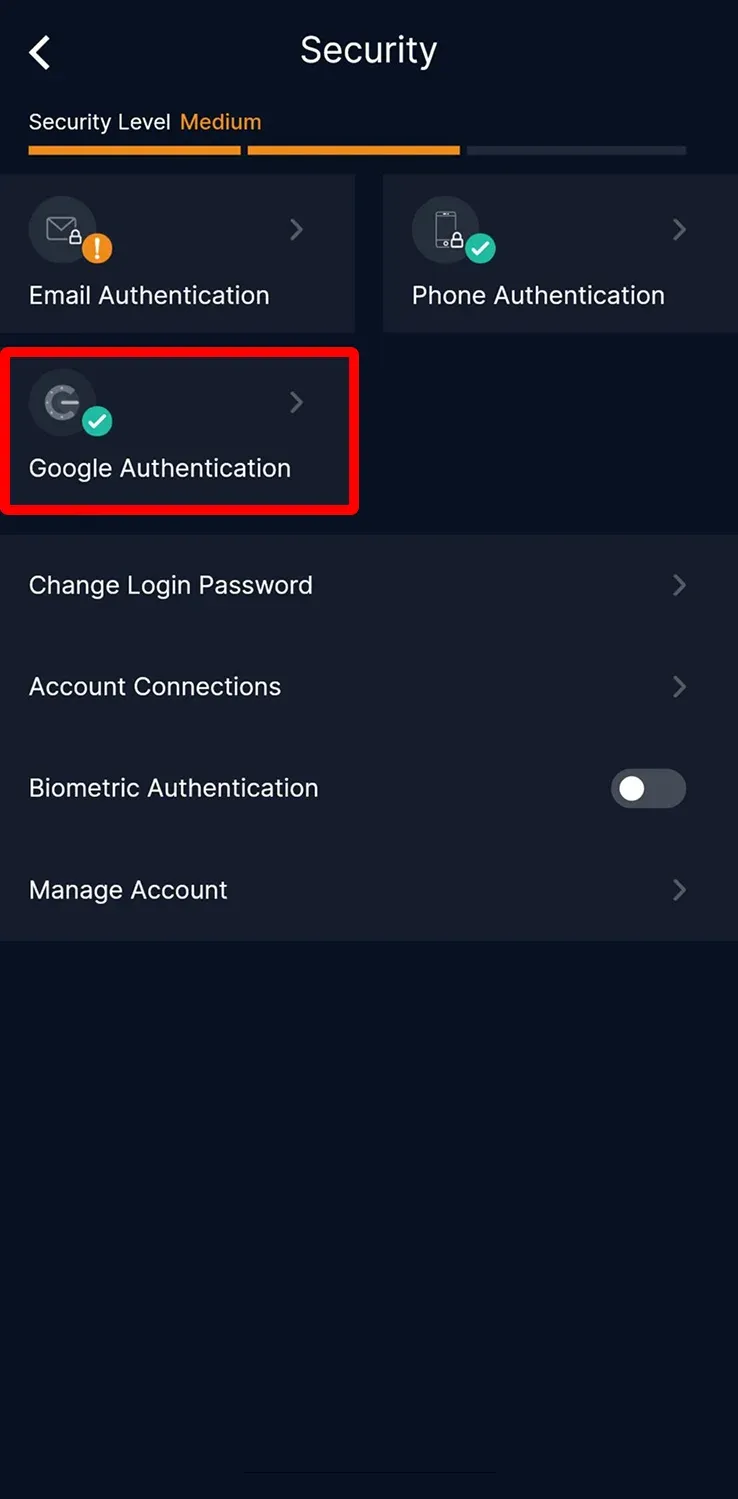
3. ปิด "Authentication APP"
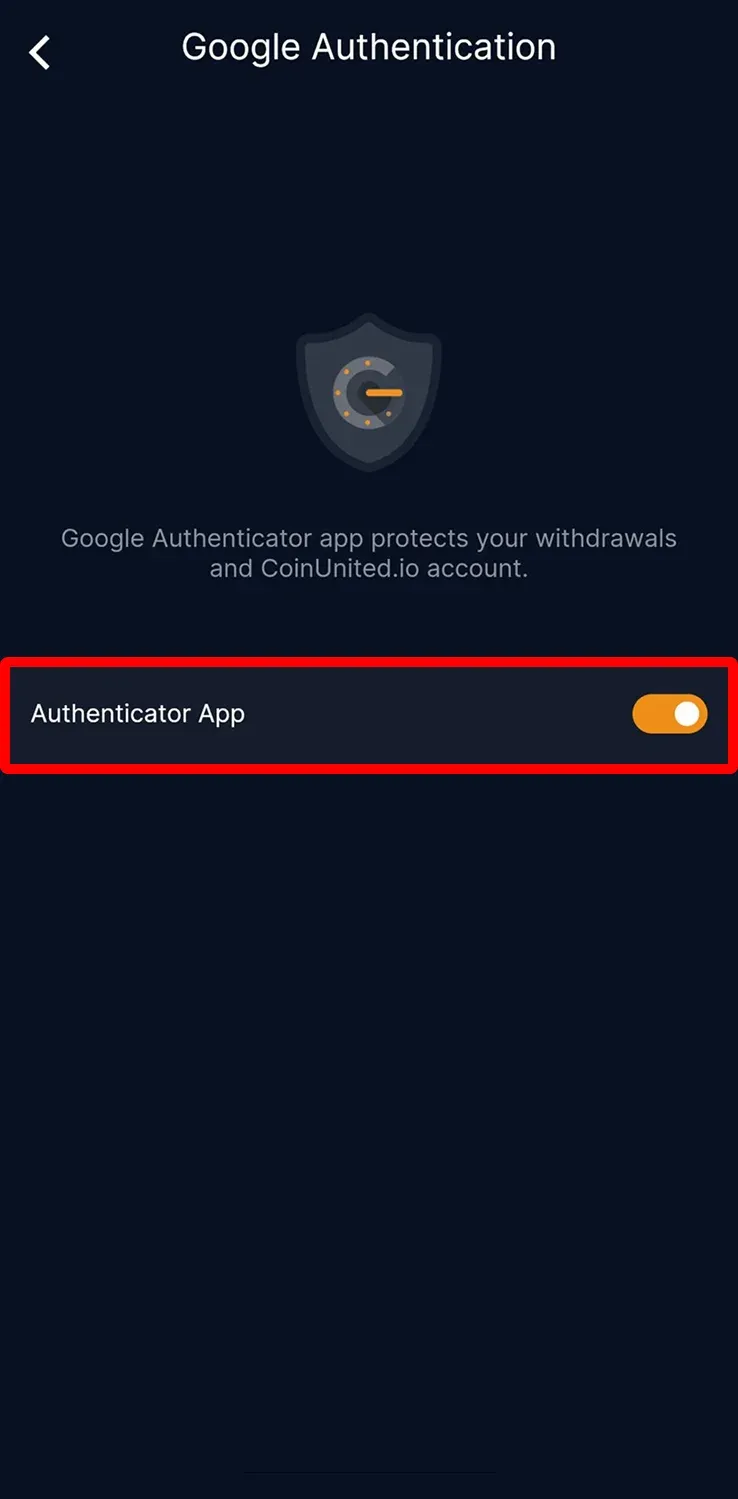
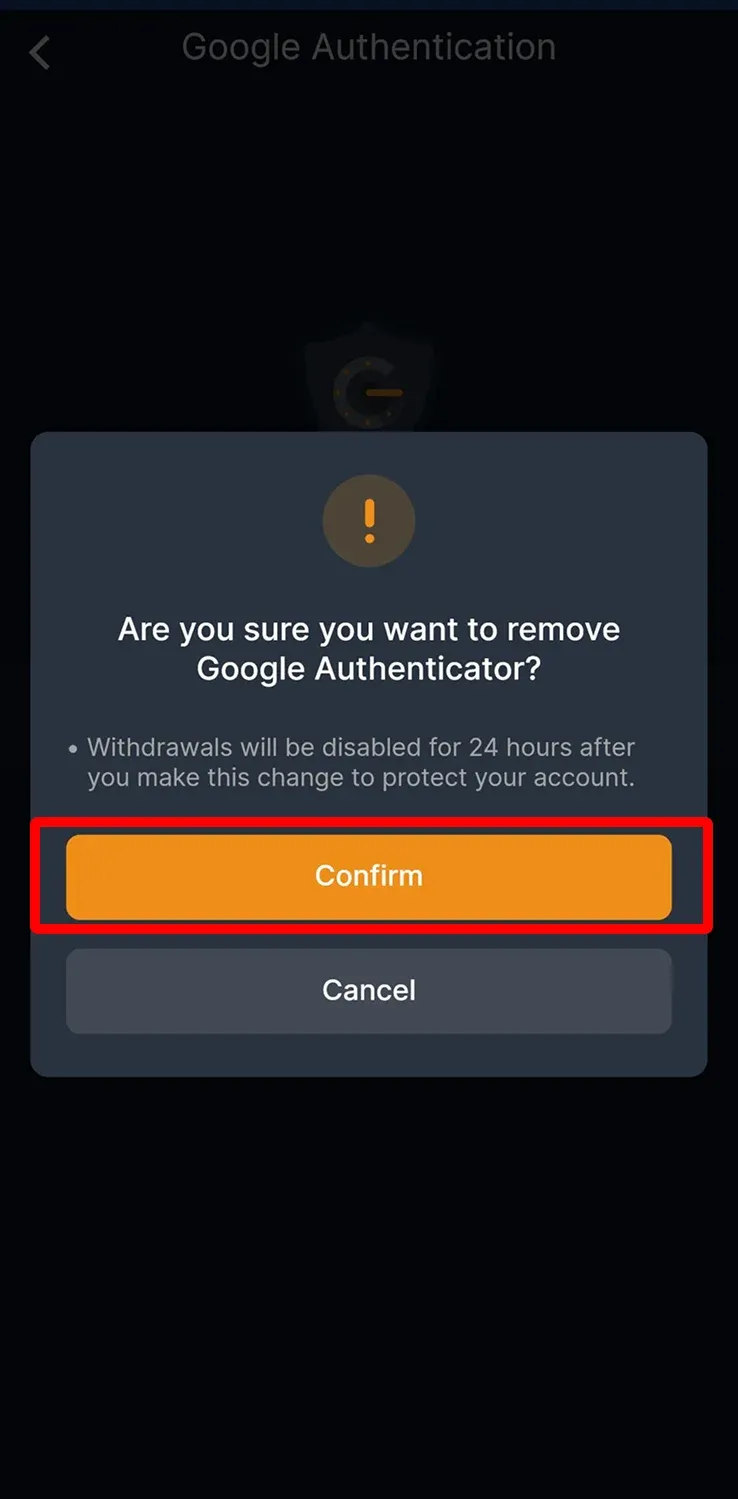
4. อ่านรายละเอียดให้ครบถ้วน จากนั้นแตะ "Confirm"
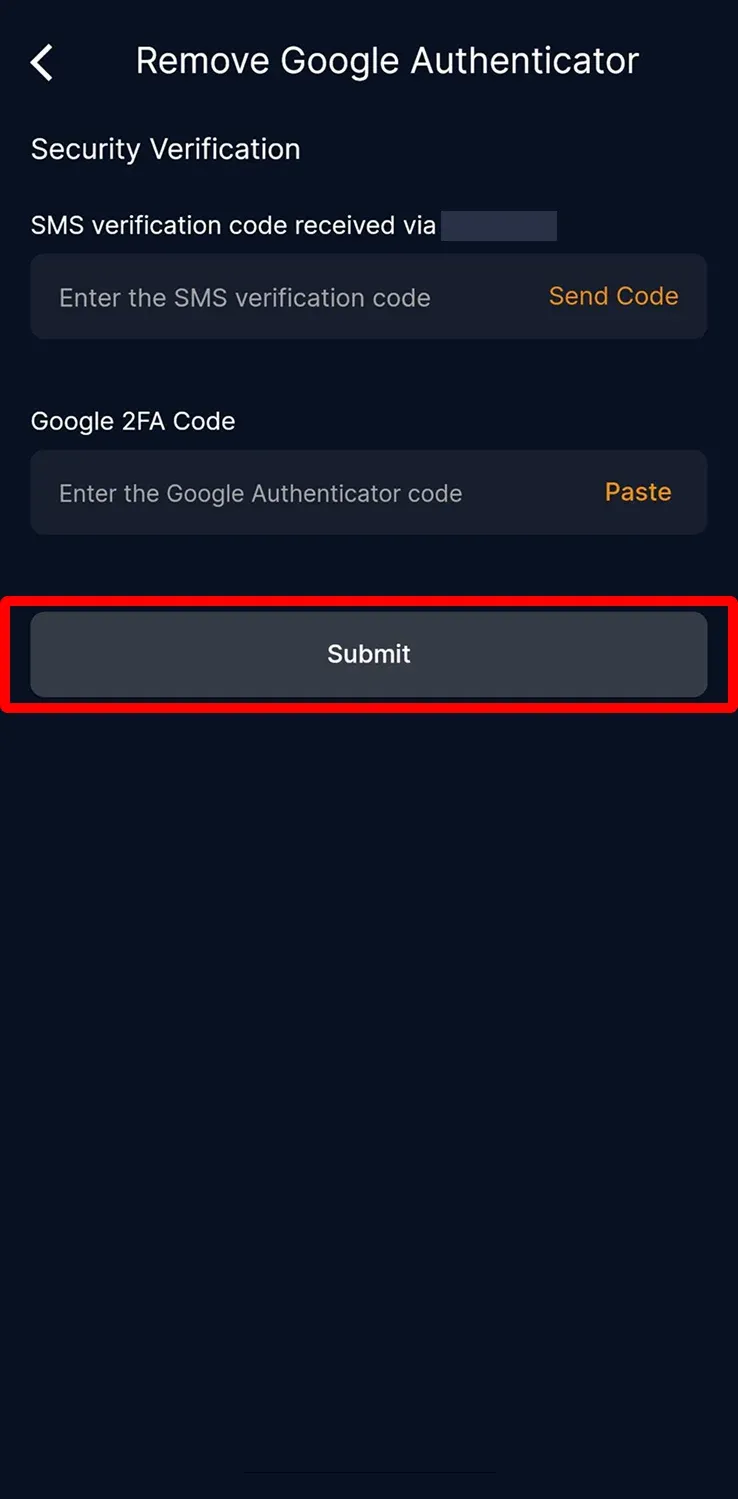
5. ใส่รหัสยืนยันทาง SMS อีเมล และ Google 2FA จากนั้นแตะ "Submit"
CoinUnited.io Web Platform
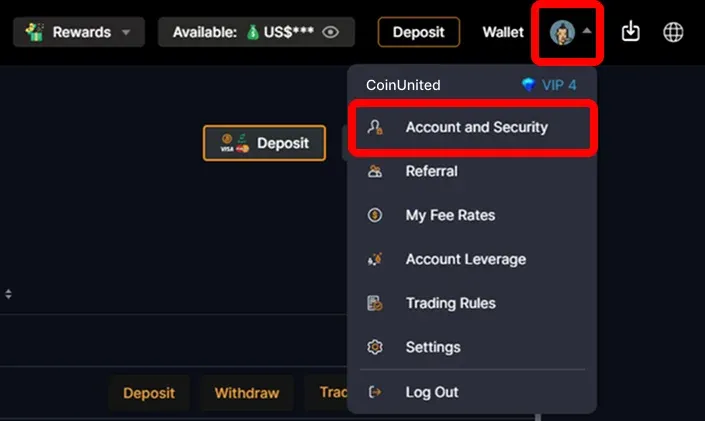
1. ไปที่ CoinUnited.io Web Platform วางเมาส์เหนือ "User Icon" ด้านขวาบน จากนั้นคลิก "Account and Security"
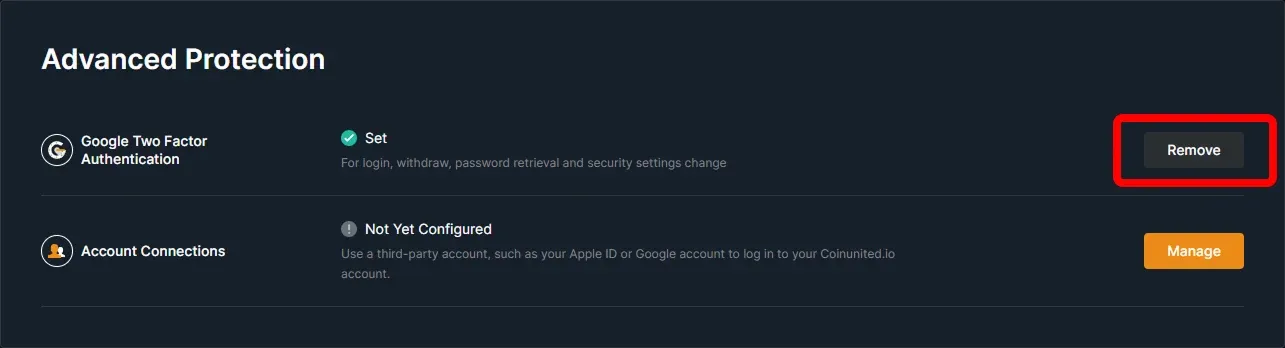
2. ไปที่ Google Two Factor Authentication แล้วคลิก "Remove"
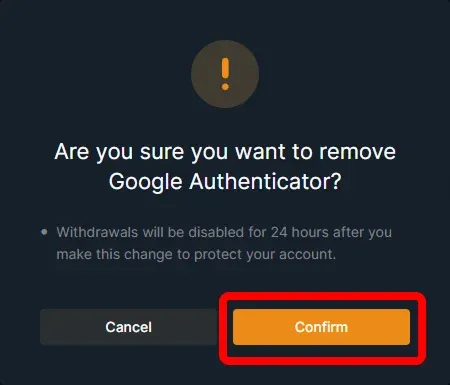
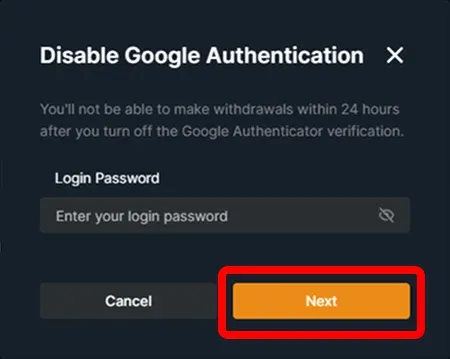
3. อ่านรายละเอียดให้ครบถ้วน แล้วคลิก "Confirm"
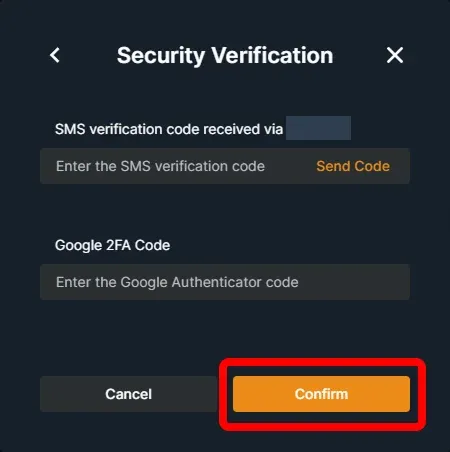
4. ป้อนรหัสยืนยันทาง SMS อีเมล และ Google 2FA จากนั้นคลิก "Confirm"
ตอนนี้คุณสามารถผูก Google Authenticator ใหม่เข้ากับบัญชีของคุณได้แล้ว
ต้องการความช่วยเหลือเพิ่มเติมหรือไม่?
หากมีคำถามหรือปัญหาเพิ่มเติม โปรดไปที่ ศูนย์ช่วยเหลือ หรือ ใช้แชทบอทของเรา เพื่อขอความช่วยเหลือ
เราพร้อมช่วยเหลือ ขอให้เทรดอย่างสนุก!
อัปเดตล่าสุด 15 เมษายน 2568
คำตอบนี้ตอบคำถามของคุณหรือไม่?