
วิธีตั้งค่าการยืนยันตัวตนผ่านอีเมล (Email Authentication) ได้อย่างไร?
CoinUnited.io APP
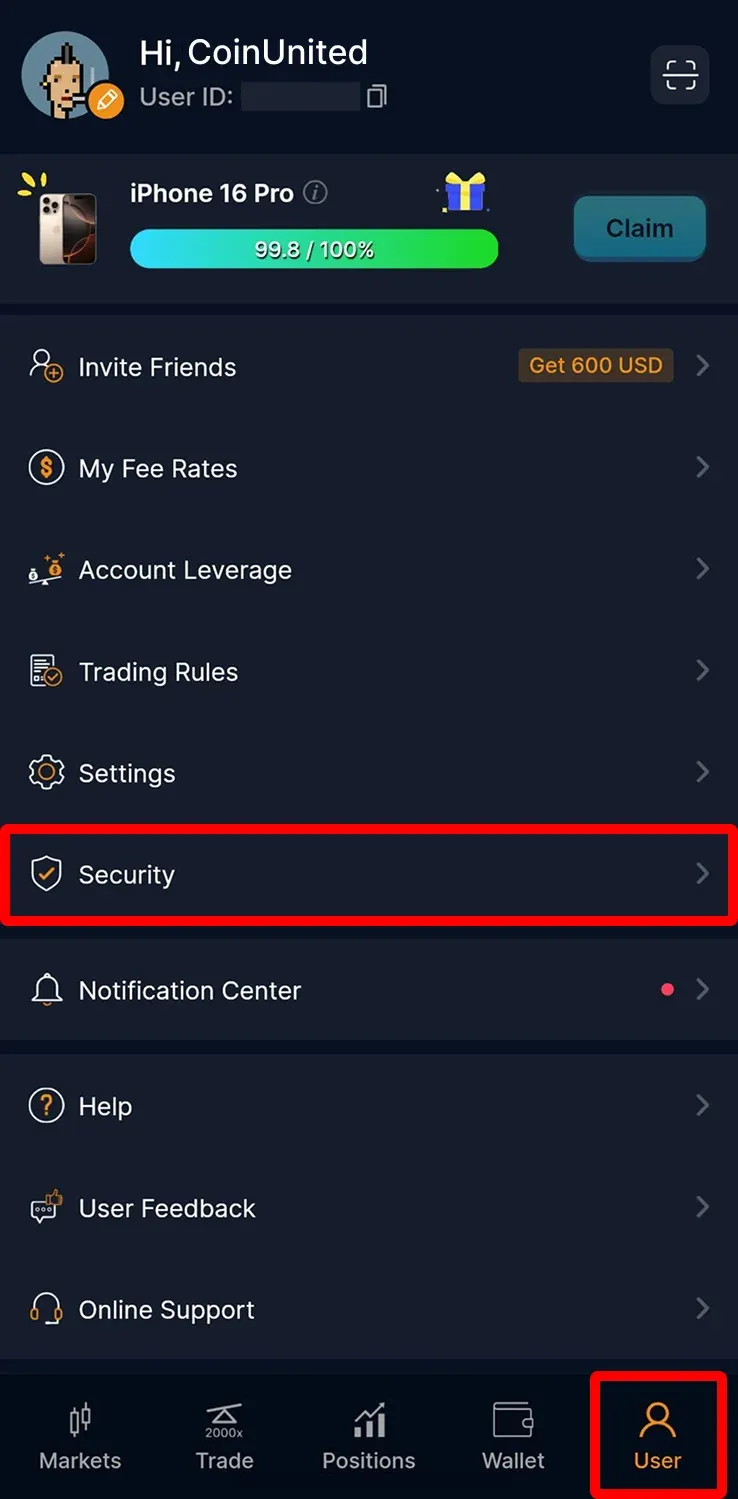
1. ไปที่ "User" > "Security" บนแอป CoinUnited.io
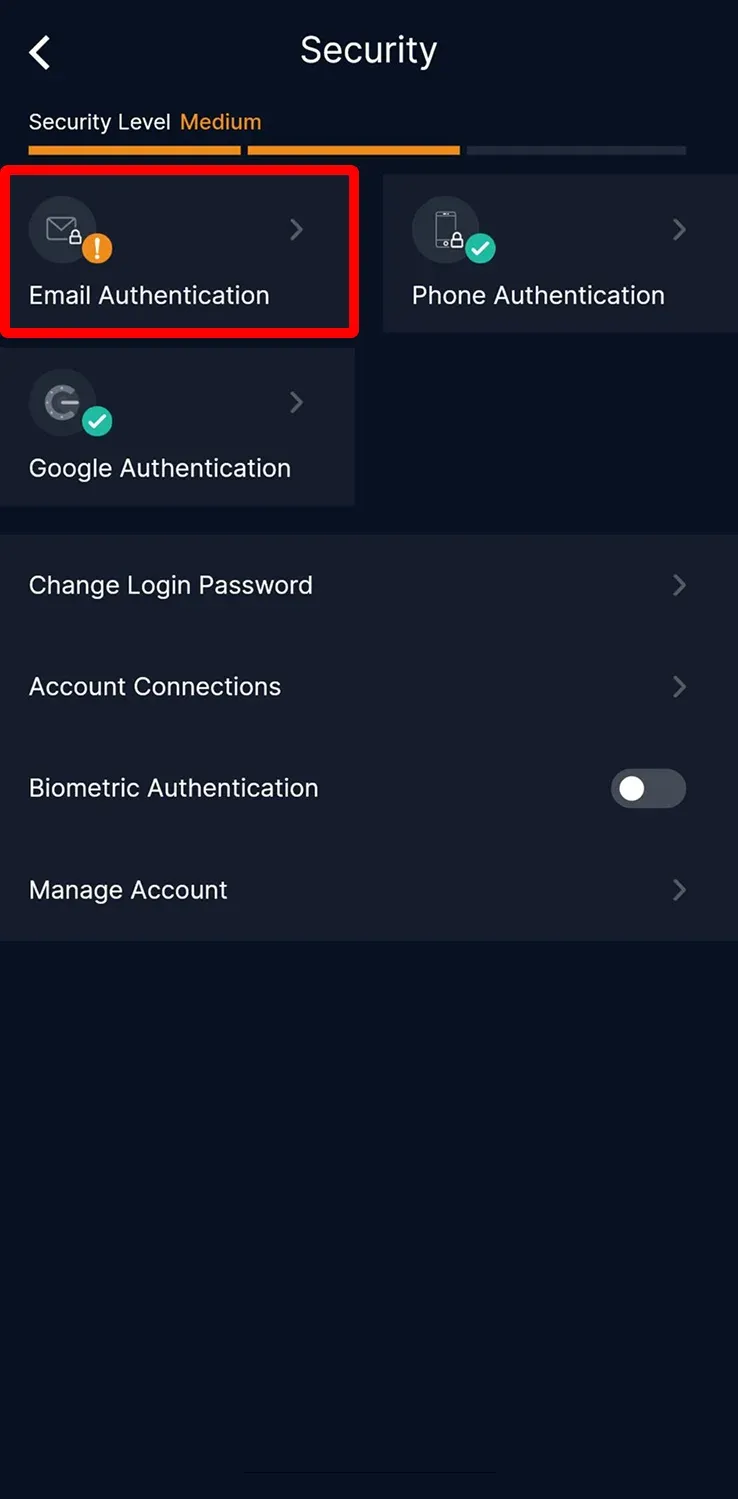
2. แตะ "Email Authentication"
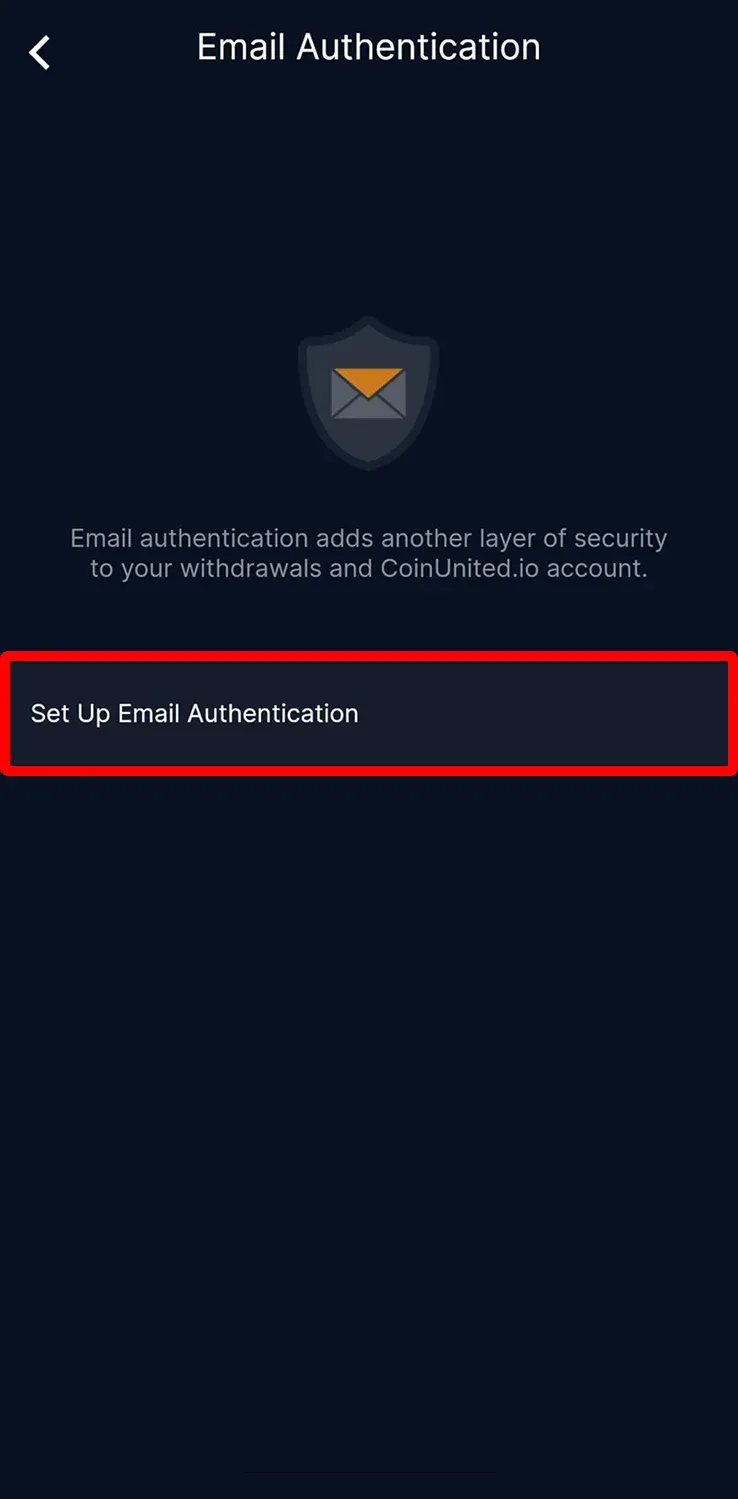
3. แตะ "Set Up Email Authentication"
4. ใส่อีเมลของคุณแล้วกด "Send Code"
กรอกโค้ดยืนยันที่ส่งไปยัง SMS, อีเมล และ Google 2FA จากนั้นแตะ "Submit"
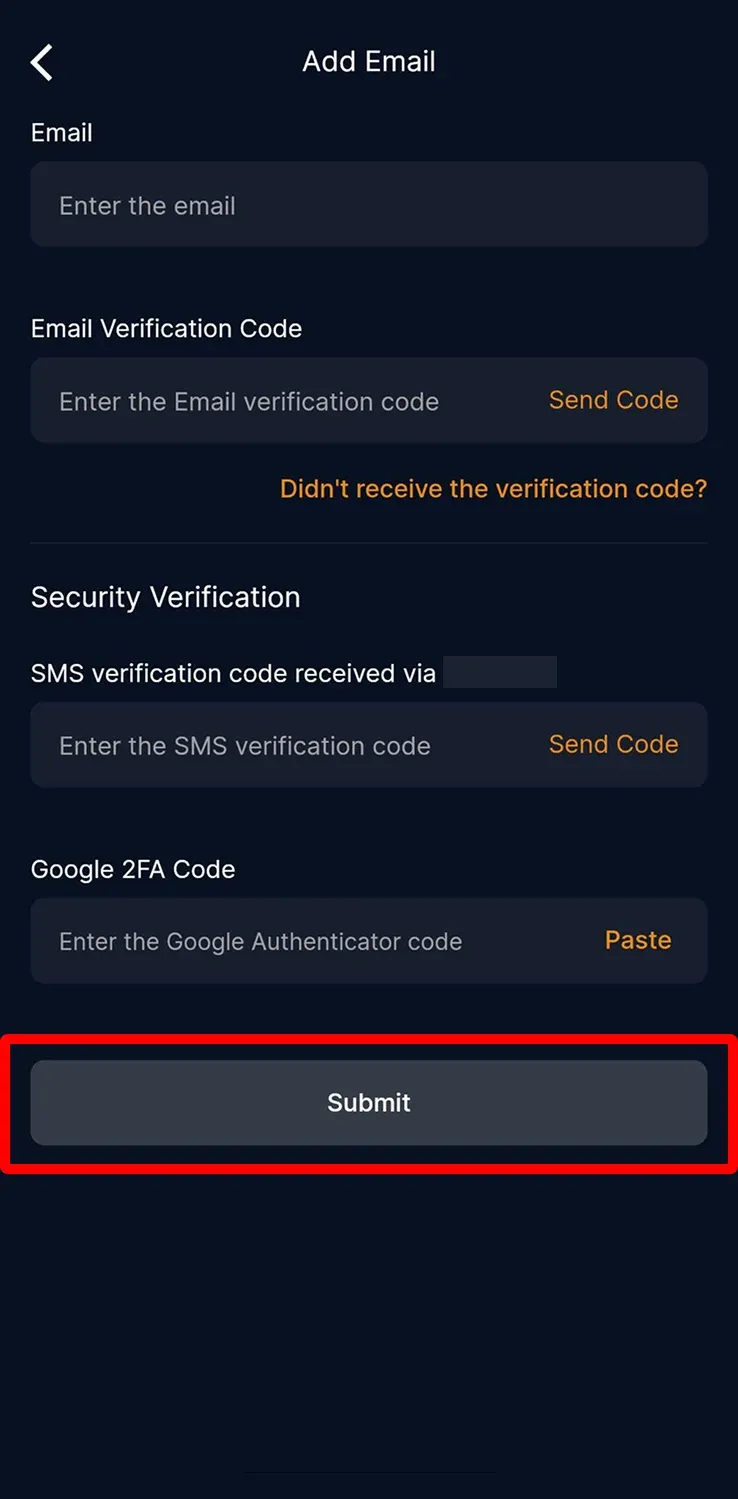
อีเมลของคุณถูกเพิ่มเรียบร้อยแล้ว
CoinUnited.io Web Platform
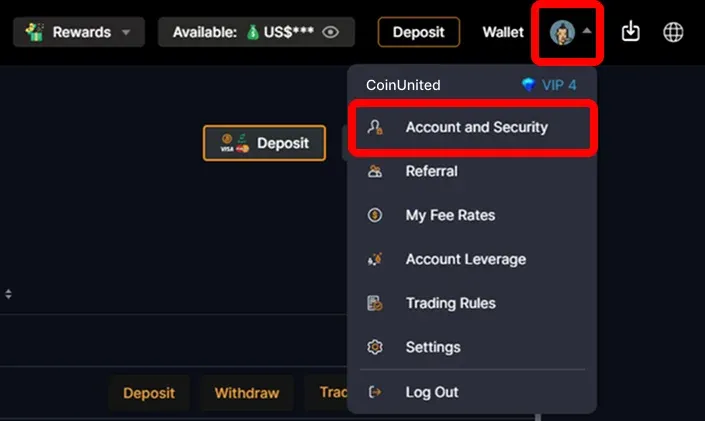
1. ไปที่ CoinUnited.io Web Platform เลื่อนเมาส์ไปที่ "User Icon" มุมขวาบน จากนั้นคลิก "Account and Security"
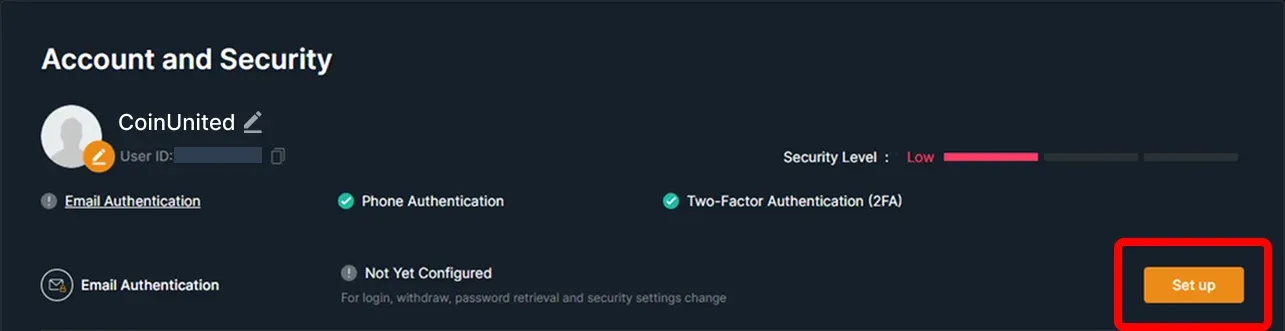
2. ไปที่ Email Authentication จากนั้นคลิก "Set up"
3. ใส่อีเมลของคุณแล้วคลิก "Send Code"
กรอกโค้ดยืนยันที่ส่งไปยัง SMS, อีเมล และ Google 2FA จากนั้นคลิก "Confirm"
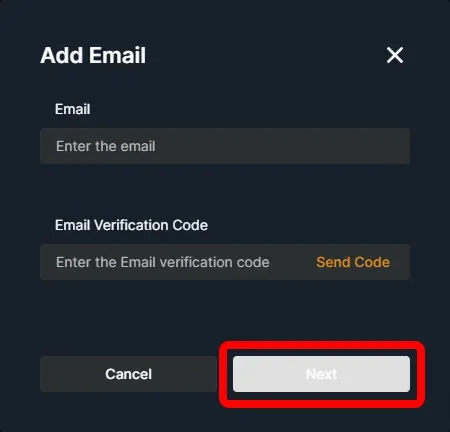
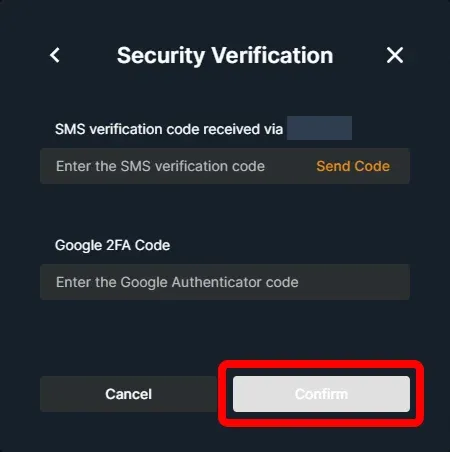
อีเมลของคุณถูกเพิ่มเรียบร้อยแล้ว
ต้องการความช่วยเหลือเพิ่มเติมหรือไม่?
หากมีคำถามหรือปัญหาเพิ่มเติม โปรดไปที่ ศูนย์ช่วยเหลือ หรือ ใช้แชทบอทของเรา เพื่อขอความช่วยเหลือ
เราพร้อมช่วยเหลือ ขอให้เทรดอย่างสนุก!
อัปเดตล่าสุด 15 เมษายน 2568
คำตอบนี้ตอบคำถามของคุณหรือไม่?