
كيف تختار شبكة الإيداع/السحب؟
Deposit
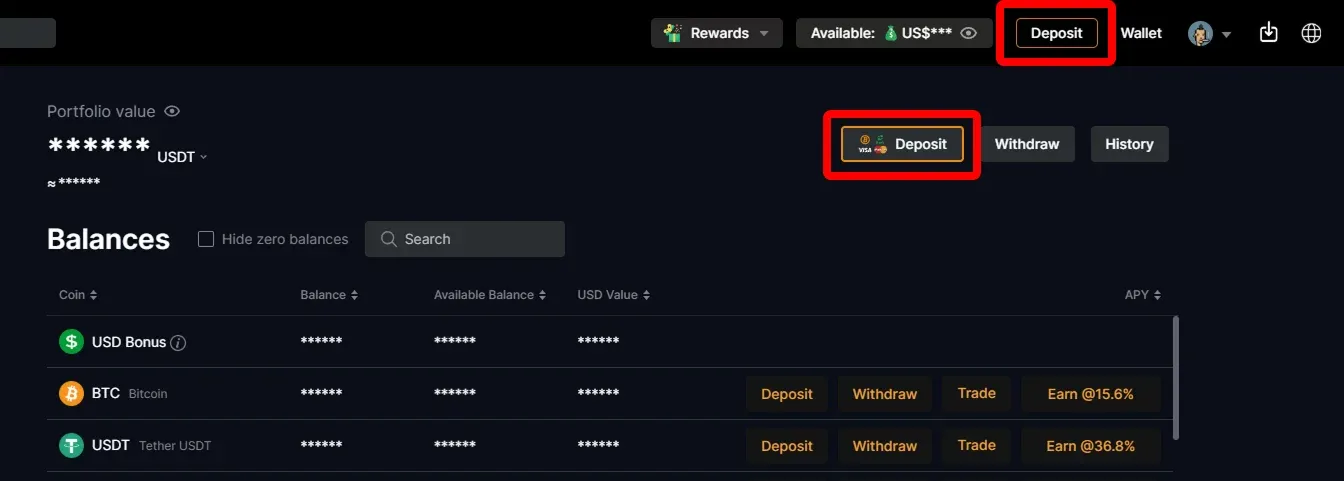
1. Click "Deposit" on CoinUnited.io APP/ Web Platform
APP
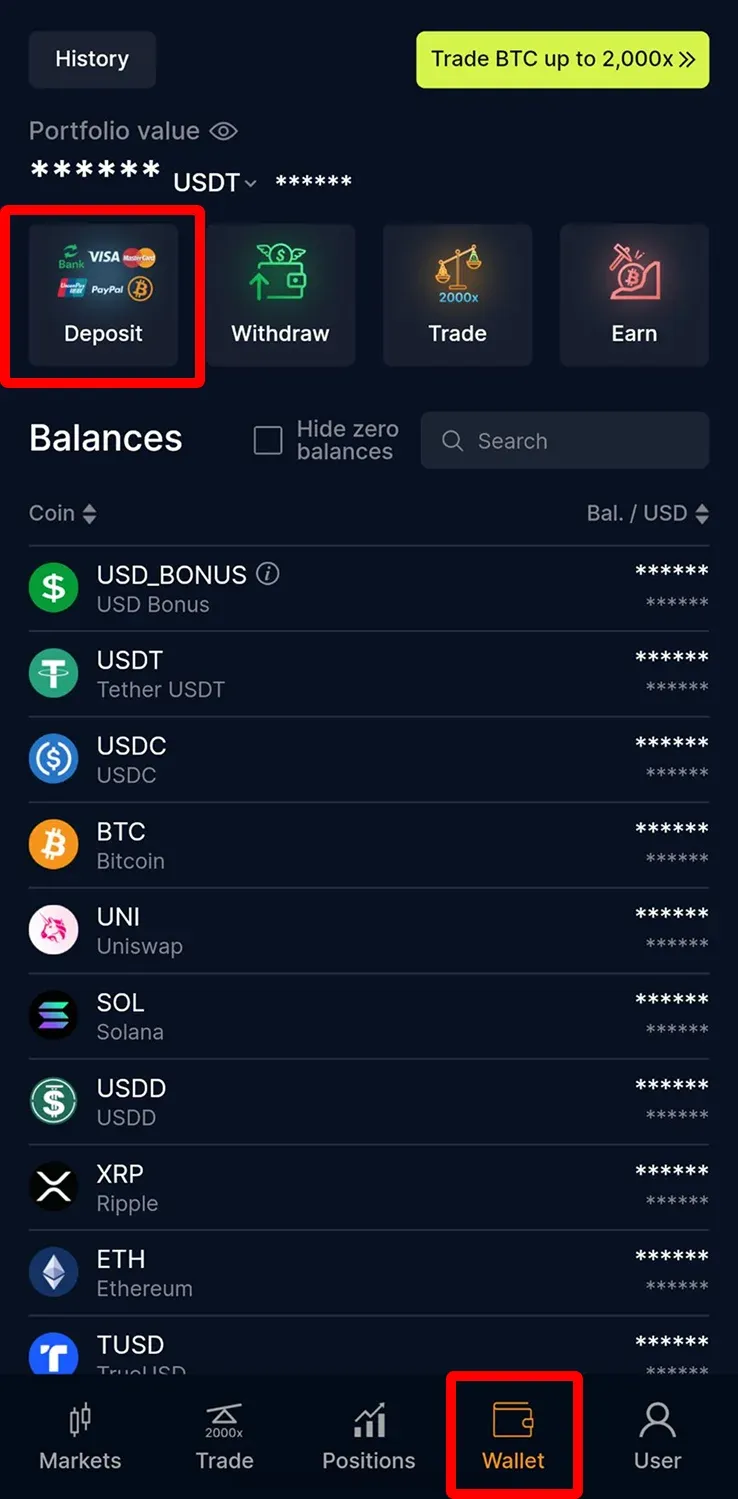
Web Platform
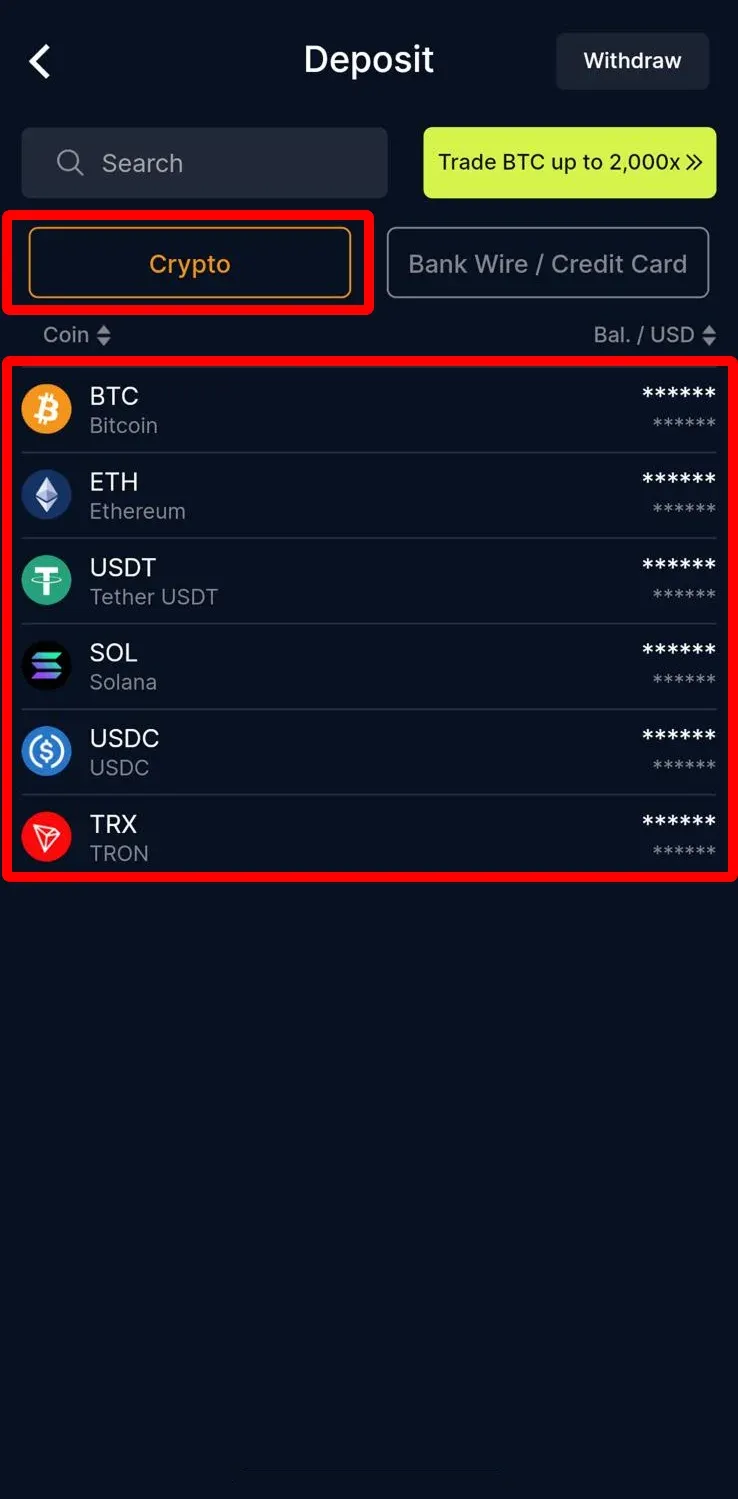
2. Click "Crypto" and choose the crypto you want to deposit
APP
Web Platform
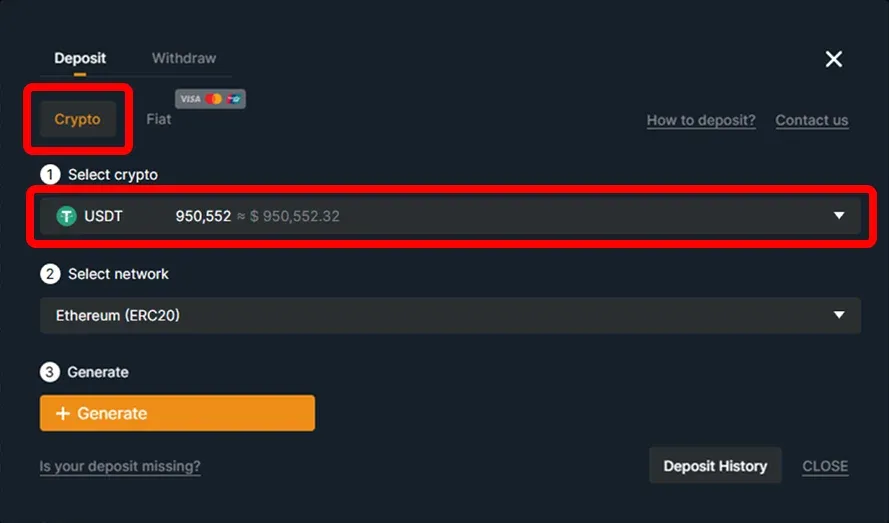
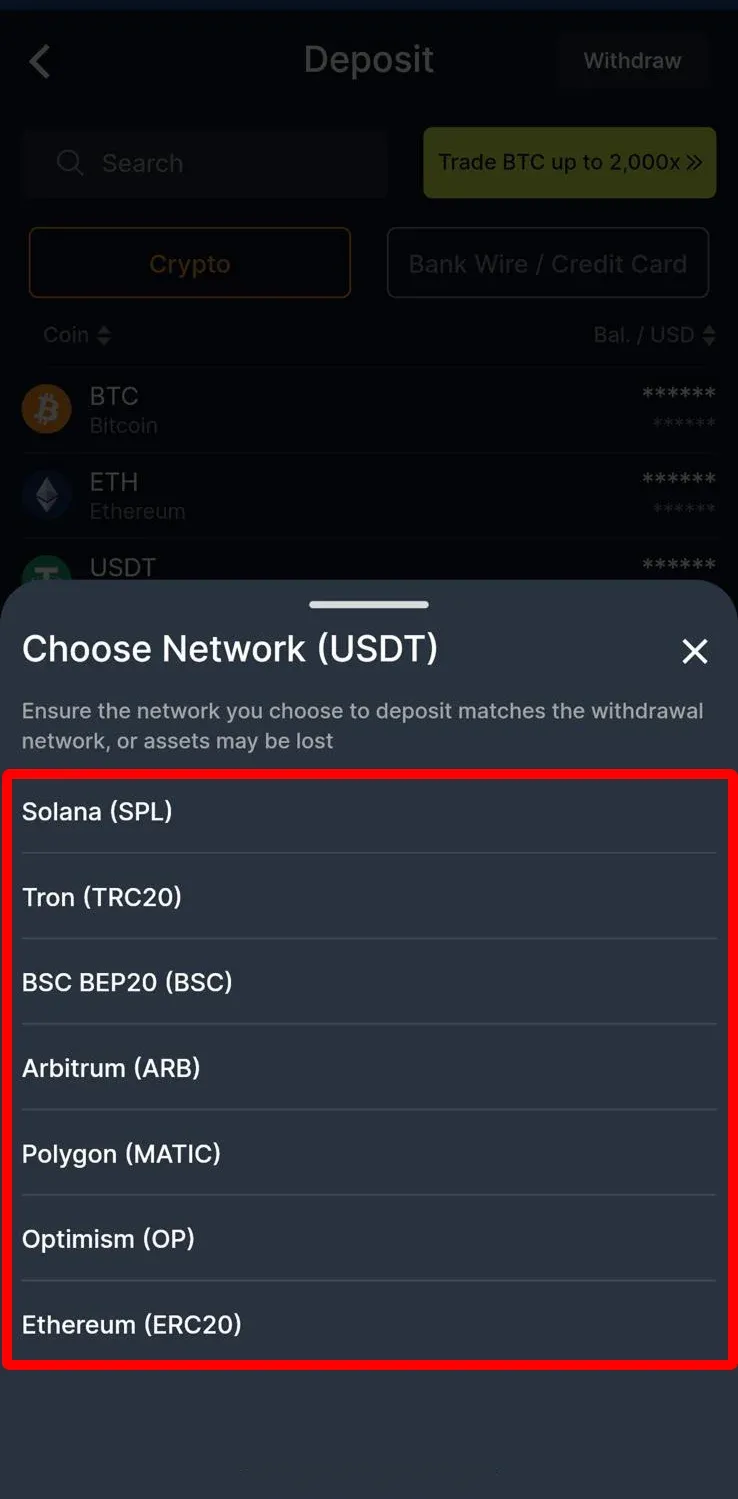
3. Then you will see the deposit network
APP
Web Platform
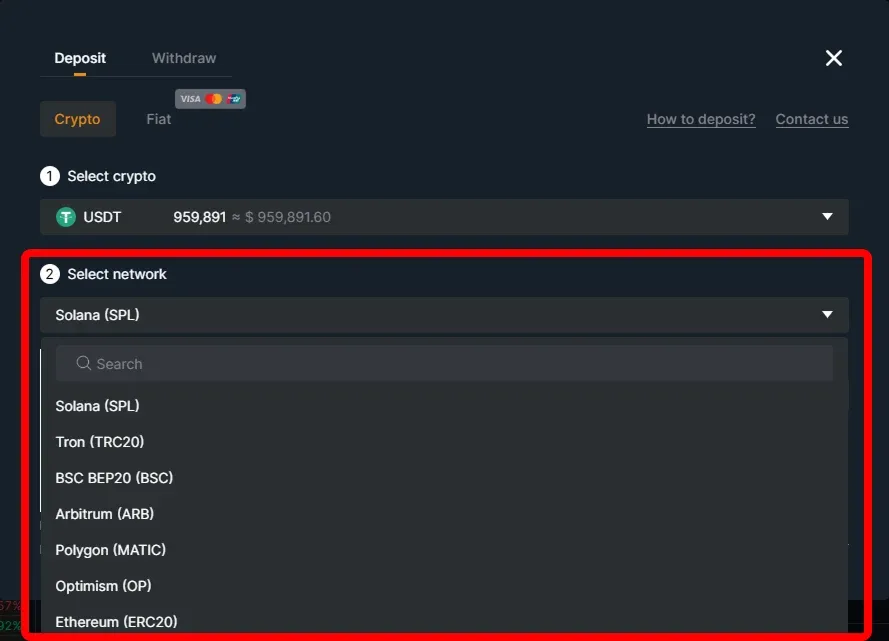
Please make sure that the selected network is the same as the network of the platform you are withdrawing funds from.
Warning: If you select the wrong/incompatible network, you will lose your funds.
Withdraw
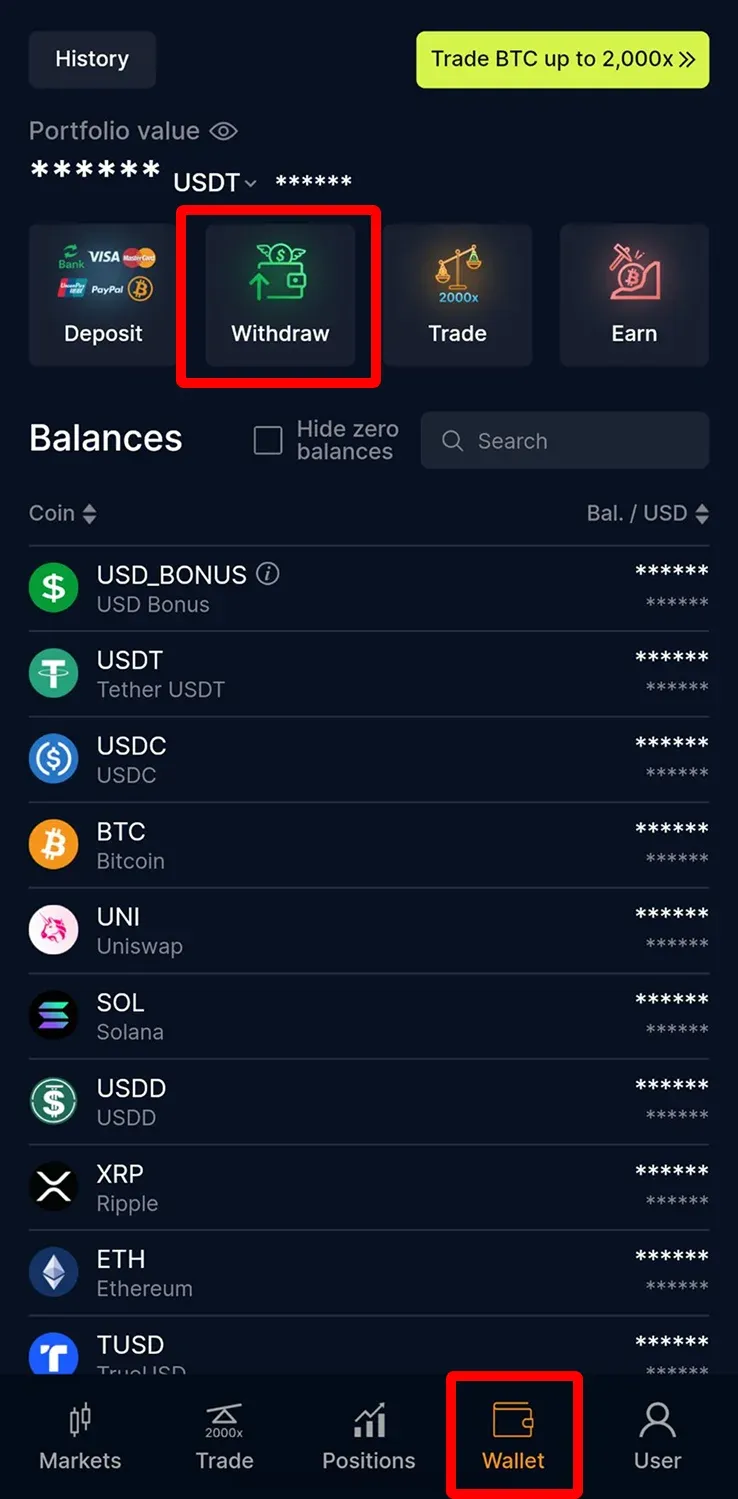
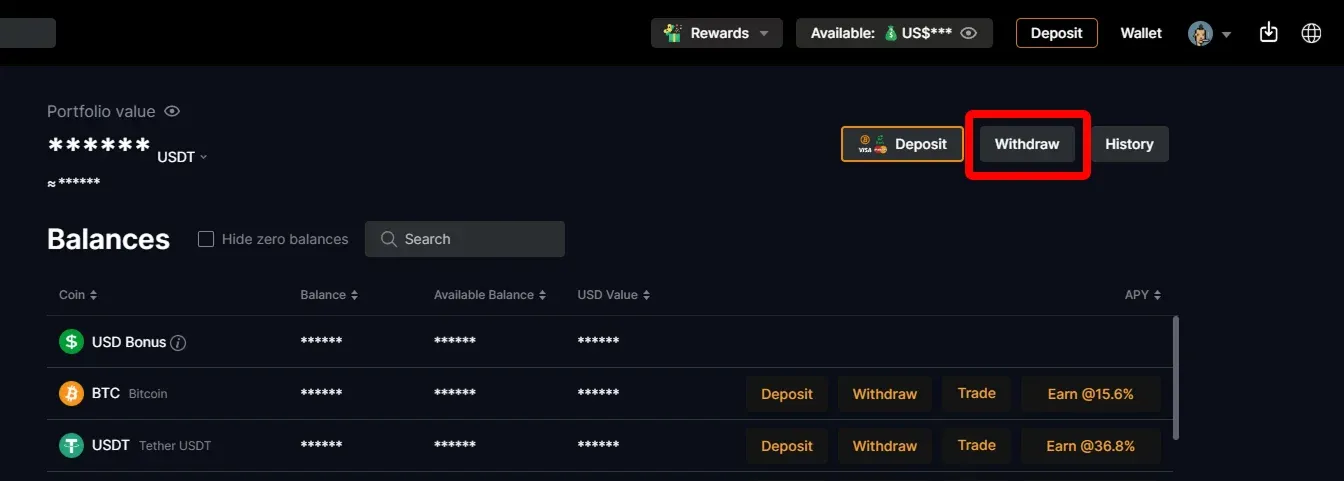
1. Click【Withdraw】 on CoinUnited.io APP/ Web Platform
APP
Web Platform
2. Choose the crypto you want to withdraw
APP
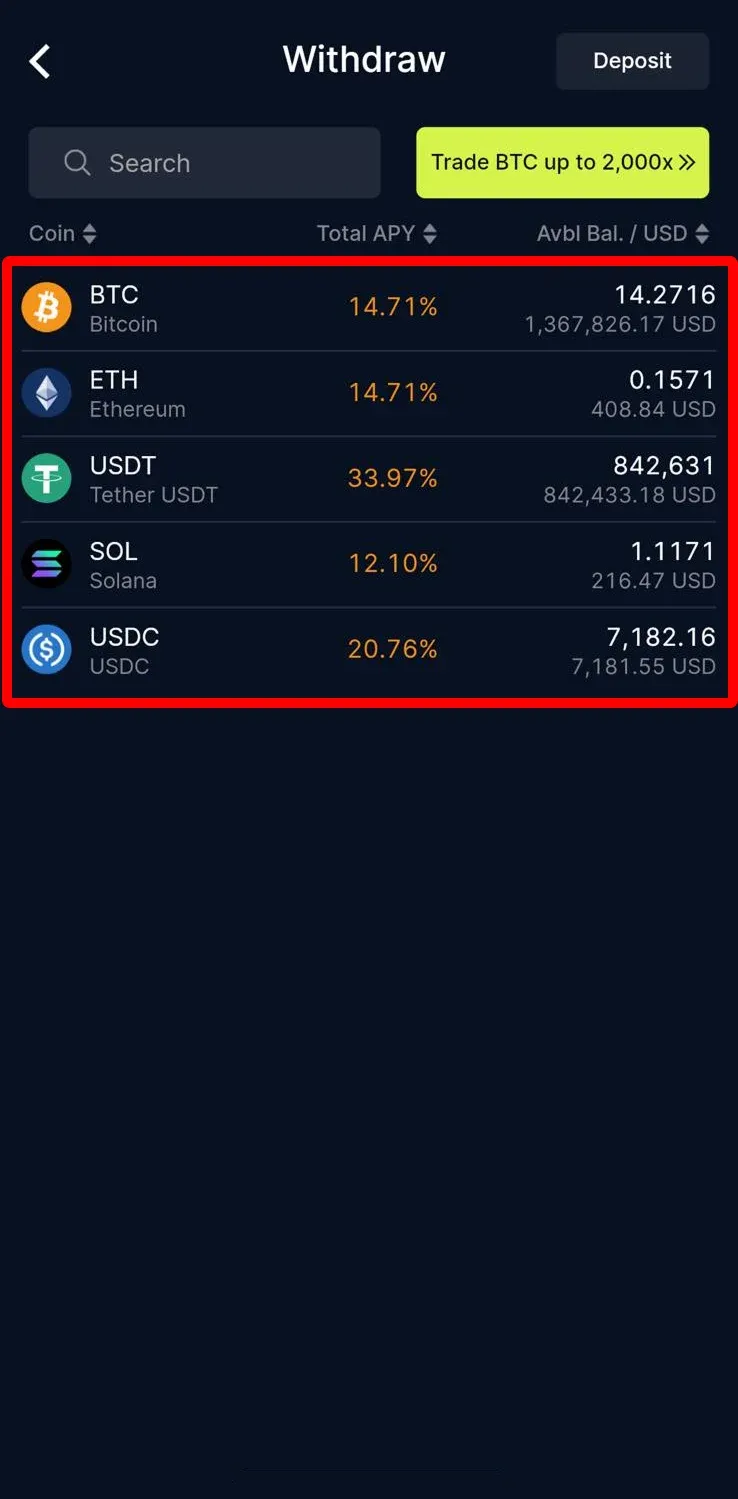
Web Platform
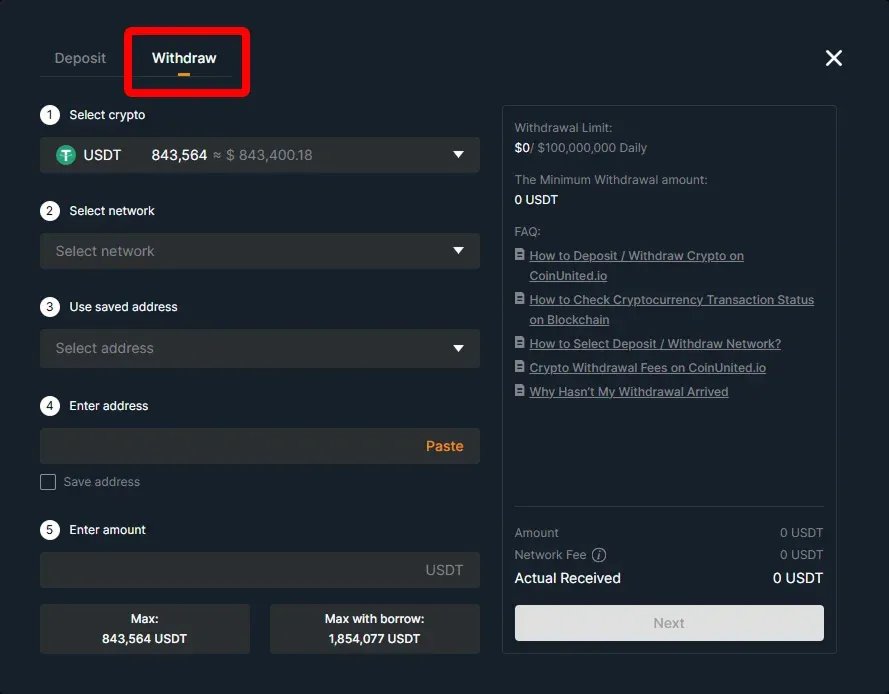
3. Click "Select Network" to select the withdrawal network
APP
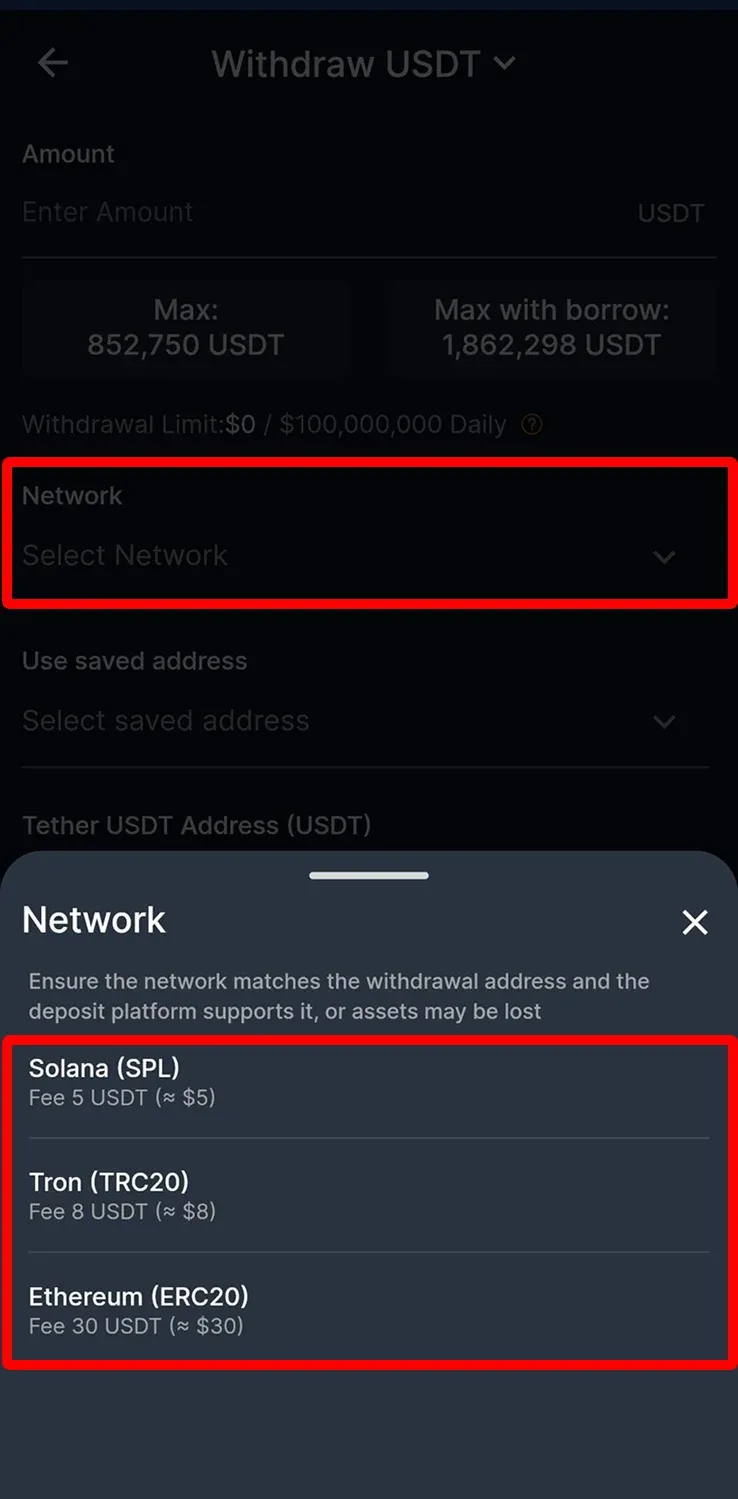
Web Platform
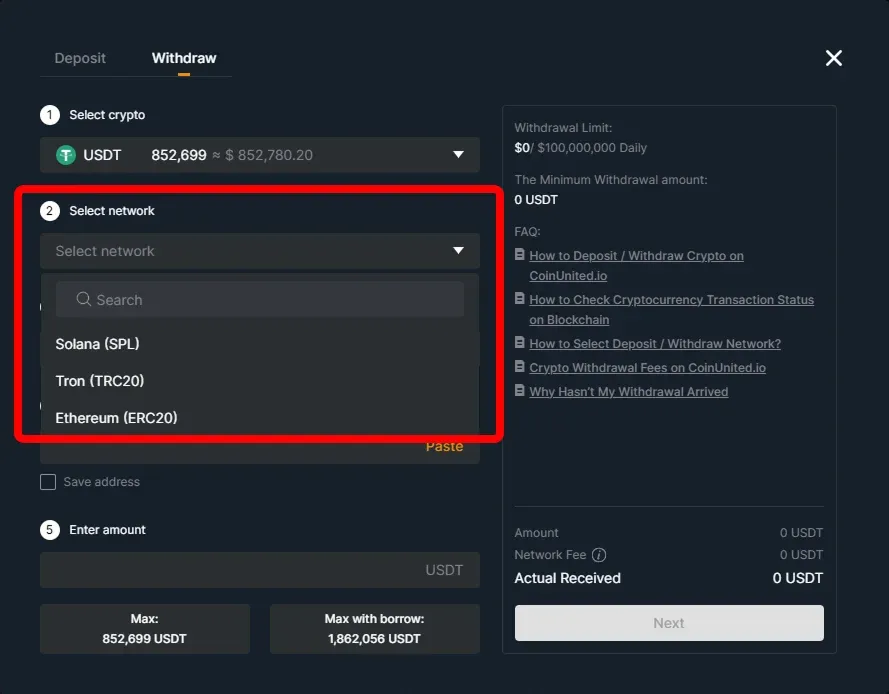
Please make sure that the selected network is the same as the network of the platform you are depositing funds.
Warning: If you select the wrong/incompatible network, you will lose your funds.
هل تحتاج إلى مزيد من المساعدة؟
لمزيد من الأسئلة أو المشكلات، يرجى زيارة مركز المساعدة أو استخدام روبوت الدردشة للمساعدة.
نحن هنا للمساعدة. نتمنى لكم تداولًا موفقًا!
آخر تحديث 13 مايو 2025
هل أجابت هذه الإجابة على سؤالك؟