
如何重置 Google 認證 (2FA) ?
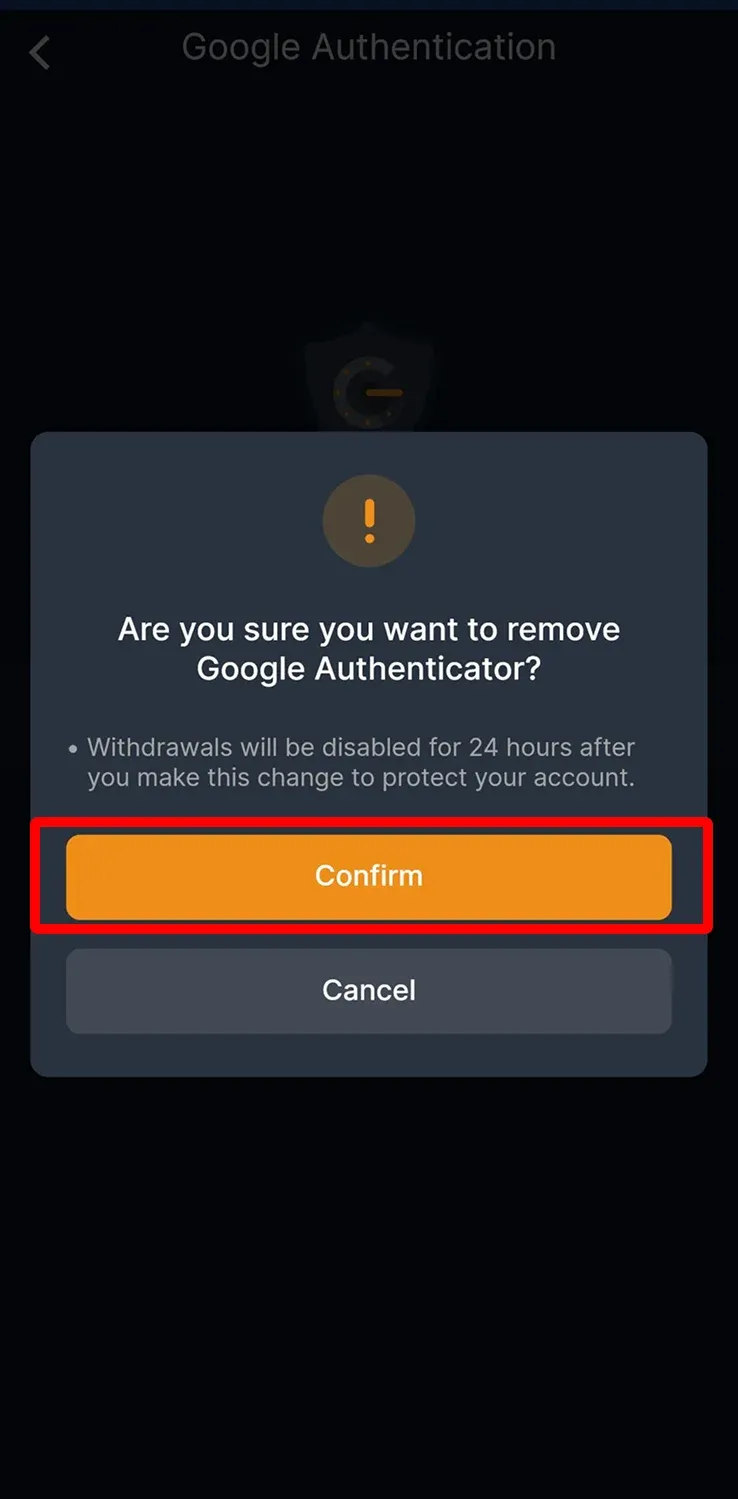
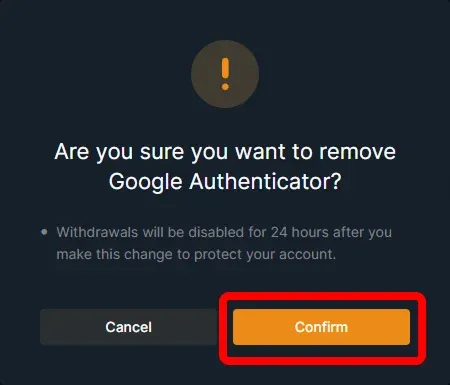
為了安全起見,修改後 24 小時內無法進行提領。
CoinUnited.io APP
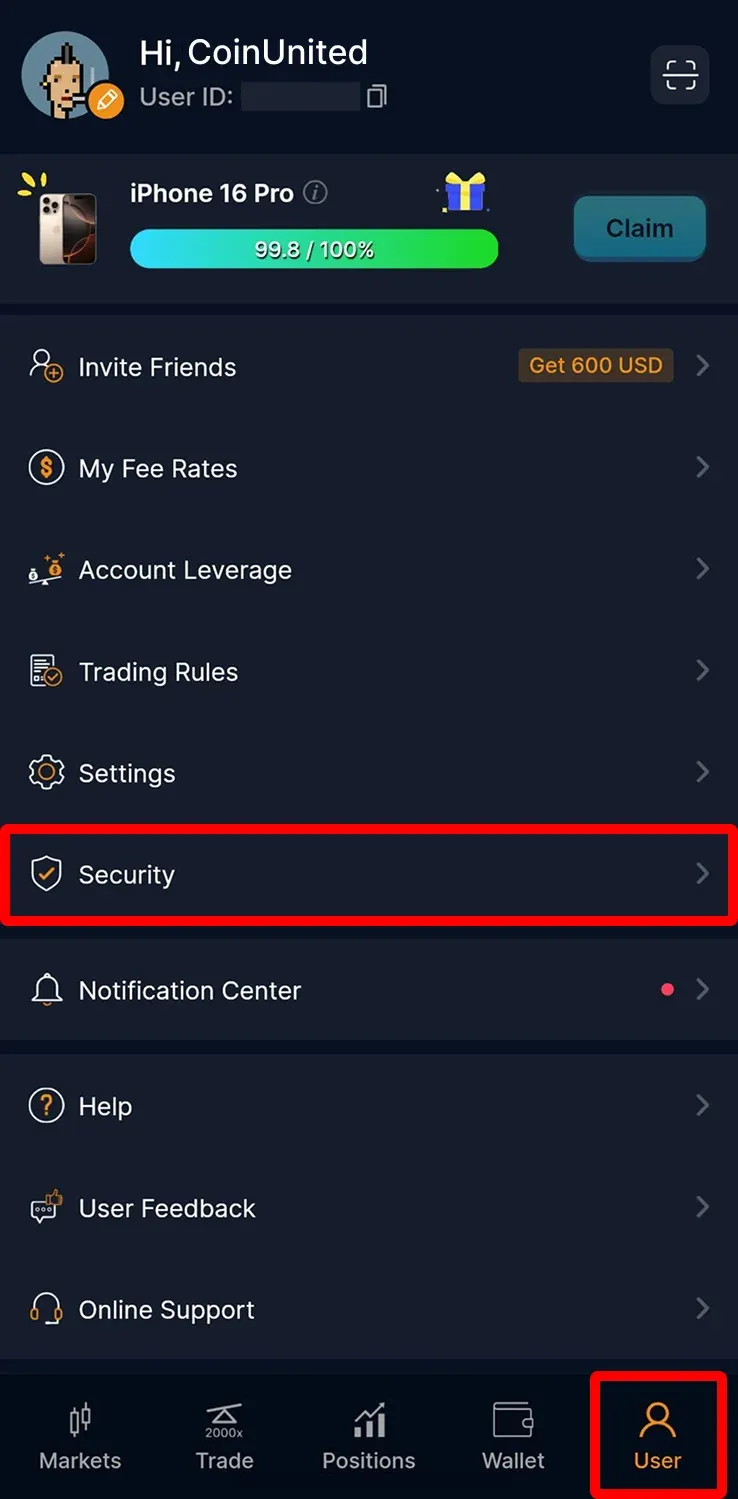
1. 前往「User」 > 「Security」
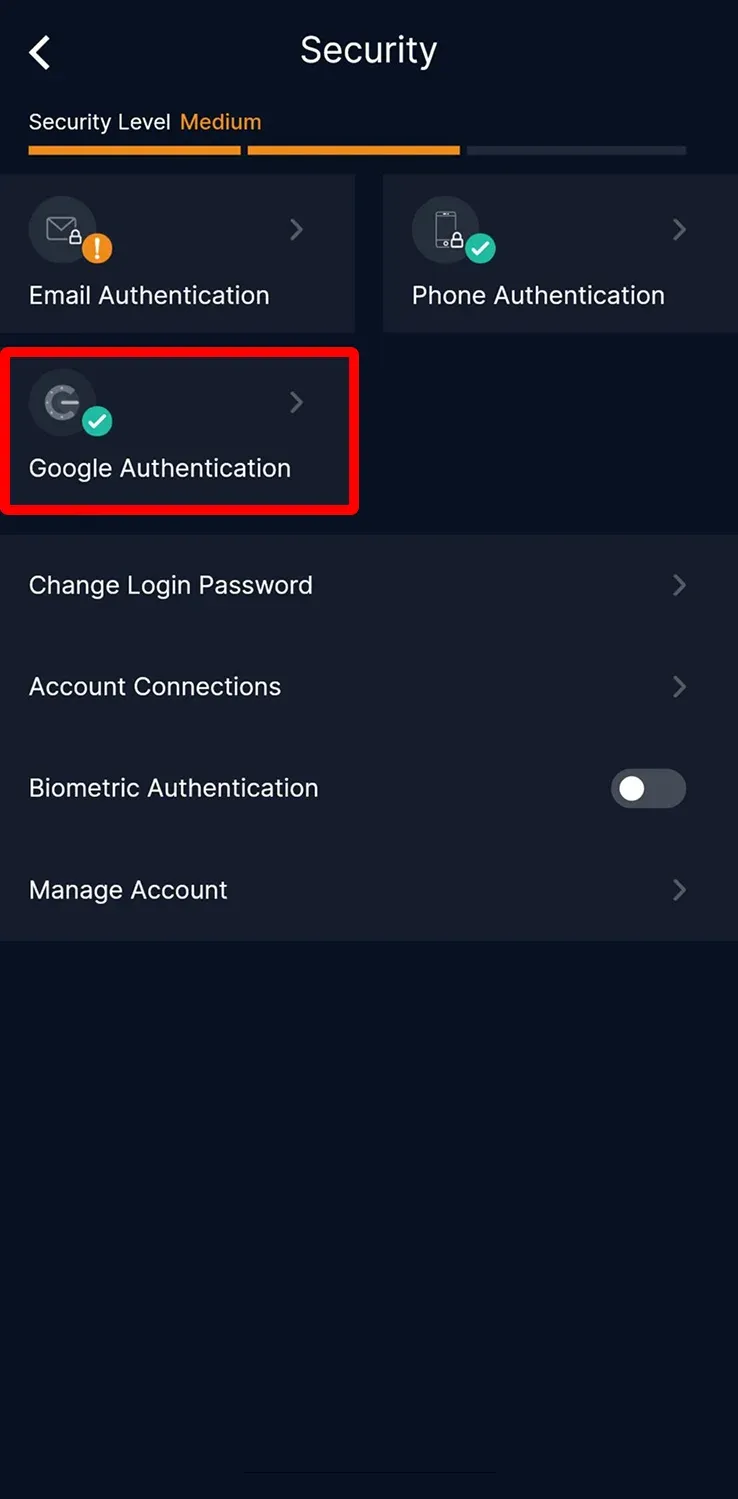
2. 點選「Google Authentication」
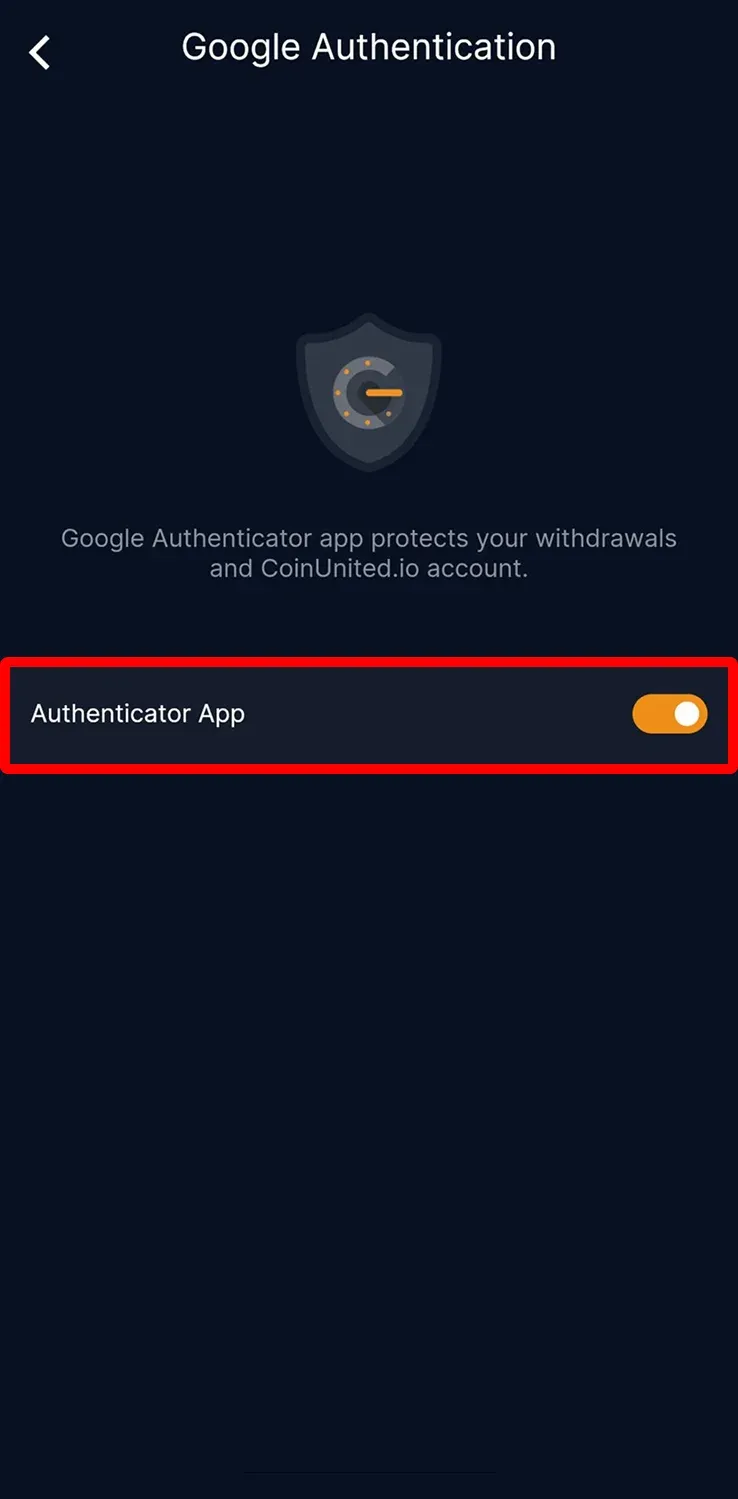
3. 關閉「Authentication APP」
4. 閱讀相關注意事項後,點選「Confirm」
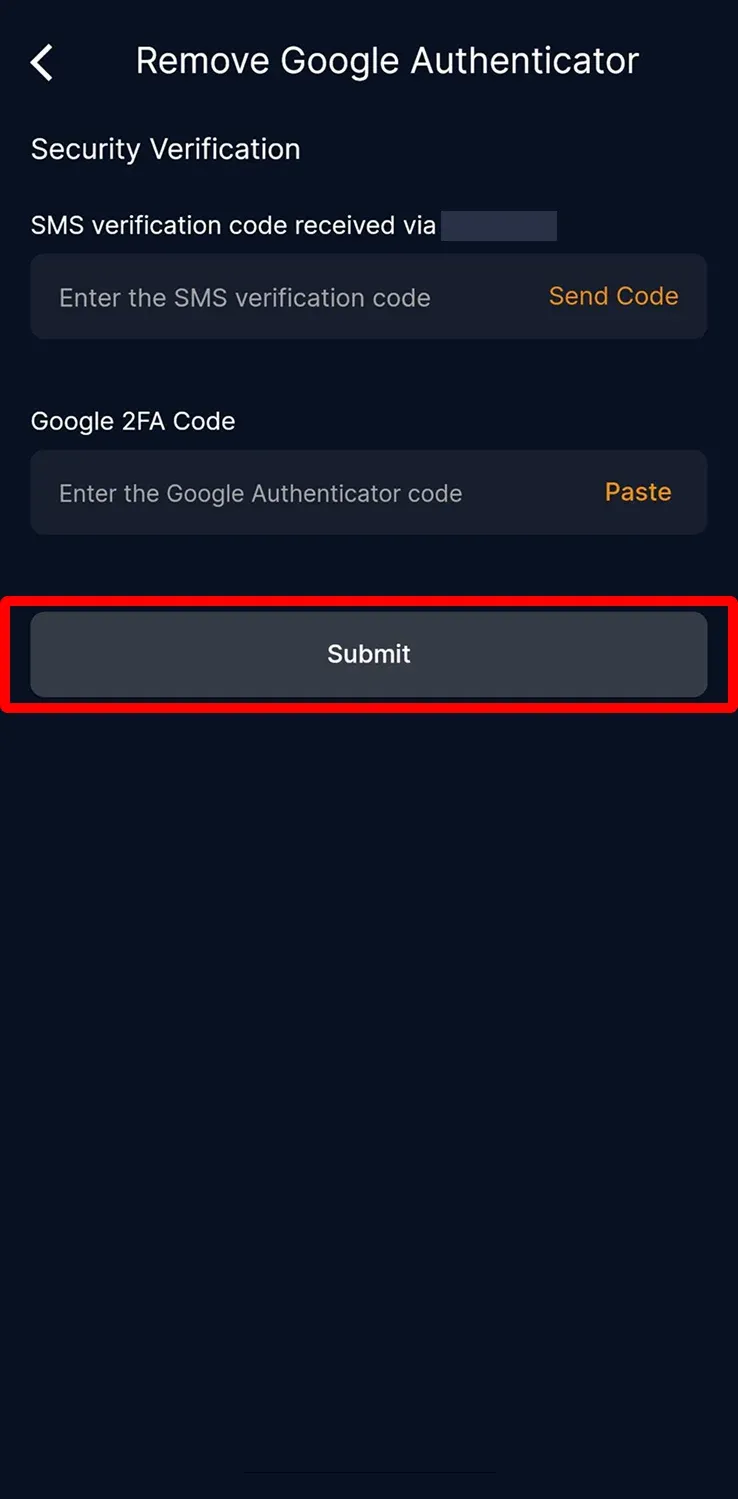
5. 輸入簡訊、電子郵件及 Google 2FA 驗證碼,然後點擊「Submit」
CoinUnited.io 網頁版
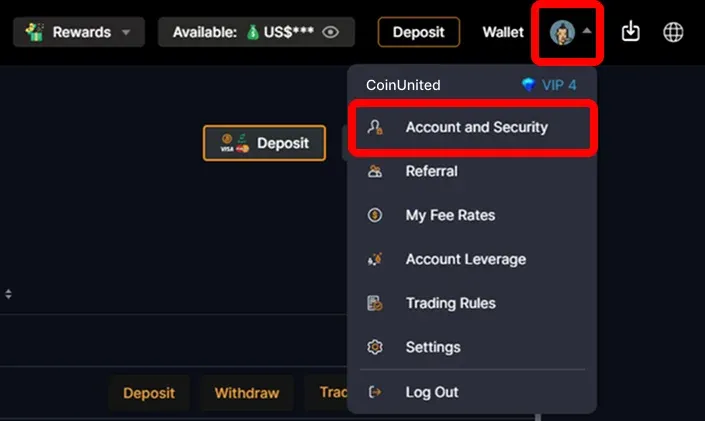
1. 在 CoinUnited.io 網頁版右上方「User」圖示選「Account and Security」
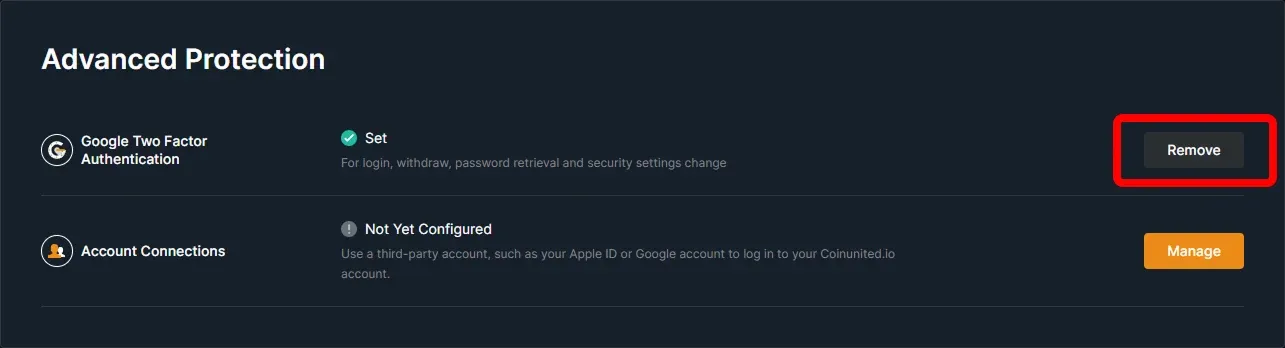
2. 在「Google Two Factor Authentication」點選「Remove」
3. 閱讀注意事項後點「Confirm」
4. 輸入簡訊、電子郵件及 Google 2FA 驗證碼,然後點擊「Confirm」
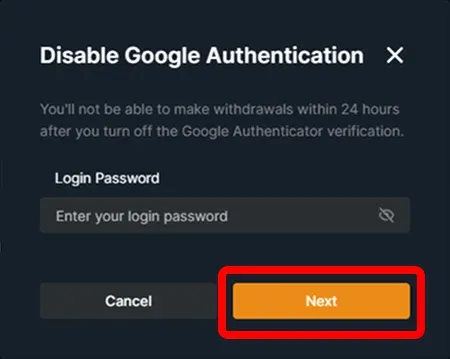
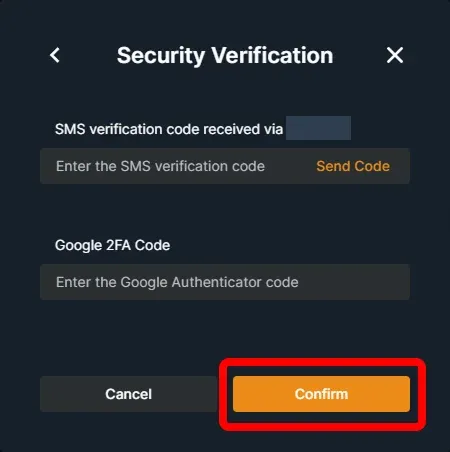
您現在可以在帳戶中重新綁定新的 Google Authenticator。
需要更多協助?
如有任何進一步的疑問或問題,歡迎造訪我們的幫助中心或使用線上聊天機器人獲得即時支援。
我們隨時為您服務,祝您交易順利!
最後更新:2025年3月17日
此內容是否解答了您的疑問?