
How to Deposit / Withdraw Crypto on CoinUnited.io?
CoinUnited.io Wallet allows you to transfer your cryptocurrencies from other wallets and platforms for trading and grow your crypto holdings through leverage trading.
CoinUnited.io APP - How to Deposit Crypto
1. Go to "Wallet" > "Deposit" on your CoinUnited.io APP
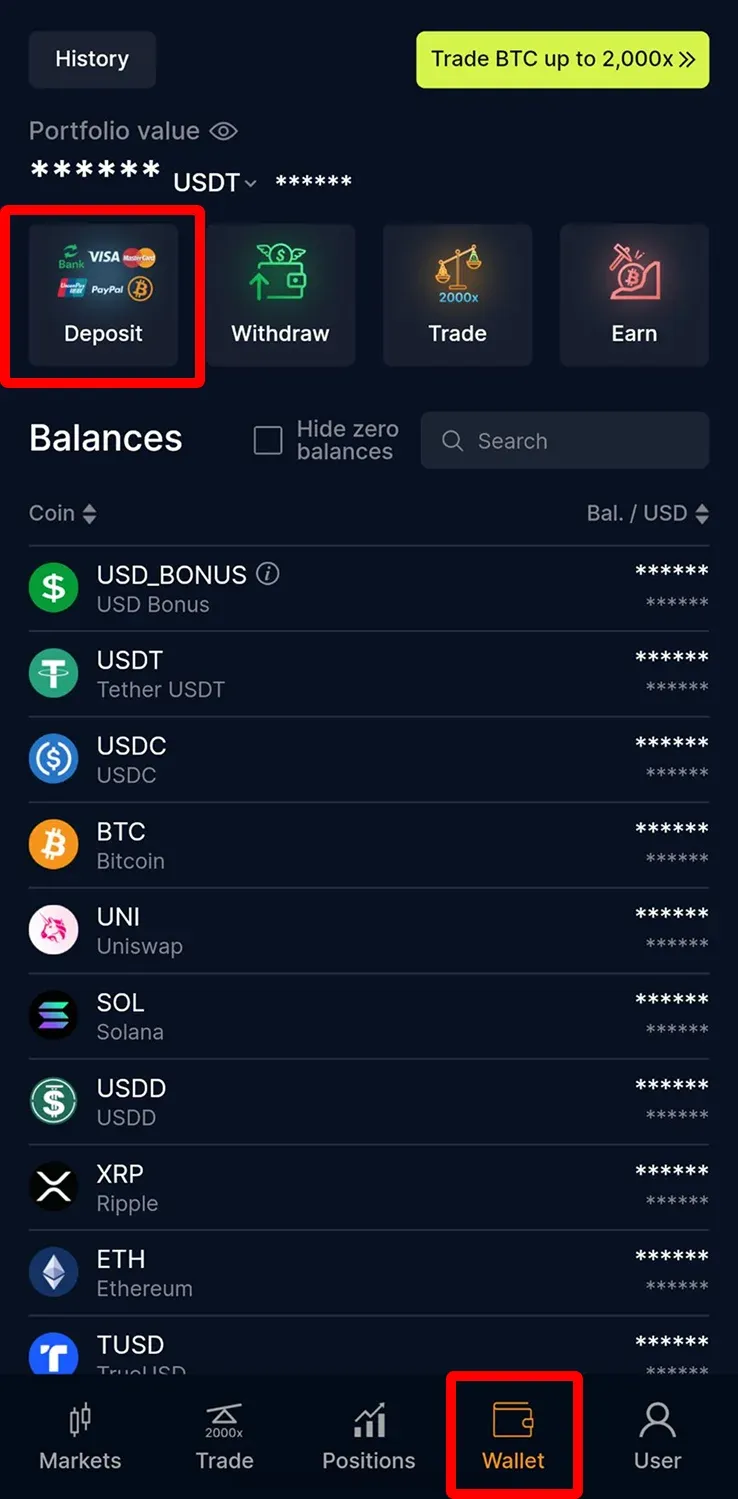
2. Tap "Crypto" and choose the crypto you want to deposit
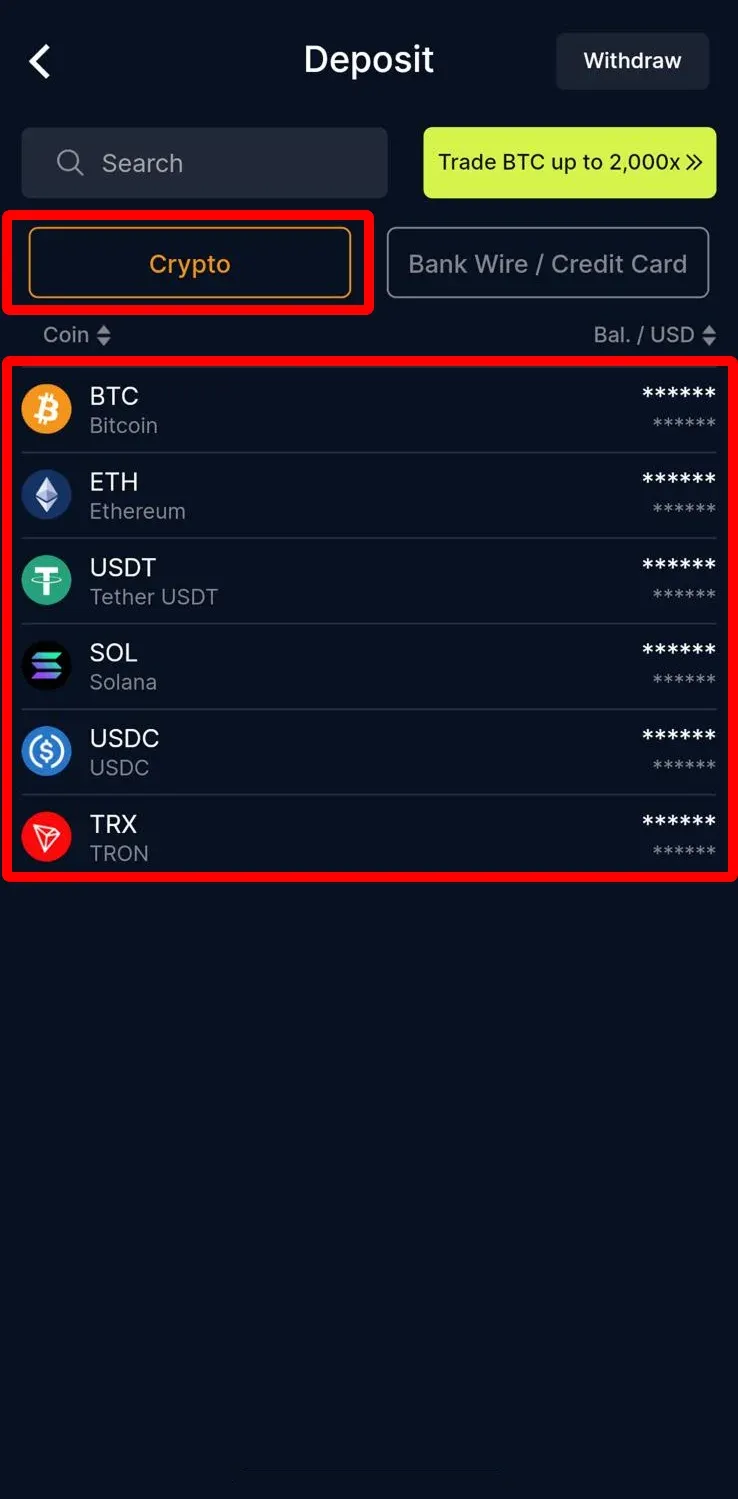
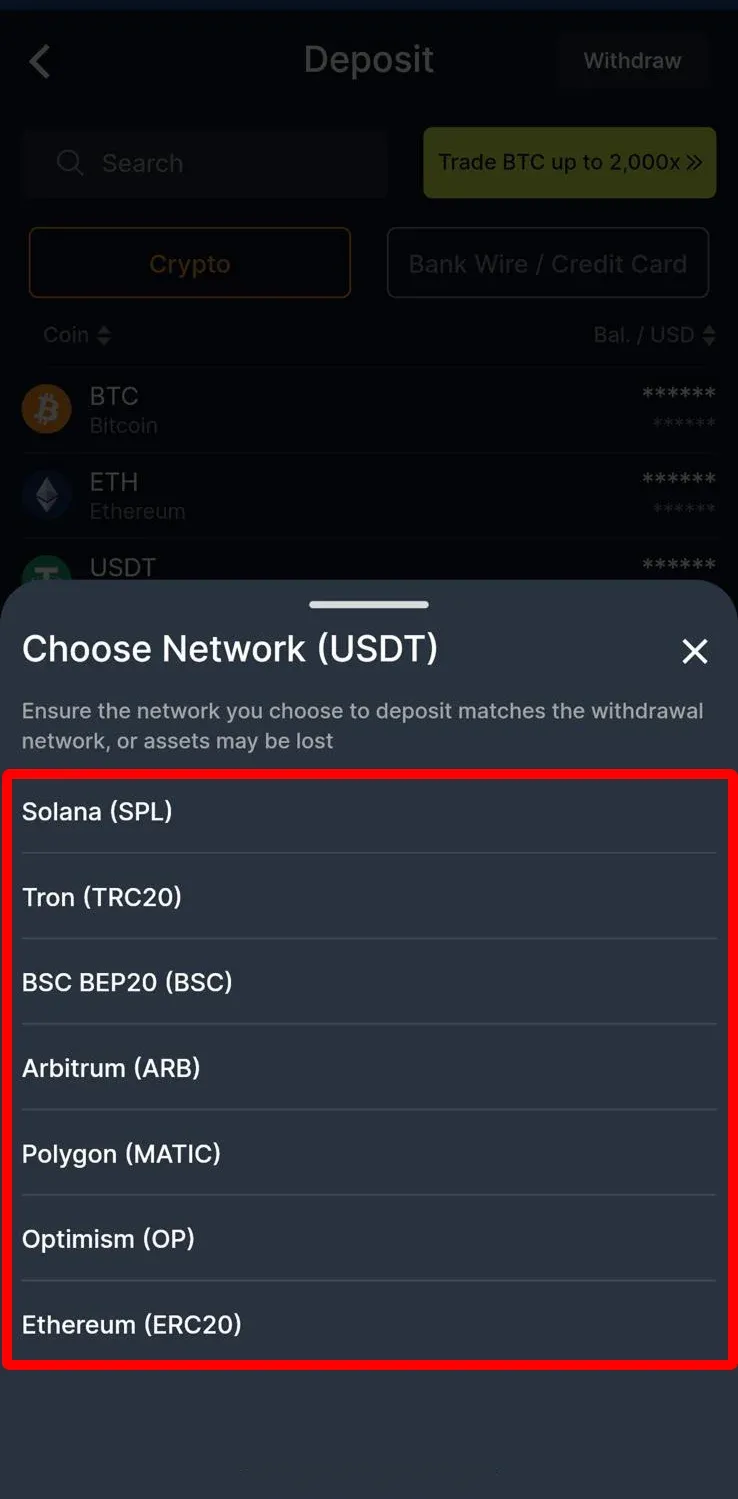
3. Select the deposit network
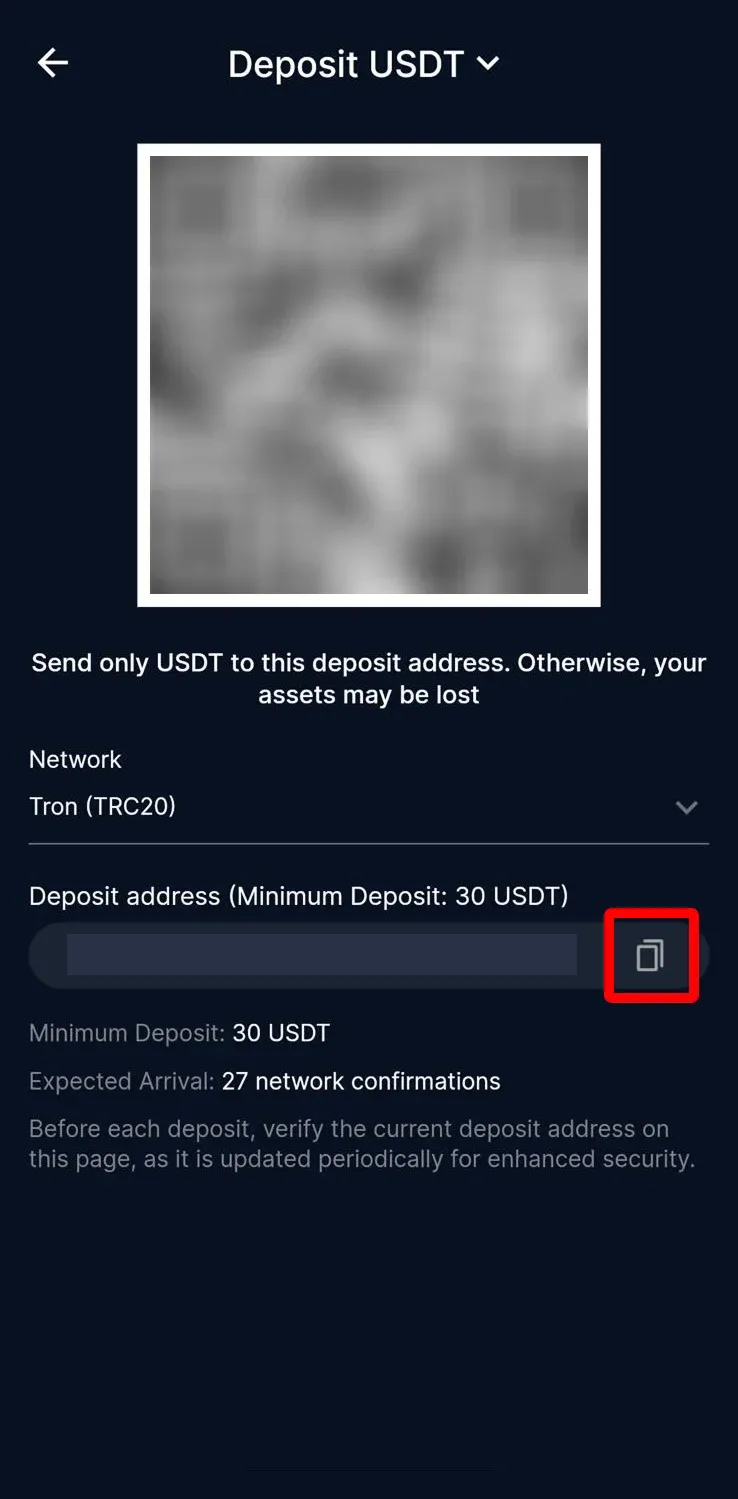
4. Copy the deposit address or scan the QR code to deposit.
Before each deposit, verify the current deposit address on this page, as it is updated periodically for enhanced security.
CoinUnited.io APP - How to Withdraw Crypto
1. Go to【Wallet】>【Withdraw】on your CoinUnited.io APP
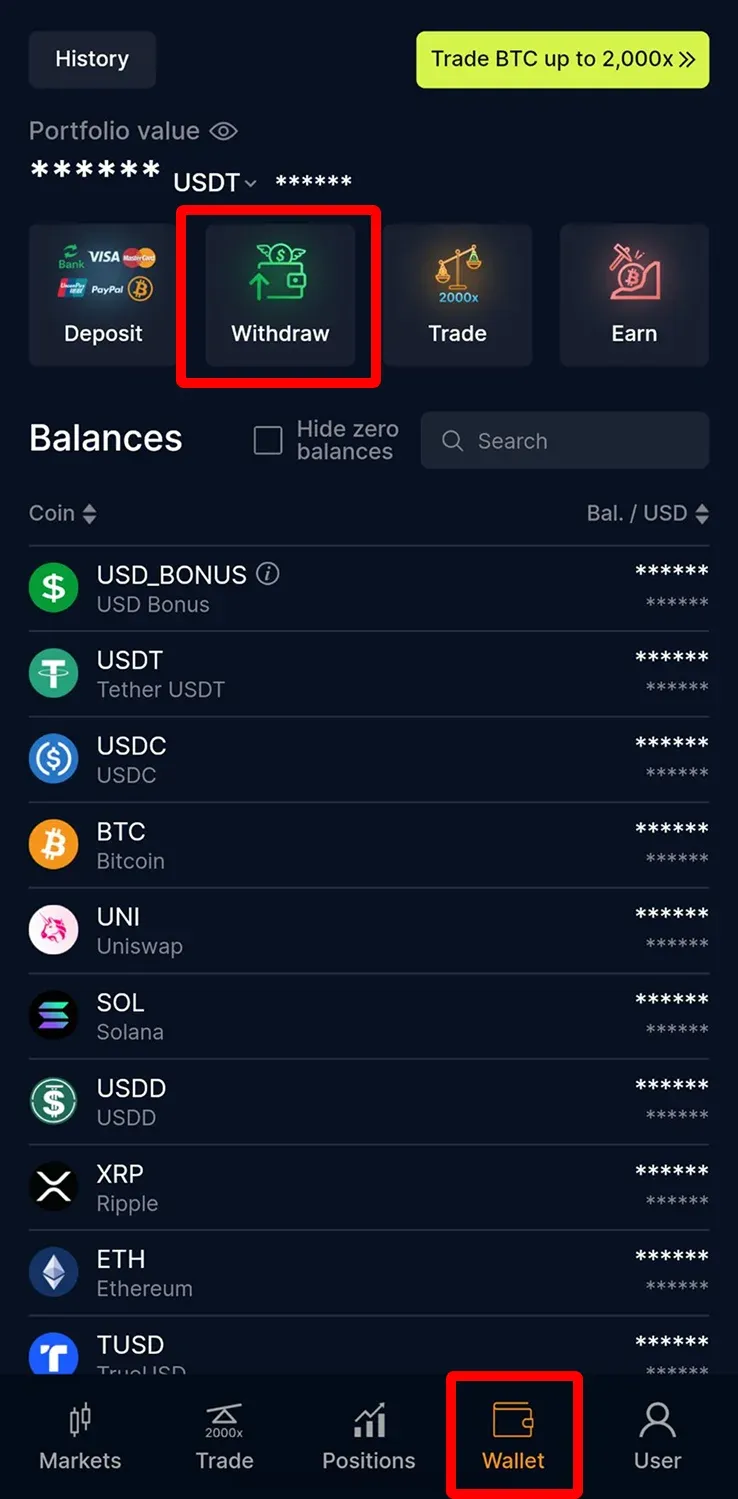
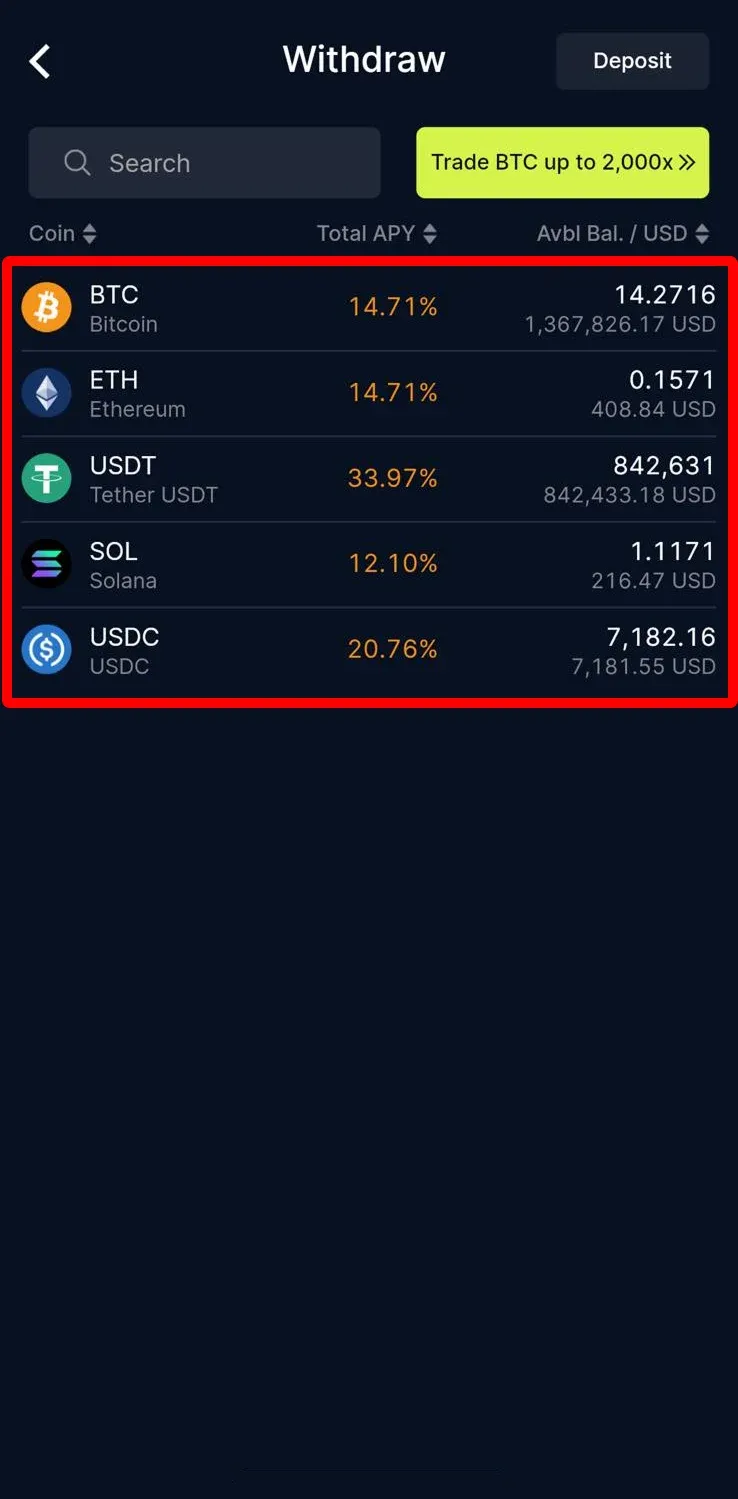
2. Select the crypto you want to withdraw
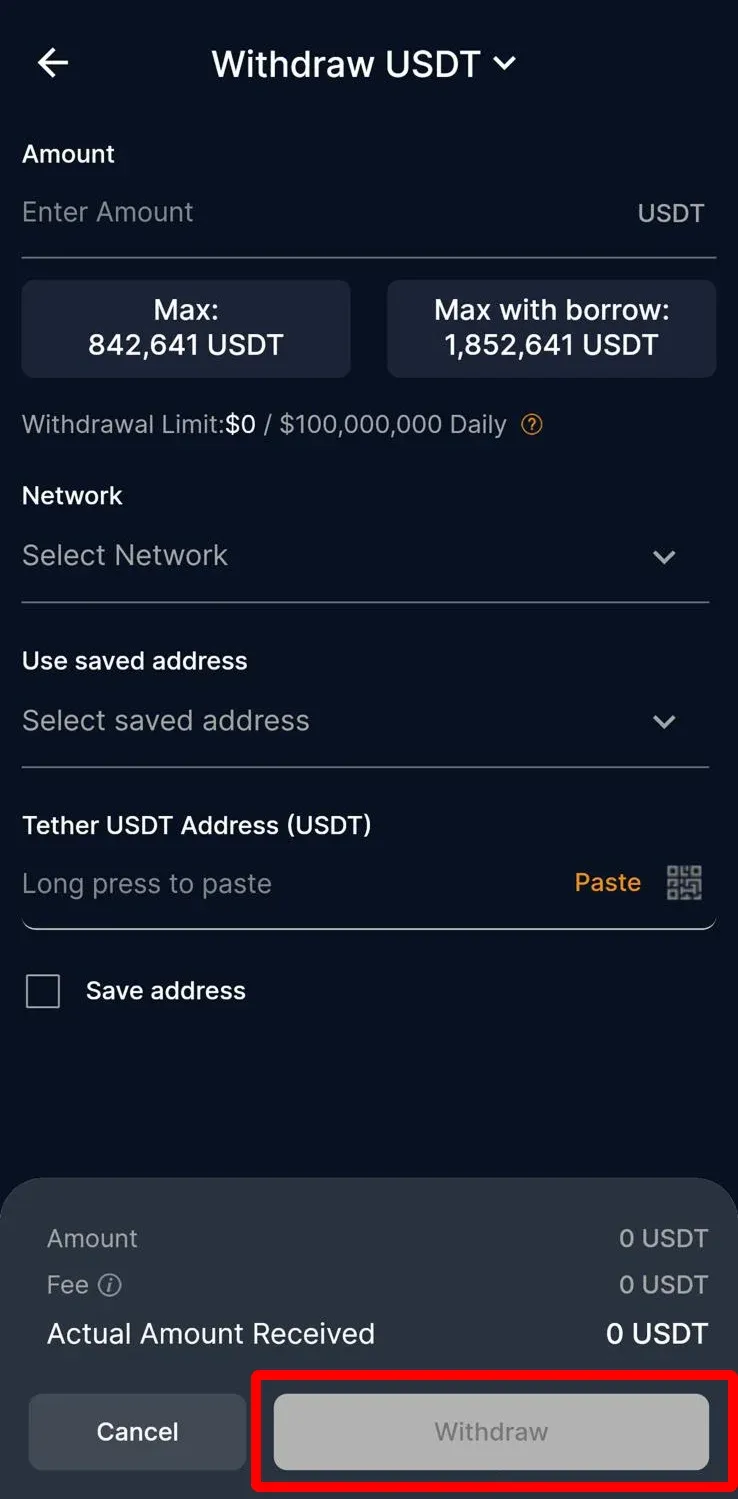
3. Enter and select the amount, network, and withdrawal address, then tap "Withdraw"
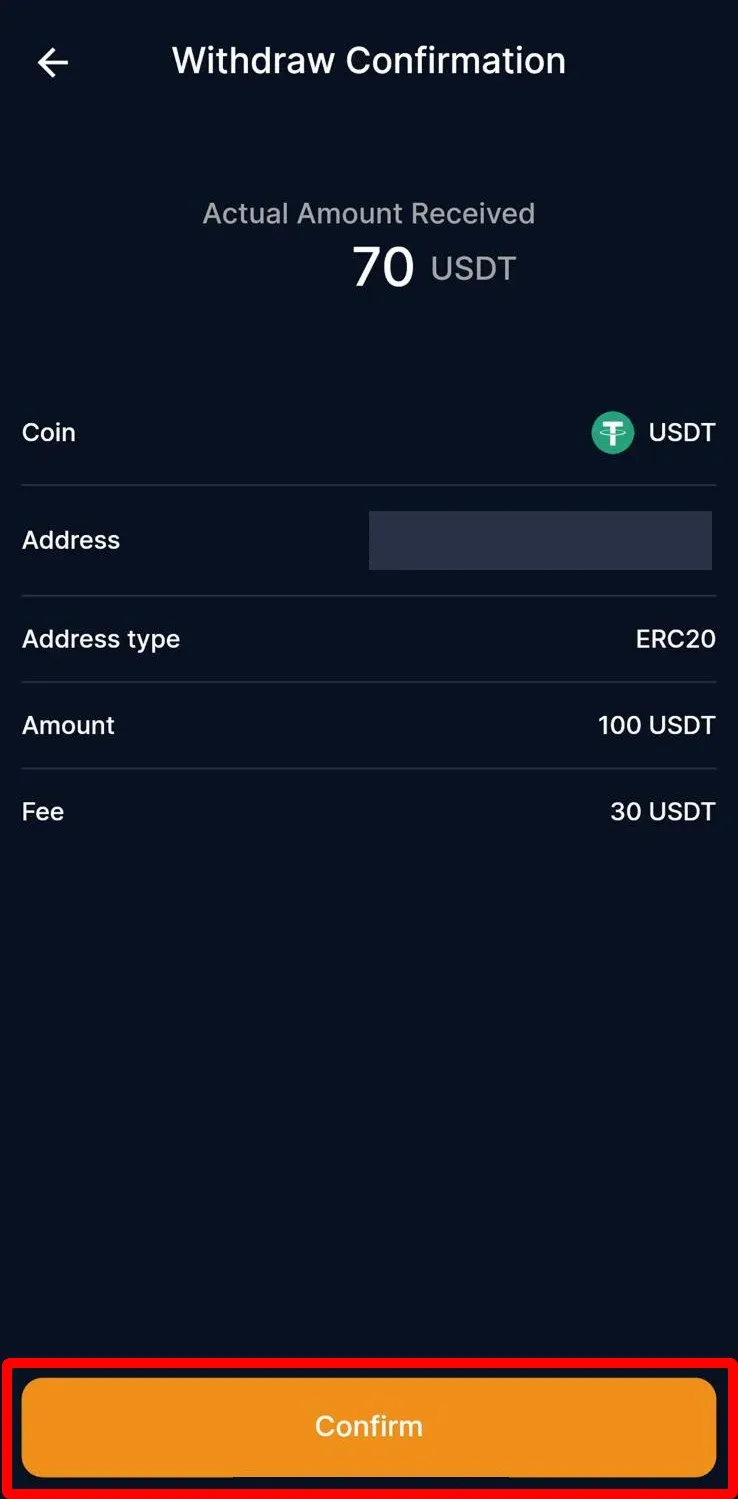
4. Check the transaction details and tap "Confirm"
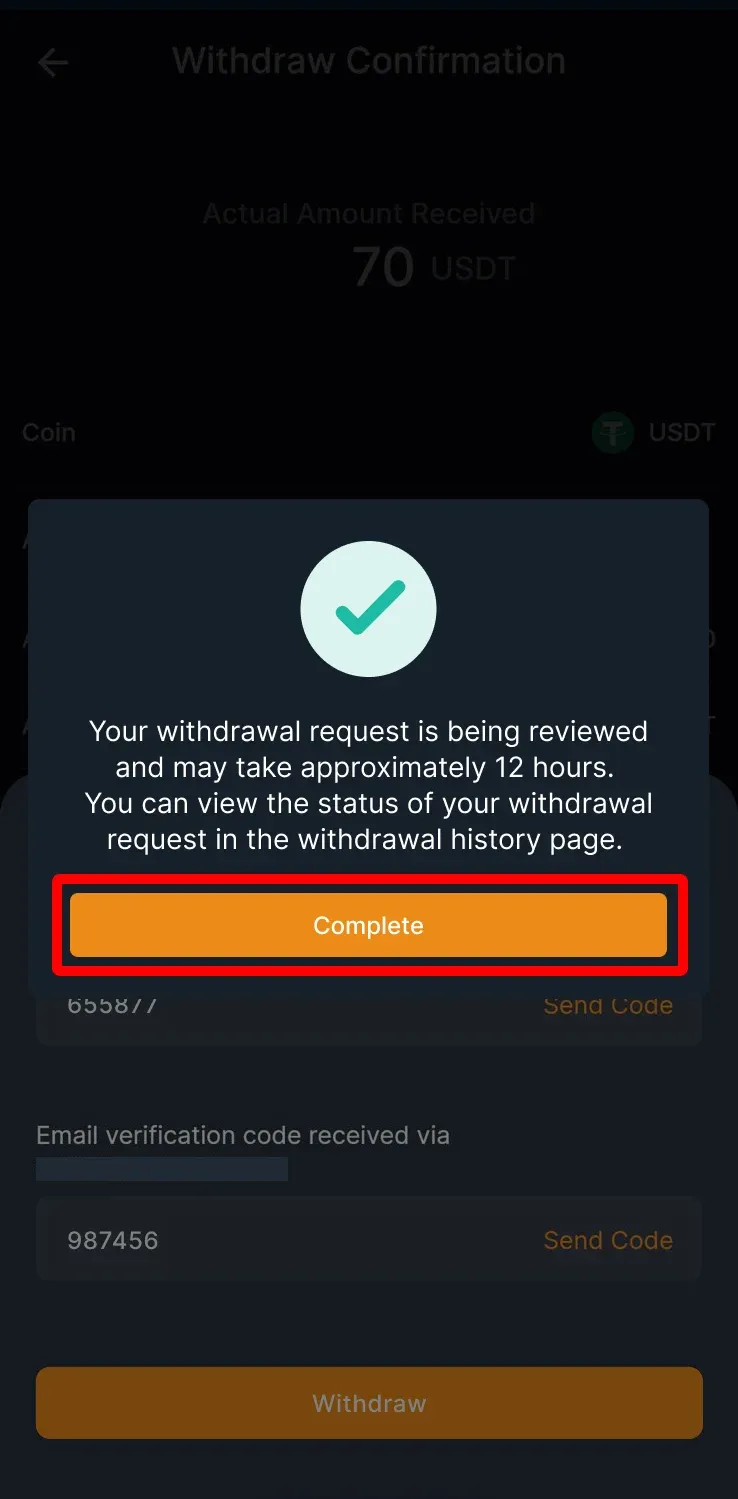
5. Enter your email verification code / sms verification code/ google verification code, then tap "Withdraw"
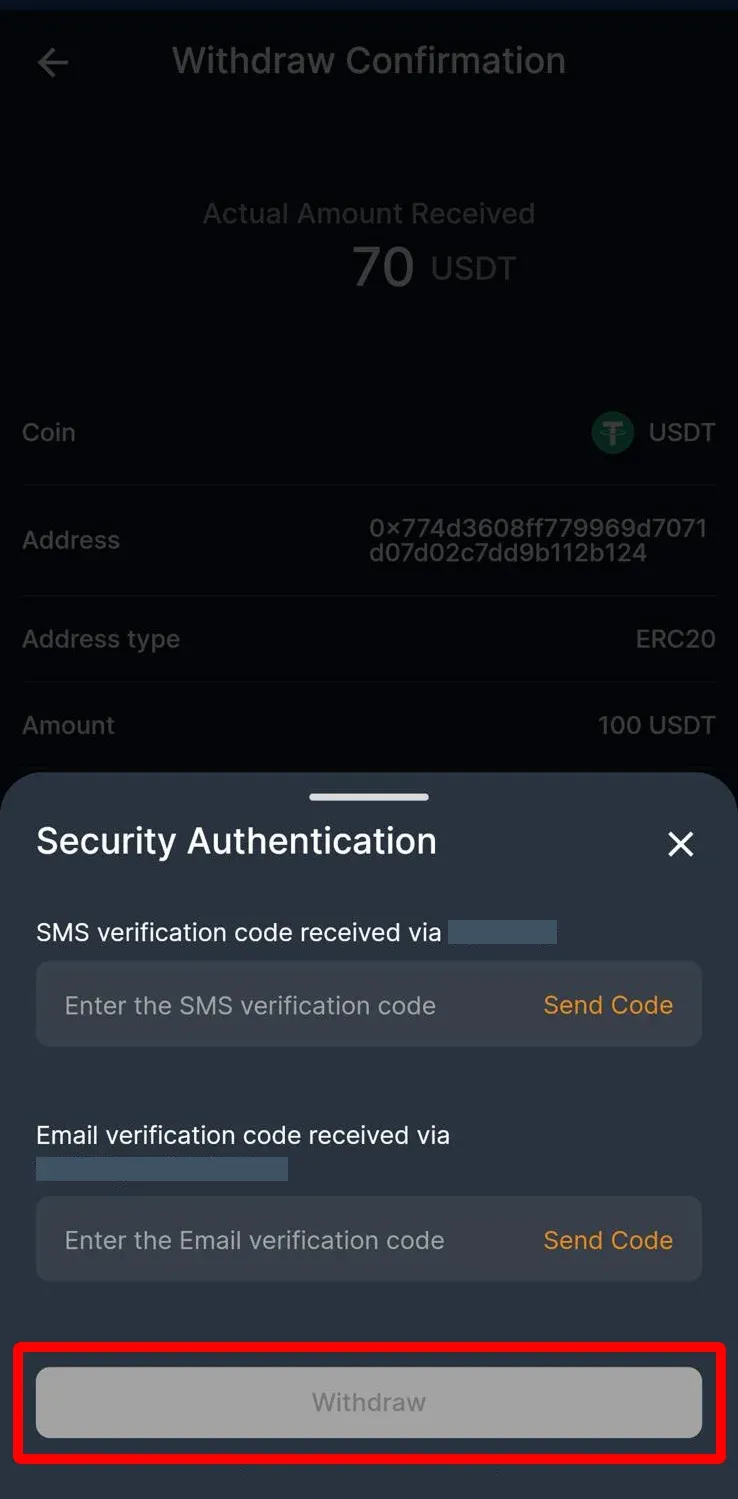
6. Your withdrawal request may take approximately 12 hours to review. You can view the withdrawal status on the withdrawal history page
CoinUnited.io Web Platform - How to Deposit Crypto
1. Go to CoinUnited.io Web Platform
2. Click "Deposit"
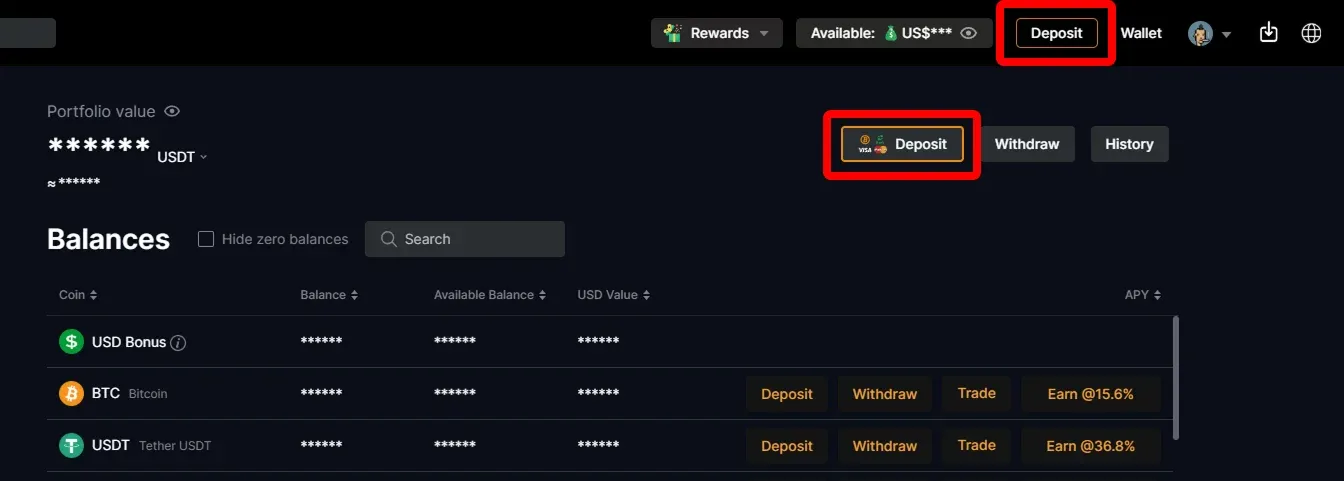
3. Click "Crypto" and choose the crypto you want to deposit
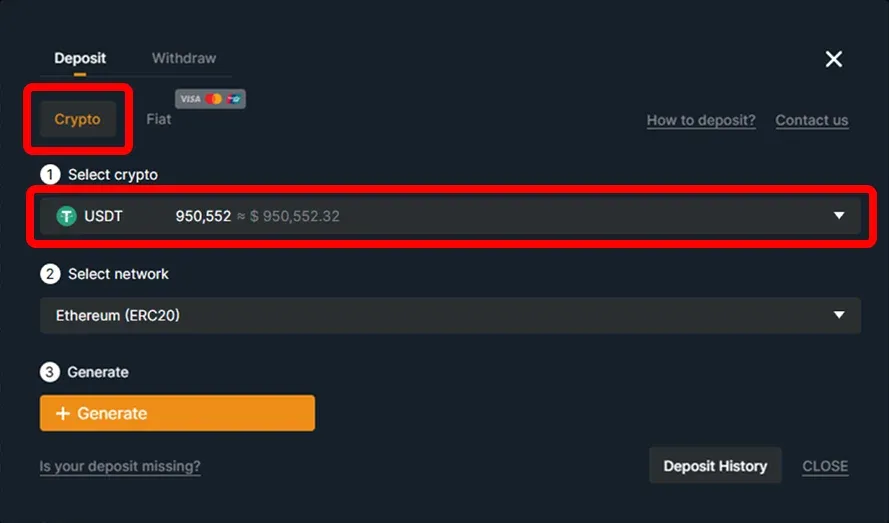
4. Select the deposit network
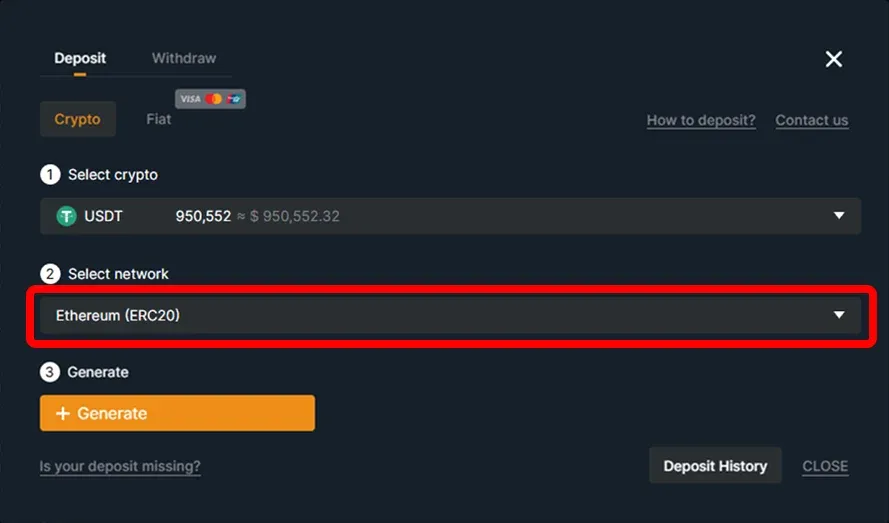
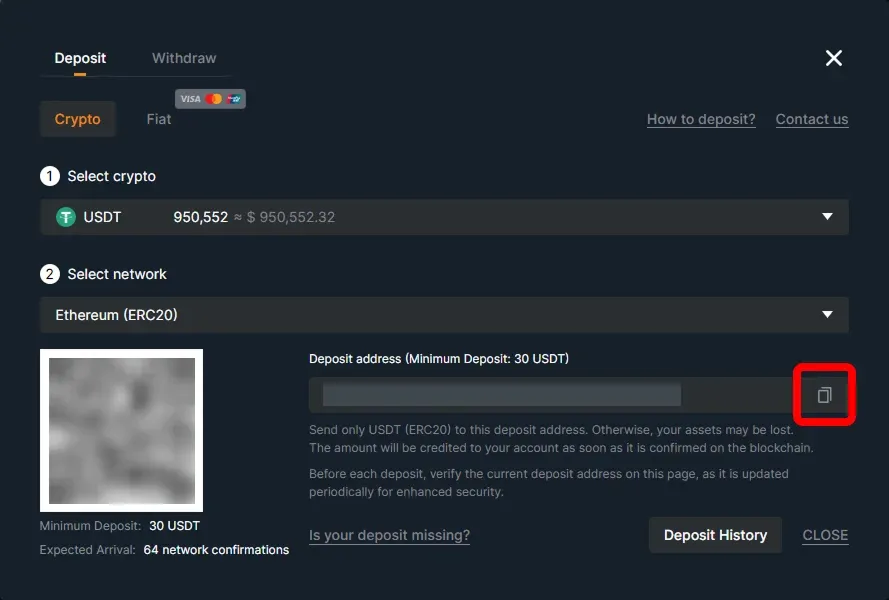
5. Copy the deposit address or scan the QR code to deposit
Before each deposit, verify the current deposit address on this page, as it is updated periodically for enhanced security.
CoinUnited.io Web Platform - How to Withdraw Crypto
1. Click "Withdraw"
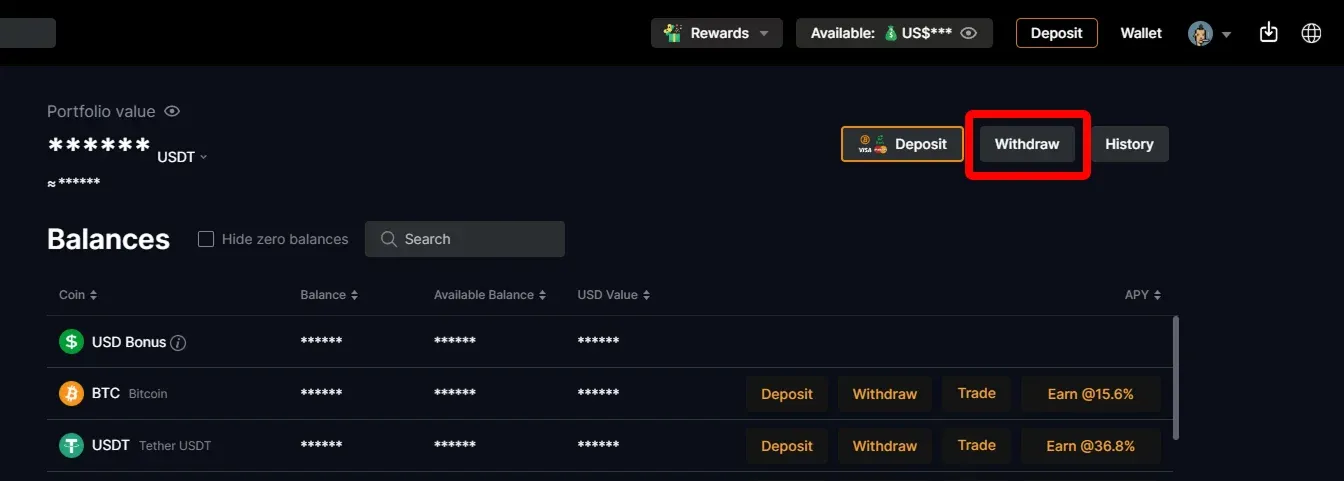
2. Select the crypto you want to withdraw (Take USDT as an example)
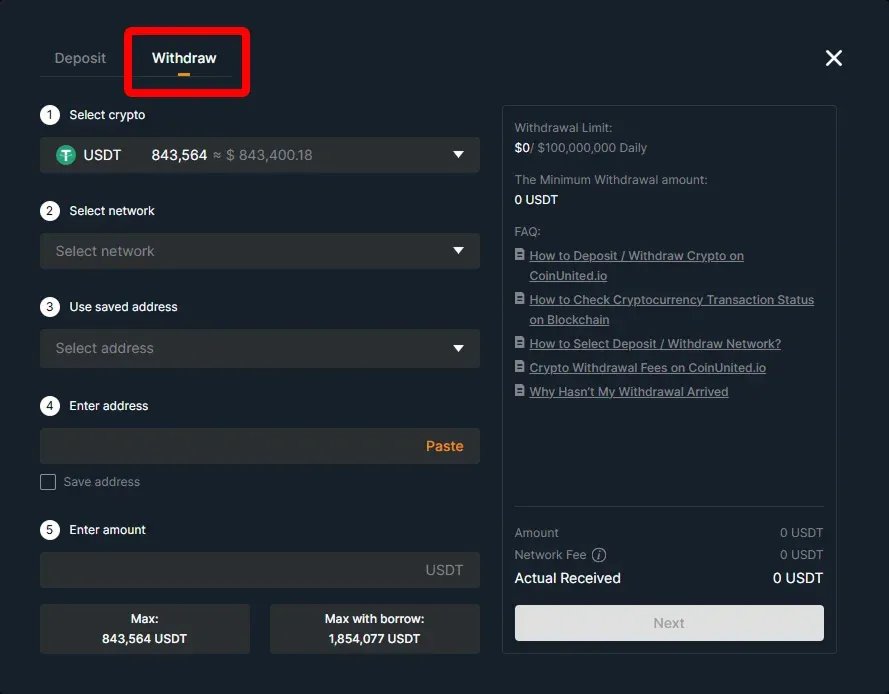
3. Enter and select the amount, network, and withdrawal address, then click "Withdraw"
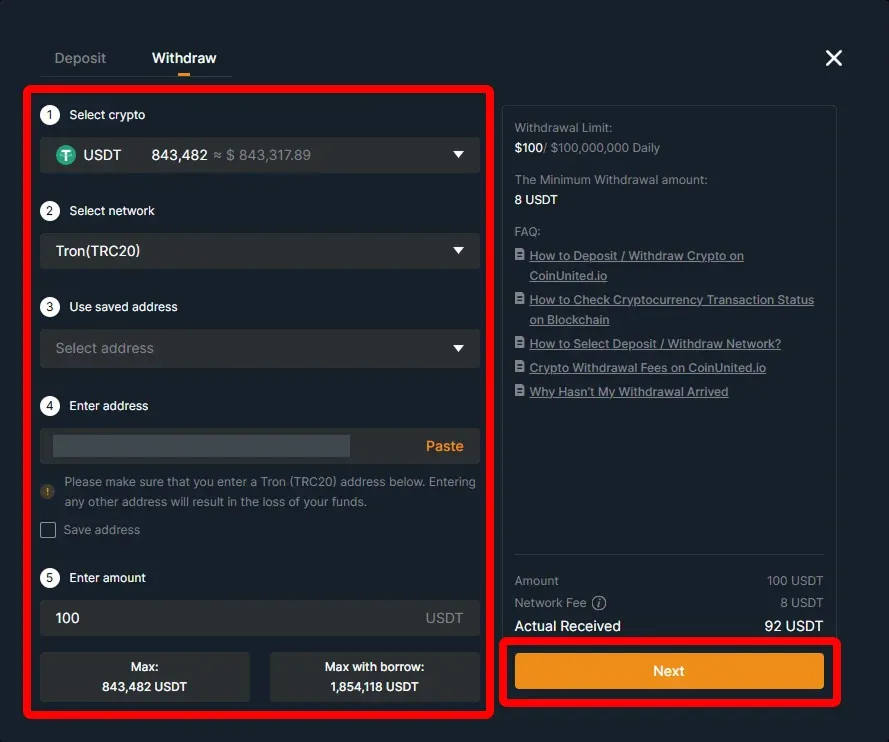
4. Check the transaction details and click "Next"
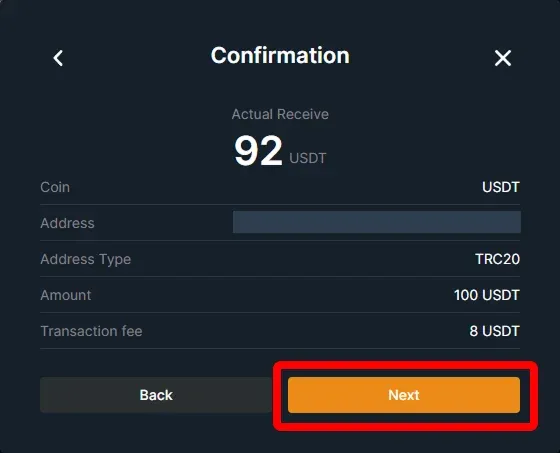
5. Enter your email verification code/ sms verification code/ google verification code, then click "Confirm"

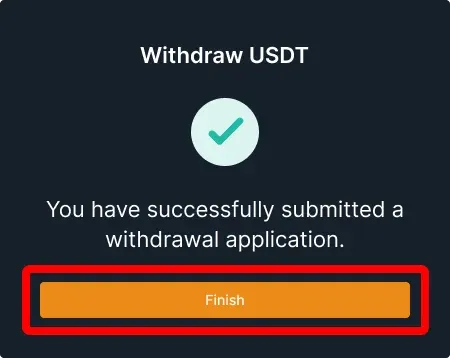
6. Your withdrawal request may take approximately 12 hours to review. You can view the withdrawal status on the withdrawal history page.
Need More Help?
For further questions or issues, please visit our Help Center or use our chatbot for assistance.
We're here to help. Happy trading!
Last updated September 30, 2026
Did this answer your question?