
How to Select Deposit / Withdraw Network?
Deposit
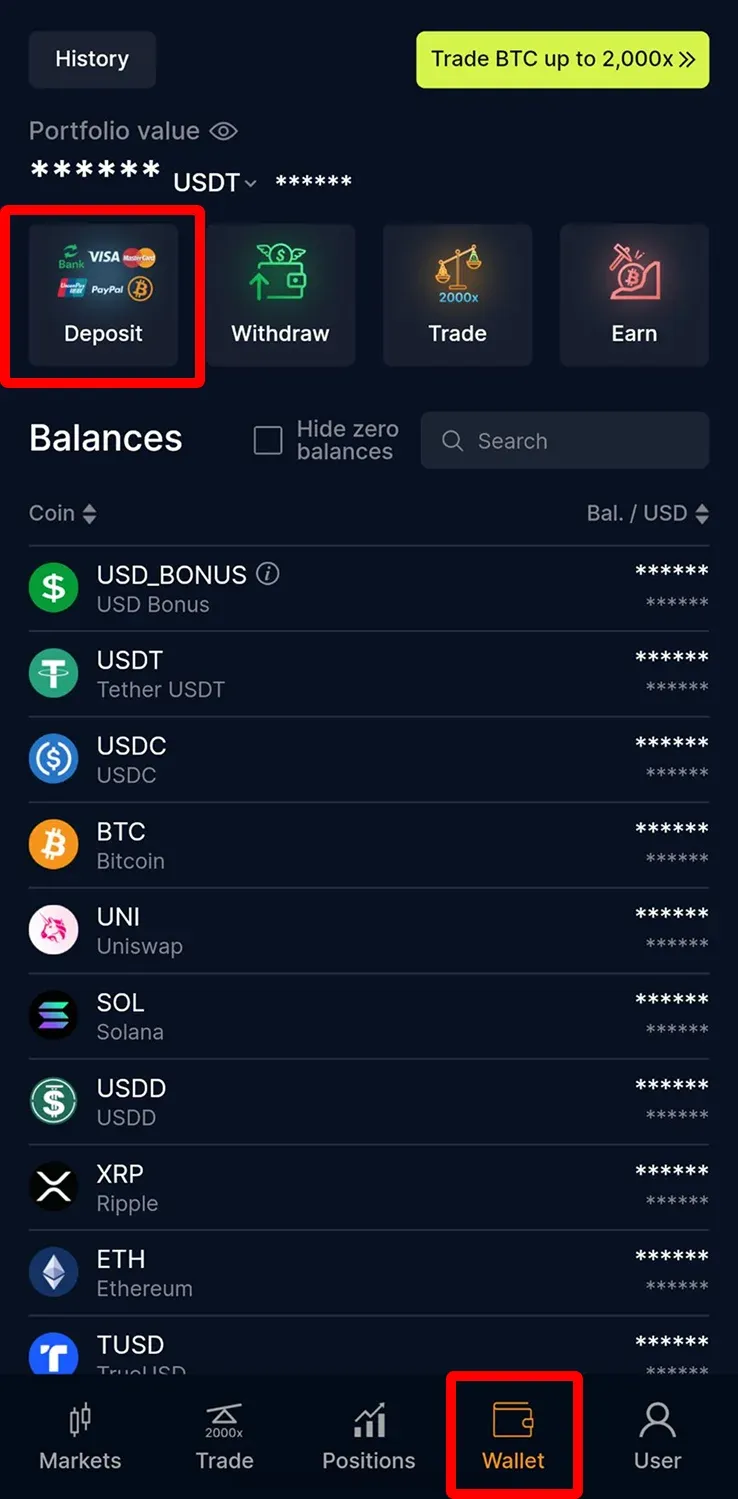
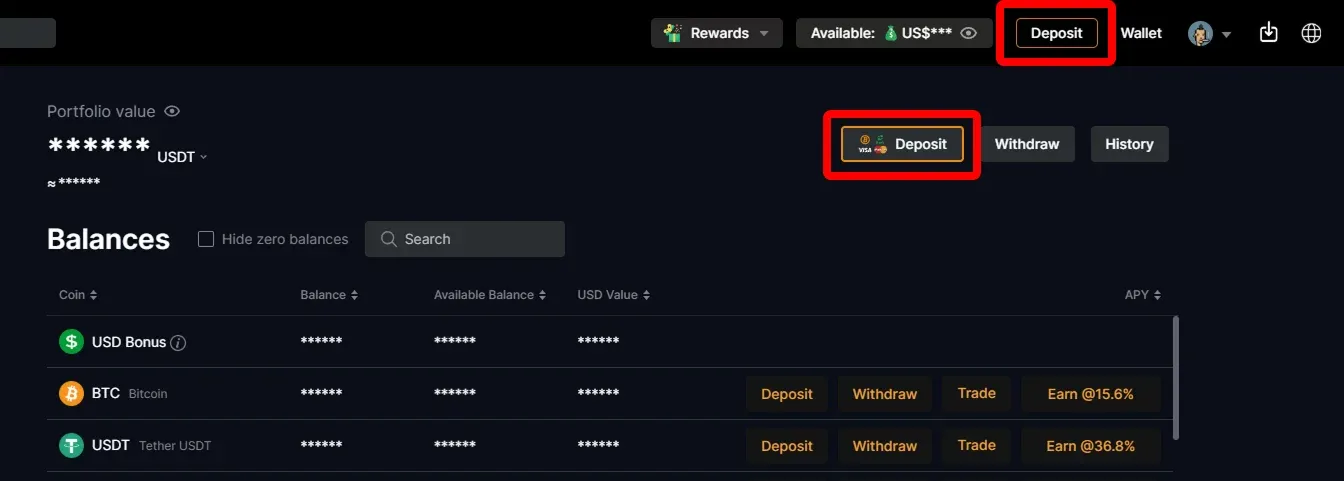
1. Click "Deposit" on CoinUnited.io APP/ Web Platform
APP
Web Platform
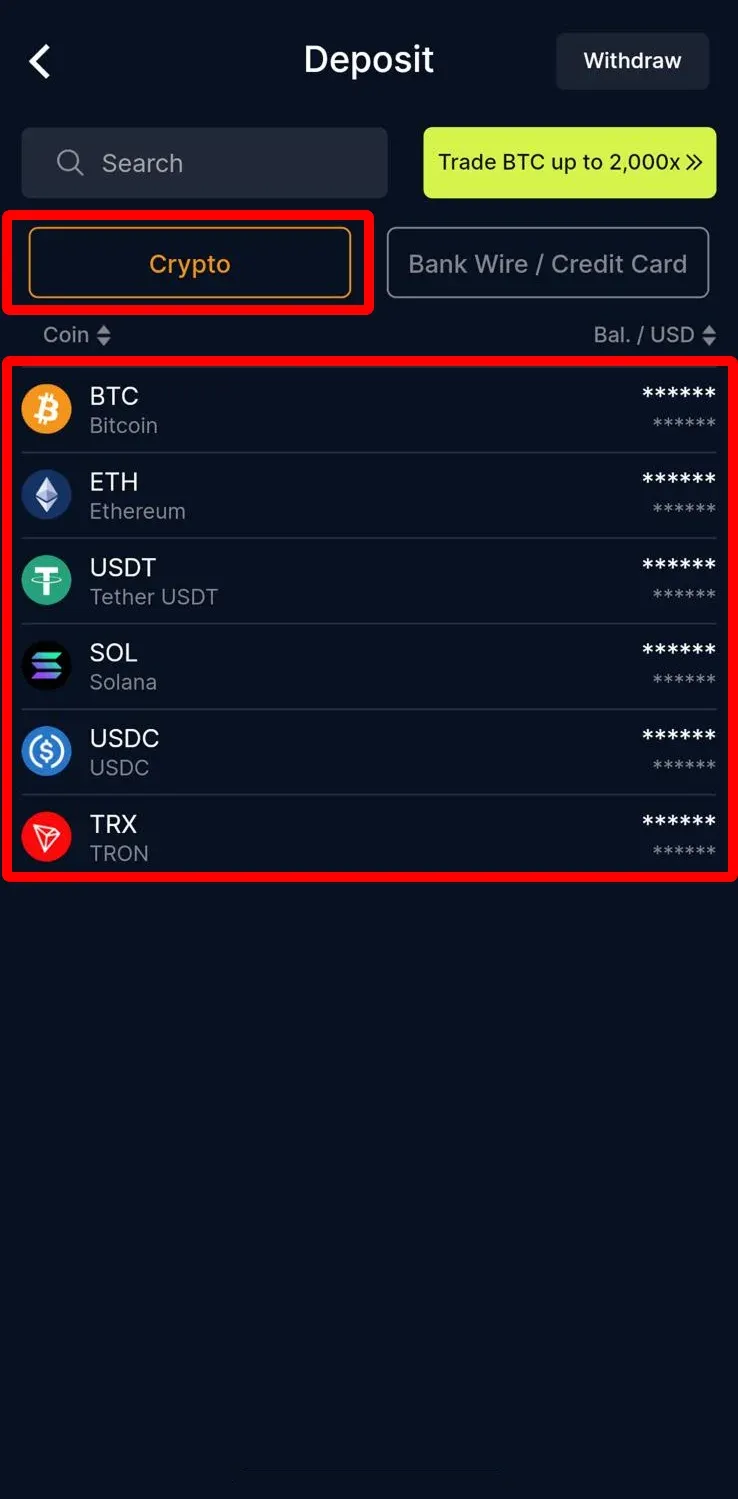
2. Click "Crypto" and choose the crypto you want to deposit
APP
Web Platform
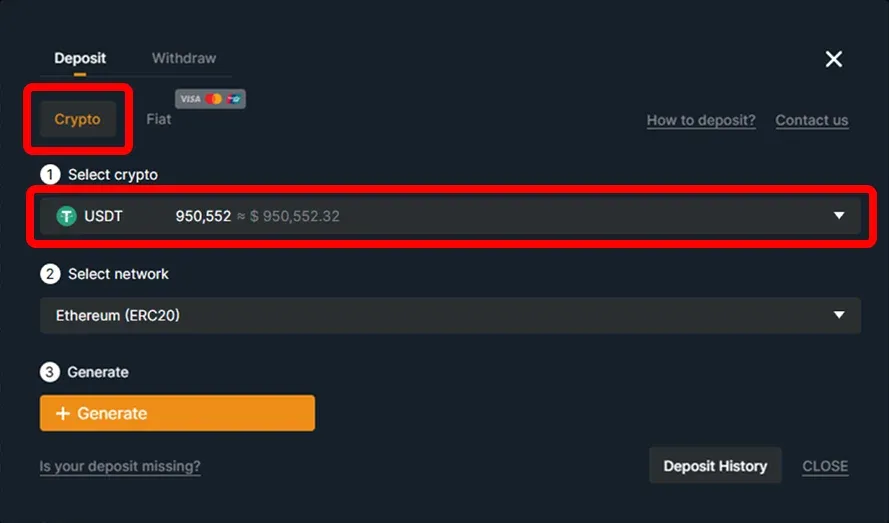
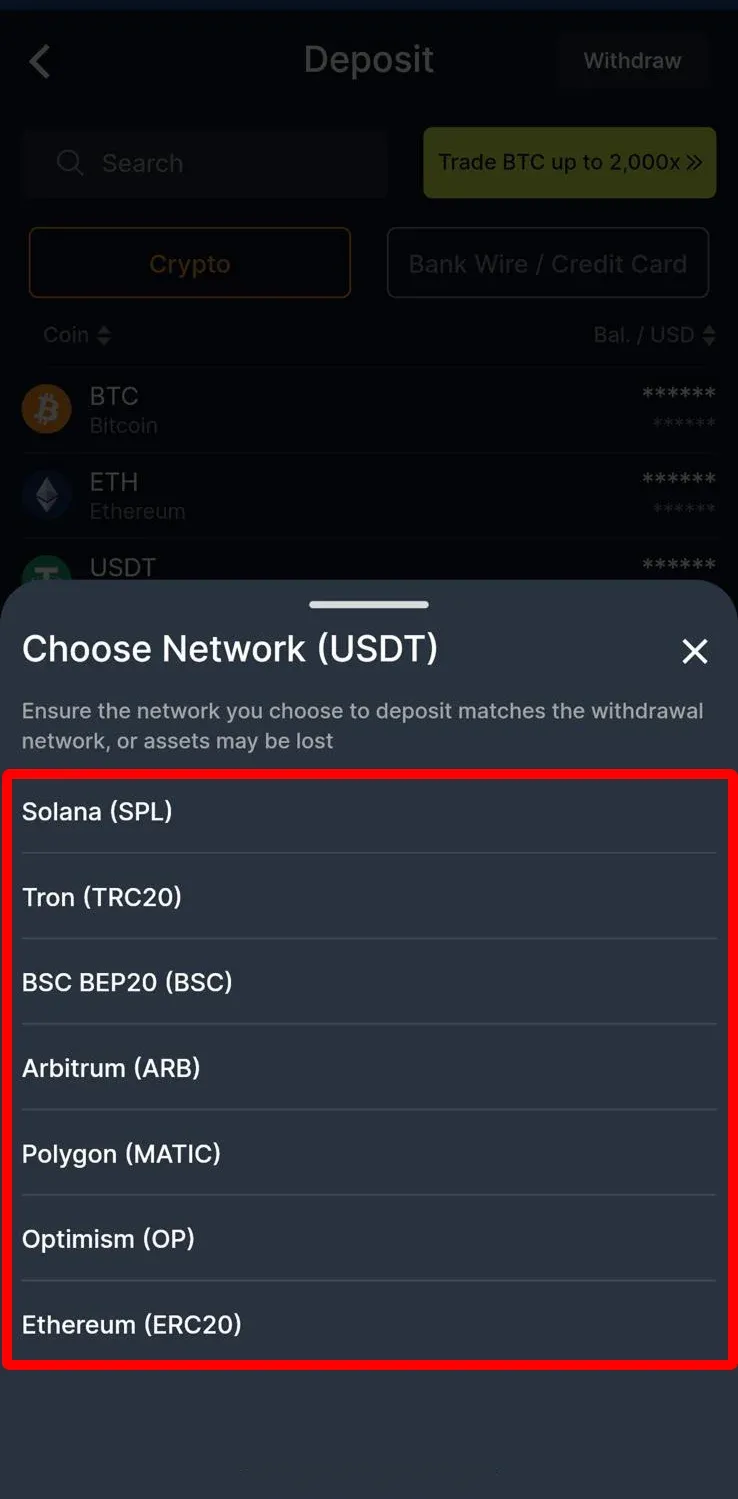
3. Then you will see the deposit network
APP
Web Platform
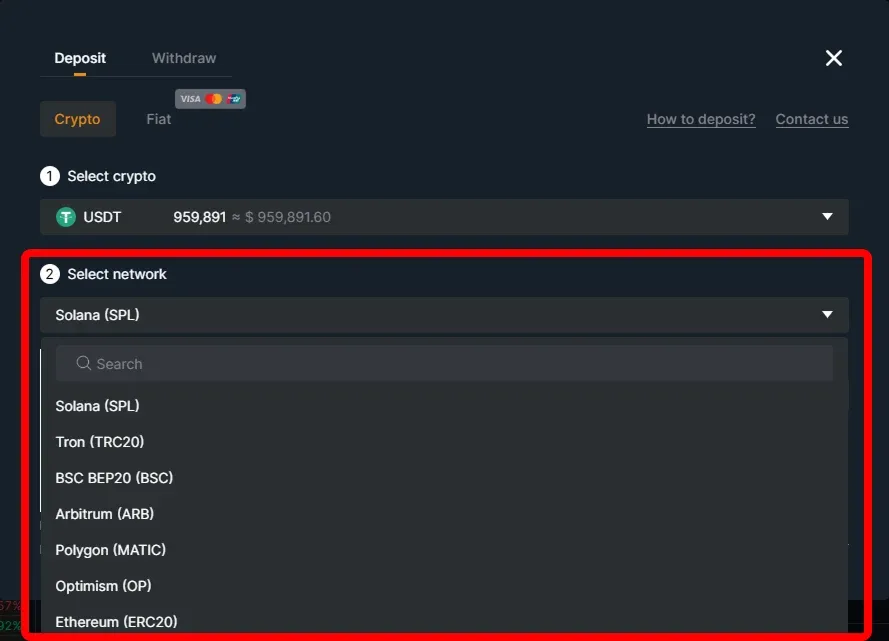
Please make sure that the selected network is the same as the network of the platform you are withdrawing funds from.
Warning: If you select the wrong/incompatible network, you will lose your funds.
Withdraw
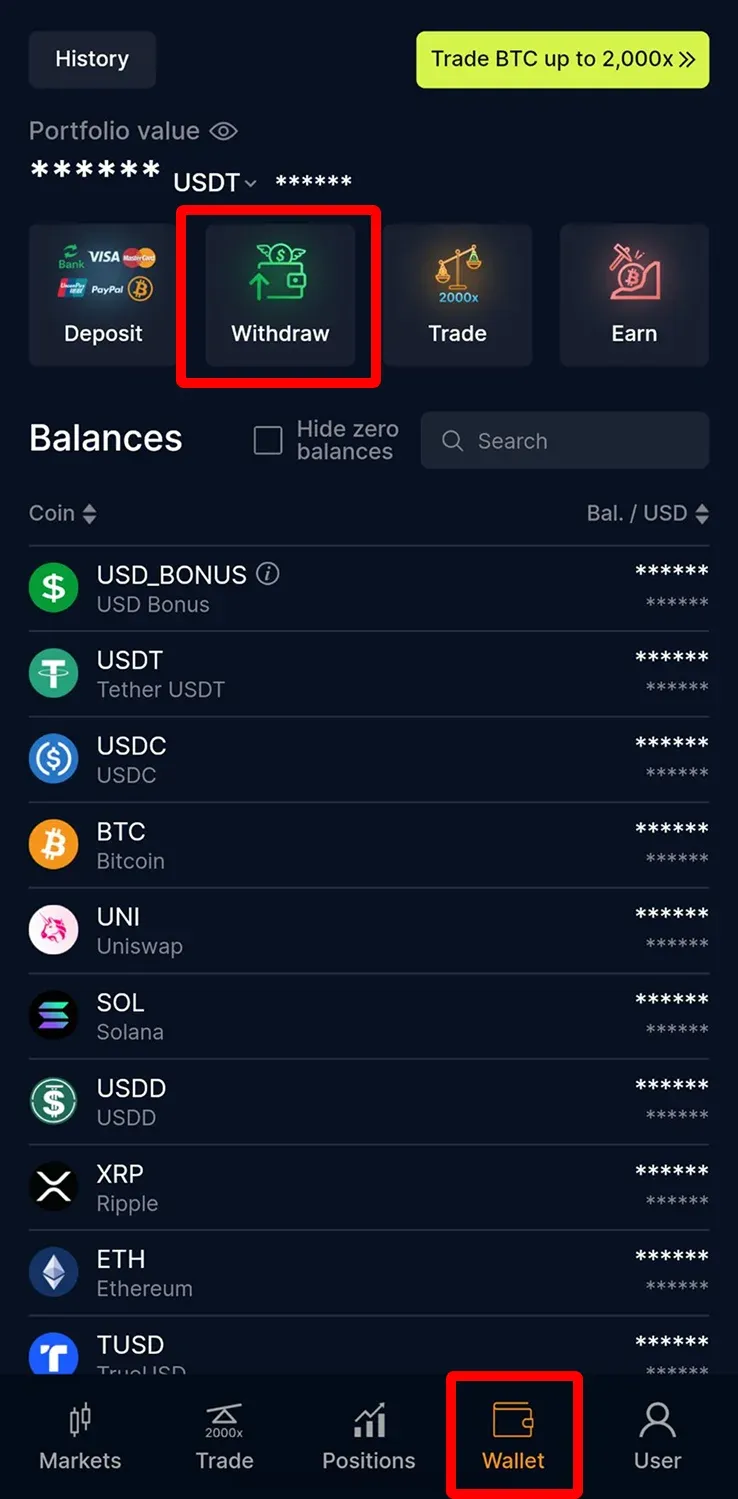
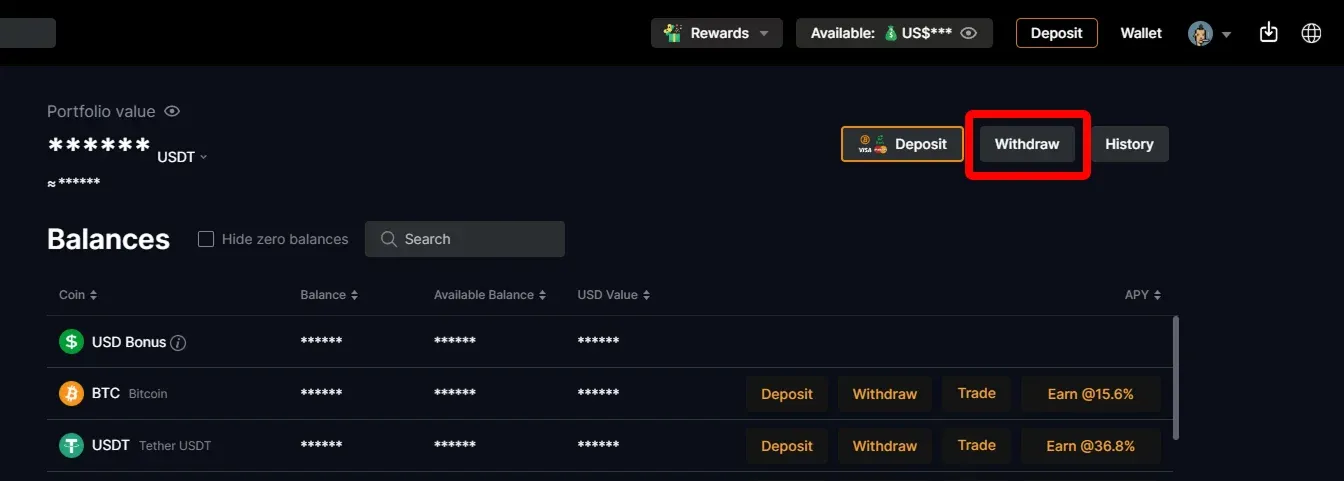
1. Click【Withdraw】on CoinUnited.io APP/ Web Platform
APP
Web Platform
2. Choose the crypto you want to withdraw
APP
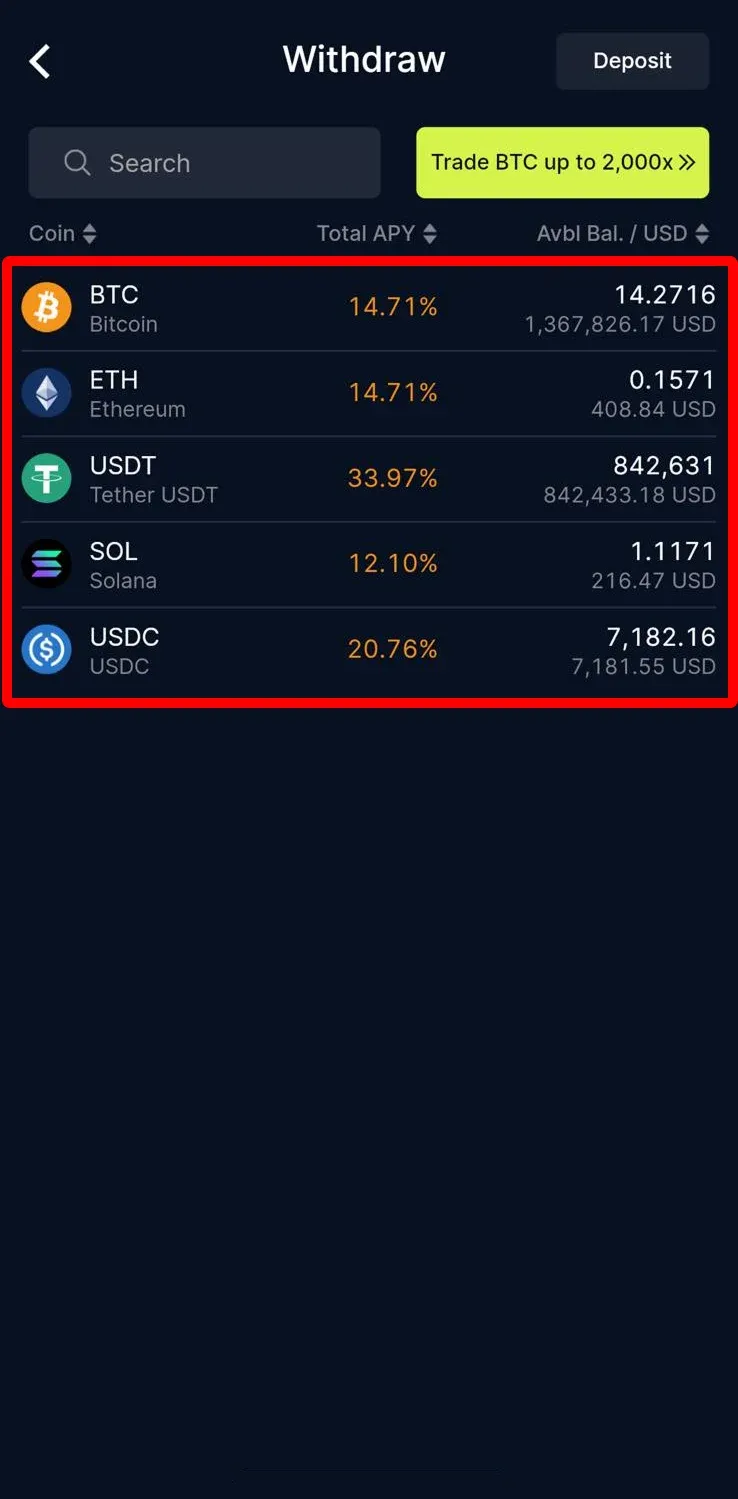
Web Platform
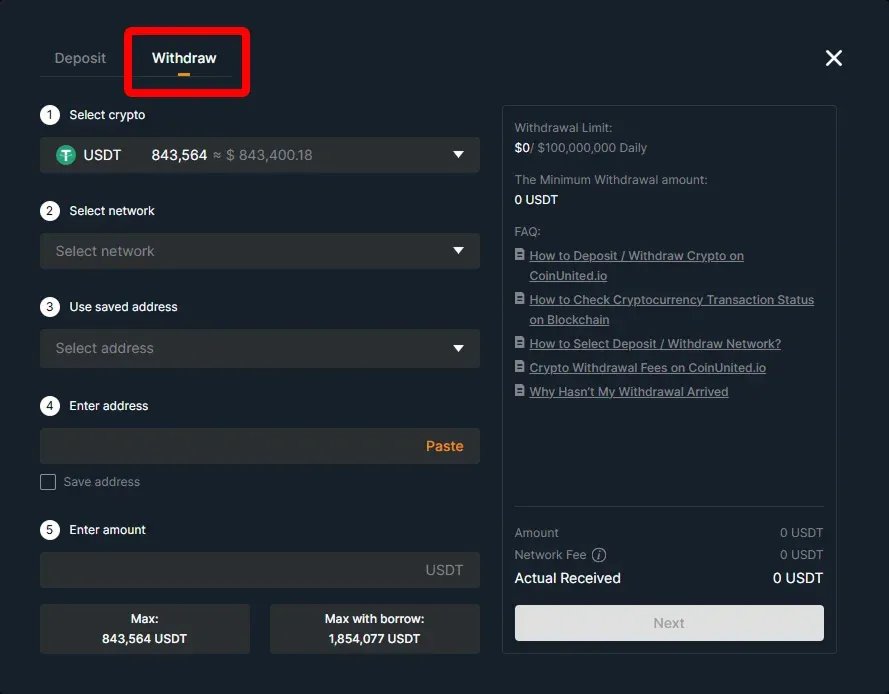
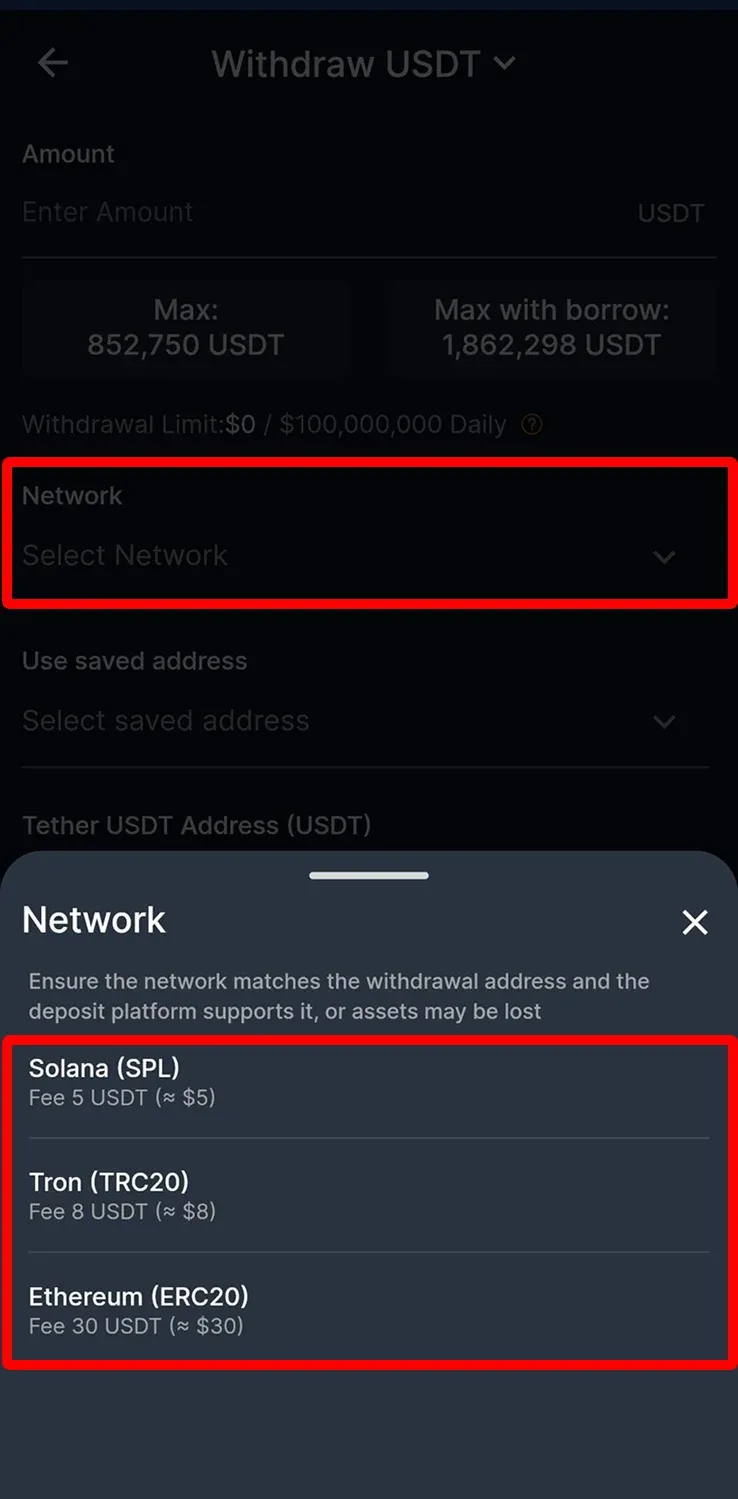
3. Click "Select Network" to select the withdrawal network
APP
Web Platform
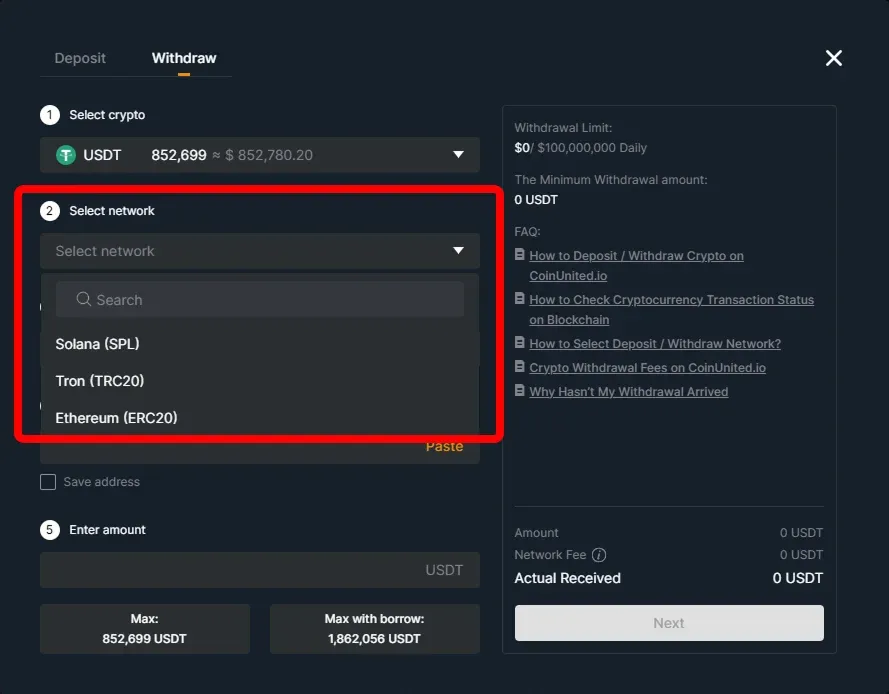
Please make sure that the selected network is the same as the network of the platform you are depositing funds.
Warning: If you select the wrong/incompatible network, you will lose your funds.
Need More Help?
For further questions or issues, please visit our Help Center or use our chatbot for assistance.
We're here to help. Happy trading!
Last updated August 21, 2026
Did this answer your question?