
How to Use Cancel All Function?
CoinUnited.io has separate buttons for cancelling orders and for closing positions.
Cancel All appears on the “Open Limit Orders” tab and on the “Open Trigger Orders” tab. It cancels every open order on that tab. It does not close any position.
Close All Positions appears on the “Positions” tab. It closes the positions shown in the list at market price, after you confirm.
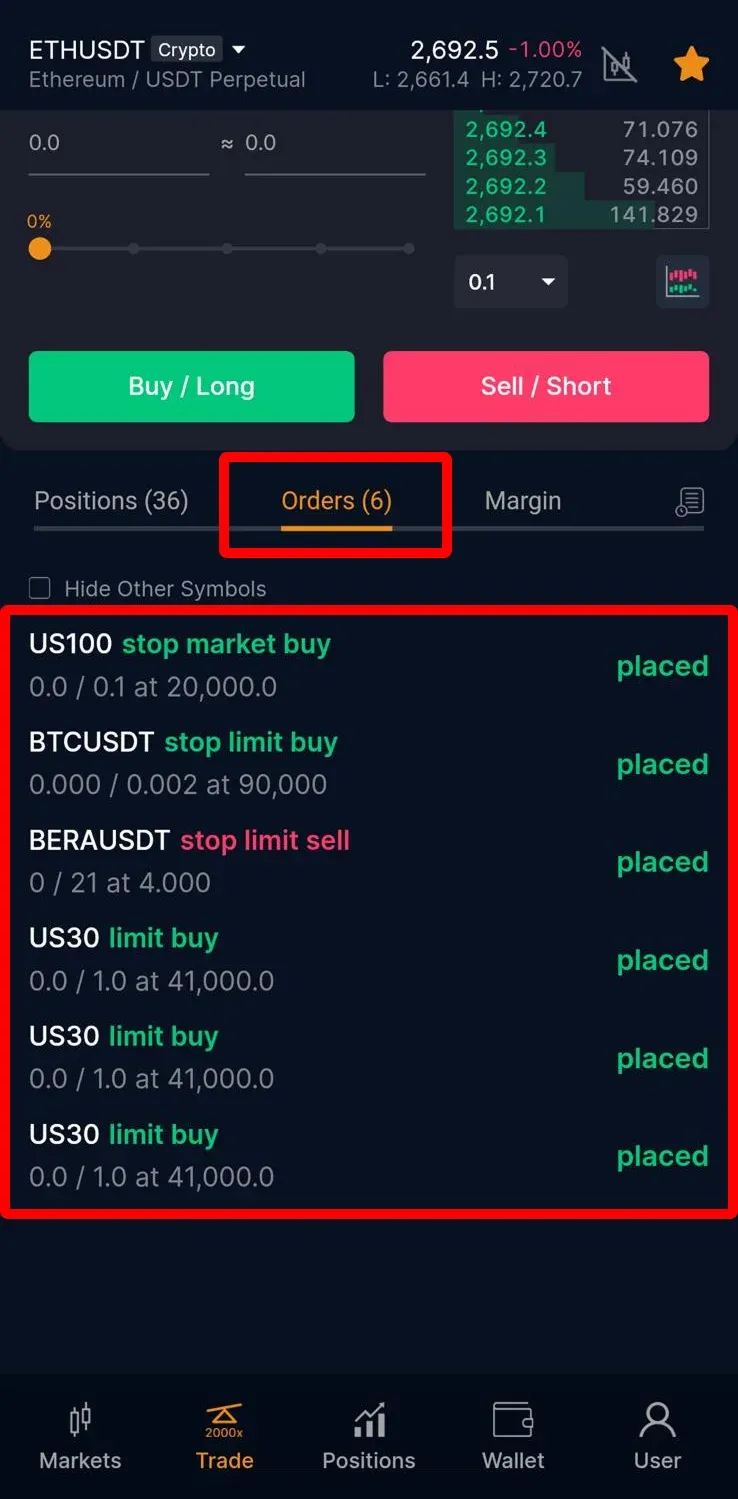
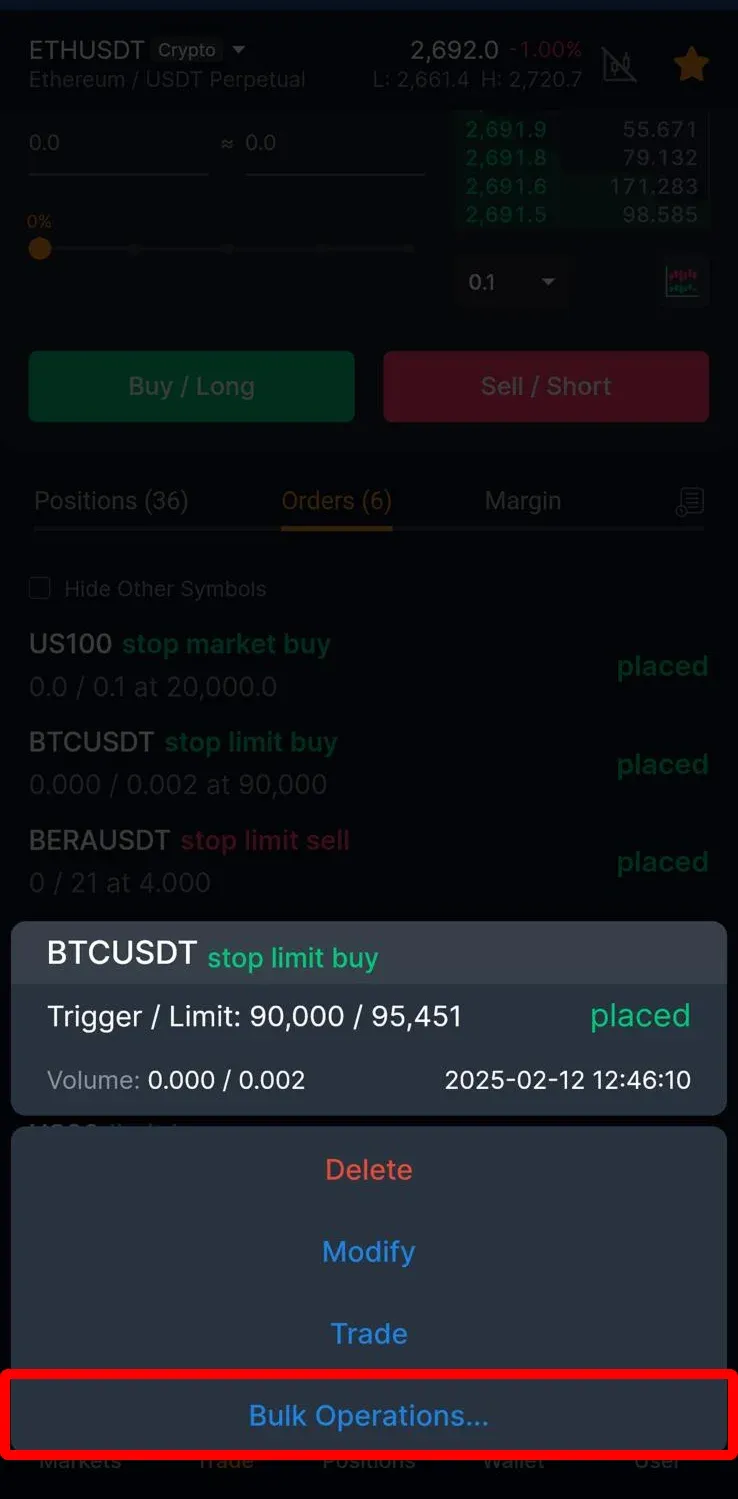
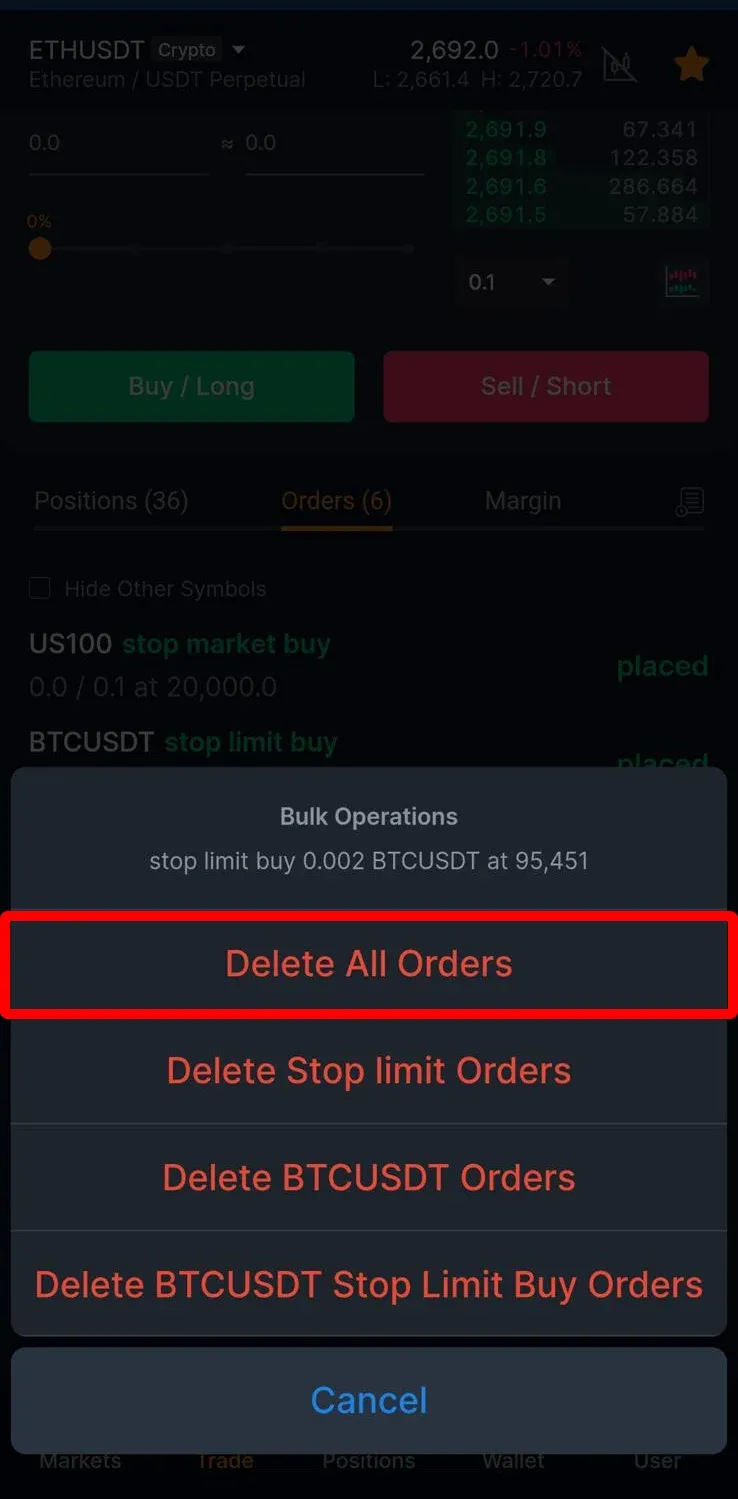
On the mobile version, open “Bulk Operations” to delete all orders, or to close all positions, only the profitable ones, only the losing ones, or those of one coin.
CoinUnited.io APP
CoinUnited.io Web Platform


During extreme market conditions, the unrealized P&L may differ from the final realized P&L due to volatility, slippage, and execution risk.
Need More Help?
For further questions or issues, please visit our Help Center or use our chatbot for assistance.
We're here to help. Happy trading!
Last updated September 30, 2026
Did this answer your question?