
Position and Order Limit
CoinUnited.io APP
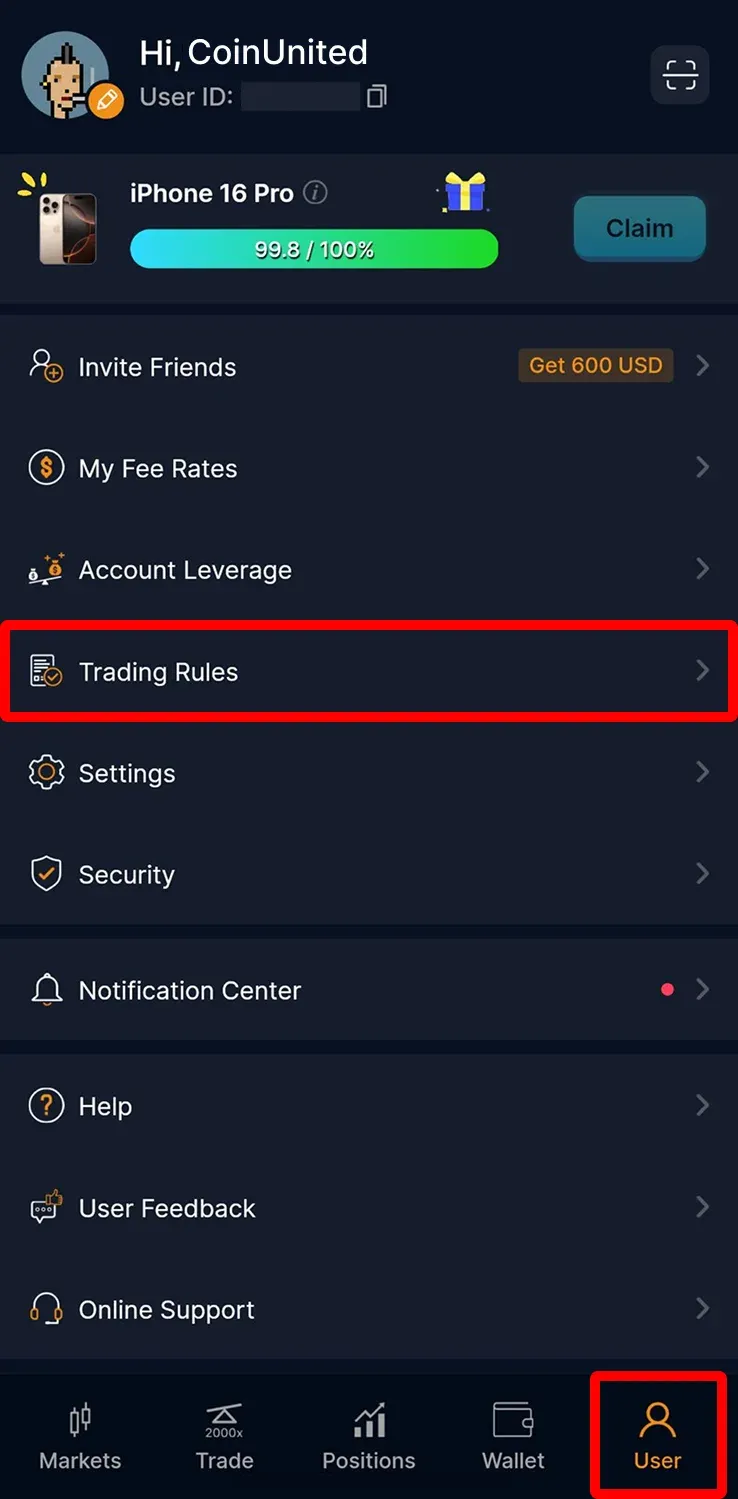
1. Go to "User" > "Trading Rules" on your CoinUnited.io APP
You can check them in the Trading Rules tab under "User" > "Trading Rules".
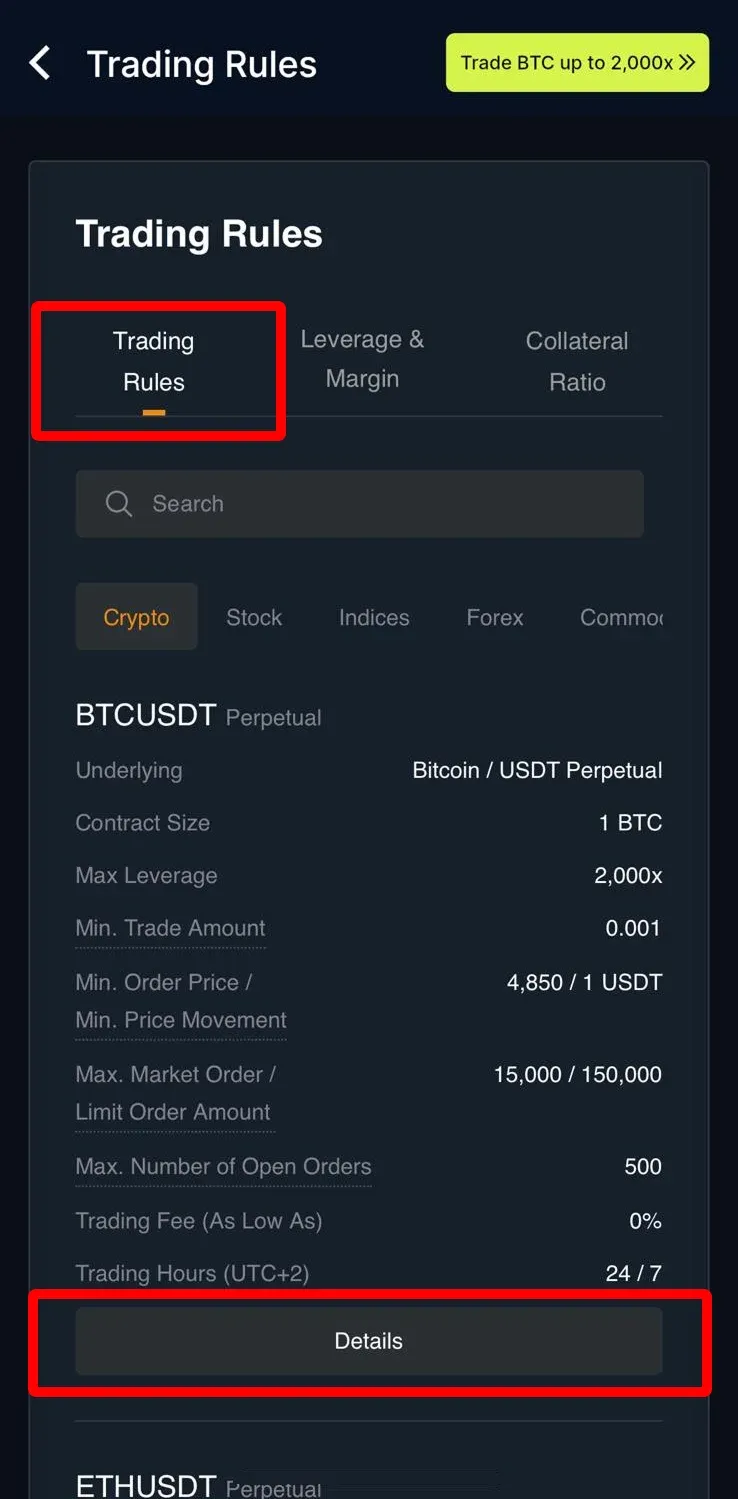
2. You can check them in the Trading Rules tab
You can select your "Contract" and click "Details".
CoinUnited.io Web Platform
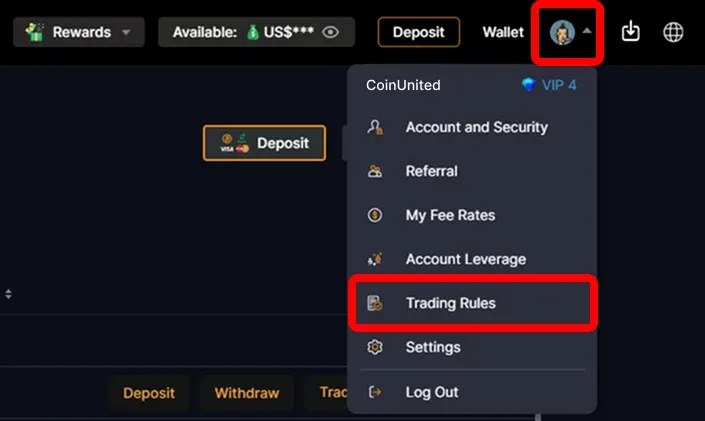
1. Go to CoinUnited.io Web Platform, hover your mouse on the "User Icon" at the top right, then click "Trading Rules"
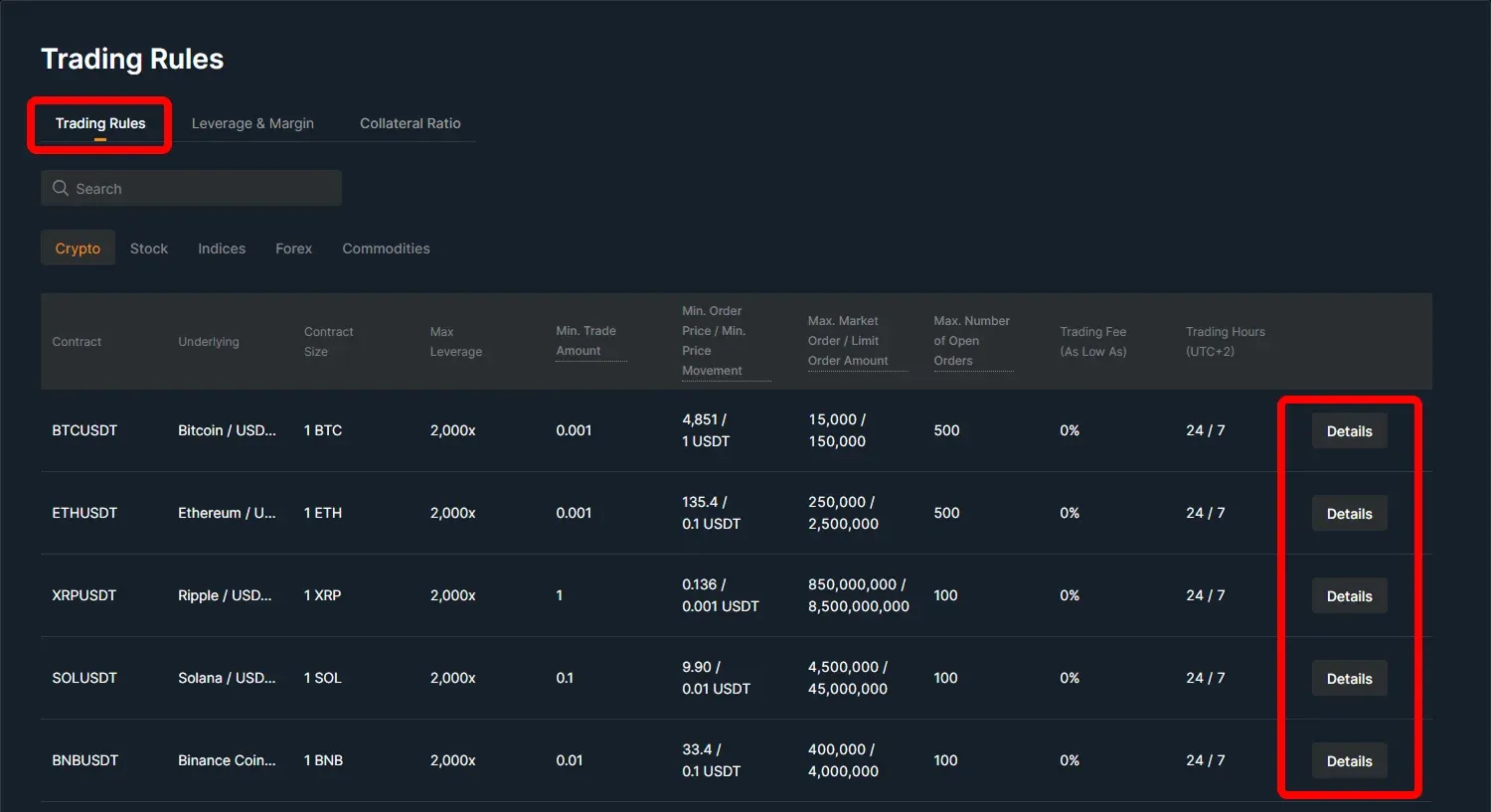
2. You can check them in the Trading Rules tab
You can select your "Contract" and click "Details".
Need More Help?
For further questions or issues, please visit our Help Center or use our chatbot for assistance.
We're here to help. Happy trading!
Last updated August 21, 2026
Did this answer your question?